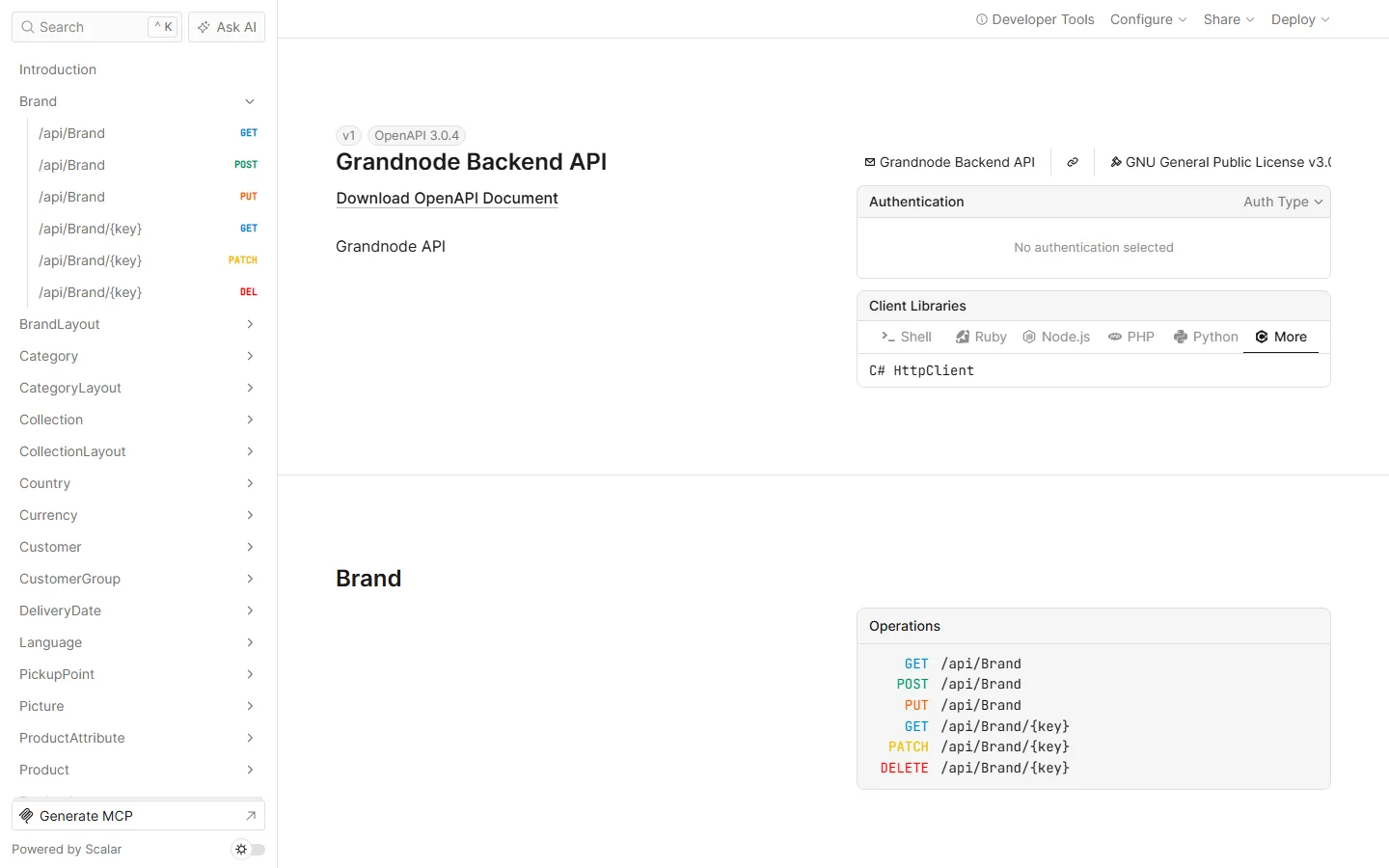
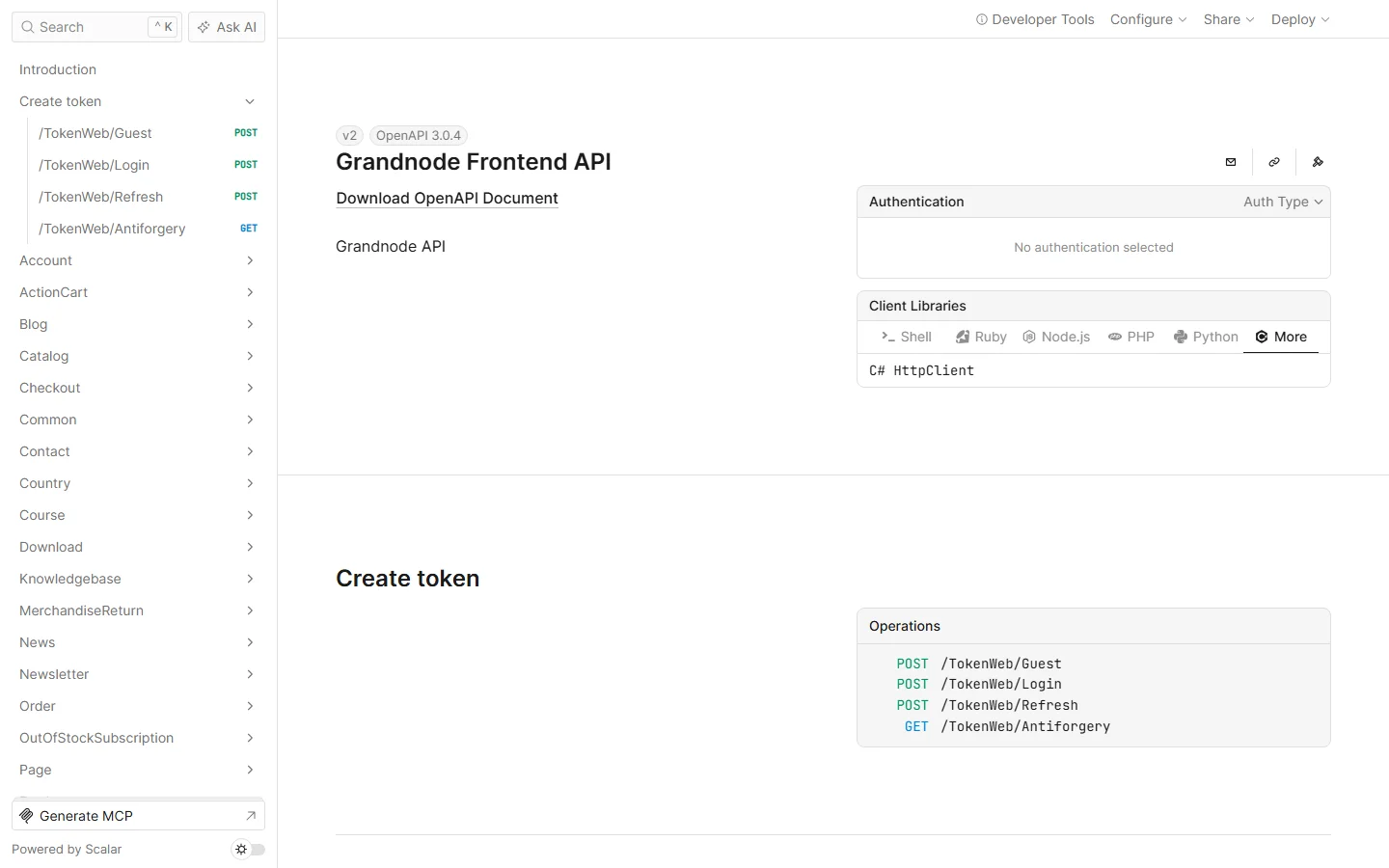
{"ArticleId":null,"Name":"API configuration and the Scalar playground","Content":"\n\u003Cp\u003EThe API module comes with interactive documentation: \u003Cstrong\u003EScalar\u003C/strong\u003E, an OpenAPI playground in the browser where you can read every endpoint, authorise with a token and send real requests. There is one playground for each API - the \u003Cstrong\u003EBackend API\u003C/strong\u003E (\u003Ccode\u003Ev1\u003C/code\u003E) for integrations and the \u003Cstrong\u003EFrontend API\u003C/strong\u003E (\u003Ccode\u003Ev2\u003C/code\u003E) for headless and mobile frontends. This article explains the settings and walks through both.\u003C/p\u003E\n\n\u003Ch2 id=\u0022settings\u0022\u003EThe settings\u003C/h2\u003E\n\u003Cp\u003EAll in \u003Ccode\u003EApp_Data/appsettings.json\u003C/code\u003E, or as environment variables (\u003Ccode\u003EBackendAPI__SecretKey\u003C/code\u003E and so on).\u003C/p\u003E\n\u003Cpre\u003E\u003Ccode\u003E\u0022FeatureManagement\u0022: {\n  \u0022Grand.Module.Api\u0022: true\n},\n\u0022BackendAPI\u0022: {\n  \u0022Enabled\u0022: true,\n  \u0022SecretKey\u0022: \u0022at least 32 random characters\u0022,\n  \u0022ValidateIssuer\u0022: false,\n  \u0022ValidIssuer\u0022: \u0022\u0022,\n  \u0022ValidateAudience\u0022: false,\n  \u0022ValidAudience\u0022: \u0022\u0022,\n  \u0022ValidateLifetime\u0022: true,\n  \u0022ValidateIssuerSigningKey\u0022: true,\n  \u0022ExpiryInMinutes\u0022: 1440\n},\n\u0022FrontendAPI\u0022: {\n  \u0022Enabled\u0022: true,\n  \u0022JsonContentType\u0022: false,\n  \u0022SecretKey\u0022: \u0022another 32\u002B character secret\u0022,\n  \u0022ValidateIssuer\u0022: false,\n  \u0022ValidIssuer\u0022: \u0022\u0022,\n  \u0022ValidateAudience\u0022: false,\n  \u0022ValidAudience\u0022: \u0022\u0022,\n  \u0022ValidateLifetime\u0022: true,\n  \u0022ValidateIssuerSigningKey\u0022: true,\n  \u0022ExpiryInMinutes\u0022: 1440,\n  \u0022RefreshTokenExpiryInMinutes\u0022: 1440\n},\n\u0022AllowedHostOrigins\u0022: [ \u0022https://shop-frontend.example.com\u0022 ]\u003C/code\u003E\u003C/pre\u003E\n\u003Ctable\u003E\n\u003Cthead\u003E\u003Ctr\u003E\u003Cth\u003ESetting\u003C/th\u003E\u003Cth\u003EWhat it does\u003C/th\u003E\u003C/tr\u003E\u003C/thead\u003E\n\u003Ctbody\u003E\n\u003Ctr\u003E\u003Ctd\u003E\u003Ccode\u003EFeatureManagement:Grand.Module.Api\u003C/code\u003E\u003C/td\u003E\u003Ctd\u003ELoads the API module at all. Off by default; restart after changing it.\u003C/td\u003E\u003C/tr\u003E\n\u003Ctr\u003E\u003Ctd\u003E\u003Ccode\u003EEnabled\u003C/code\u003E\u003C/td\u003E\u003Ctd\u003ESwitches each API on or off independently.\u003C/td\u003E\u003C/tr\u003E\n\u003Ctr\u003E\u003Ctd\u003E\u003Ccode\u003ESecretKey\u003C/code\u003E\u003C/td\u003E\u003Ctd\u003ESigns the tokens (HMAC-SHA256). Use a different key per API and per environment. Outside Development the application does not start while an enabled API has an empty key, the shipped placeholder, or one shorter than 32 characters. Changing it invalidates every issued token.\u003C/td\u003E\u003C/tr\u003E\n\u003Ctr\u003E\u003Ctd\u003E\u003Ccode\u003EExpiryInMinutes\u003C/code\u003E\u003C/td\u003E\u003Ctd\u003ELifetime of an access token.\u003C/td\u003E\u003C/tr\u003E\n\u003Ctr\u003E\u003Ctd\u003E\u003Ccode\u003ERefreshTokenExpiryInMinutes\u003C/code\u003E\u003C/td\u003E\u003Ctd\u003EFrontend API only: how long a refresh token can be exchanged for a new access token.\u003C/td\u003E\u003C/tr\u003E\n\u003Ctr\u003E\u003Ctd\u003E\u003Ccode\u003EValidateIssuer\u003C/code\u003E \u002B \u003Ccode\u003EValidIssuer\u003C/code\u003E, \u003Ccode\u003EValidateAudience\u003C/code\u003E \u002B \u003Ccode\u003EValidAudience\u003C/code\u003E\u003C/td\u003E\u003Ctd\u003EWhen set, tokens are issued with this issuer/audience and only tokens carrying them are accepted - useful when several systems share a signing key.\u003C/td\u003E\u003C/tr\u003E\n\u003Ctr\u003E\u003Ctd\u003E\u003Ccode\u003EValidateLifetime\u003C/code\u003E, \u003Ccode\u003EValidateIssuerSigningKey\u003C/code\u003E\u003C/td\u003E\u003Ctd\u003EKeep both \u003Ccode\u003Etrue\u003C/code\u003E. Turning them off accepts expired or forged tokens.\u003C/td\u003E\u003C/tr\u003E\n\u003Ctr\u003E\u003Ctd\u003E\u003Ccode\u003EJsonContentType\u003C/code\u003E\u003C/td\u003E\u003Ctd\u003EFrontend API: lets storefront actions bind request bodies sent as JSON (\u003Ccode\u003EContent-Type: application/json\u003C/code\u003E) instead of form data.\u003C/td\u003E\u003C/tr\u003E\n\u003Ctr\u003E\u003Ctd\u003E\u003Ccode\u003EAllowedHostOrigins\u003C/code\u003E\u003C/td\u003E\u003Ctd\u003EOrigins allowed to call the API from a browser (CORS) in production. In Development every origin is allowed.\u003C/td\u003E\u003C/tr\u003E\n\u003Ctr\u003E\u003Ctd\u003E\u003Ccode\u003ESystemModel\u003C/code\u003E\u003C/td\u003E\u003Ctd\u003EPresent in the Backend API section but not used by the current code.\u003C/td\u003E\u003C/tr\u003E\n\u003C/tbody\u003E\n\u003C/table\u003E\n\n\u003Ch2 id=\u0022where\u0022\u003EWhere the playgrounds are\u003C/h2\u003E\n\u003Ctable\u003E\n\u003Cthead\u003E\u003Ctr\u003E\u003Cth\u003EAddress\u003C/th\u003E\u003Cth\u003EWhat\u003C/th\u003E\u003C/tr\u003E\u003C/thead\u003E\n\u003Ctbody\u003E\n\u003Ctr\u003E\u003Ctd\u003E\u003Ccode\u003E/scalar/v1\u003C/code\u003E\u003C/td\u003E\u003Ctd\u003EScalar for the Backend API\u003C/td\u003E\u003C/tr\u003E\n\u003Ctr\u003E\u003Ctd\u003E\u003Ccode\u003E/scalar/v2\u003C/code\u003E\u003C/td\u003E\u003Ctd\u003EScalar for the Frontend API\u003C/td\u003E\u003C/tr\u003E\n\u003Ctr\u003E\u003Ctd\u003E\u003Ccode\u003E/openapi/v1.json\u003C/code\u003E, \u003Ccode\u003E/openapi/v2.json\u003C/code\u003E\u003C/td\u003E\u003Ctd\u003EThe OpenAPI 3.0 documents - import them into Postman, Insomnia or a client generator\u003C/td\u003E\u003C/tr\u003E\n\u003C/tbody\u003E\n\u003C/table\u003E\n\u003Cp\u003EThey exist only when the application runs in the \u003Cstrong\u003EDevelopment\u003C/strong\u003E environment and the module and API are enabled. Use them on a development or staging copy; production does not publish the documents.\u003C/p\u003E\n\n\u003Ch2 id=\u0022backend\u0022\u003EBackend API in Scalar (v1)\u003C/h2\u003E\n\u003Cfigure\u003E\u003Cimg src=\u0022/Plugins/Theme.GrandNodeCom/Content/kb/developers/scalar-backend.webp\u0022 alt=\u0022Scalar for the Grandnode Backend API v1 with the endpoint groups Brand, Category, Collection, Country, Customer and more in the sidebar, the Authentication box and client libraries\u0022 width=\u00221440\u0022 height=\u0022900\u0022 loading=\u0022lazy\u0022\u003E\u003Cfigcaption\u003E/scalar/v1 - the Backend API: one group per entity, with GET, POST, PUT, PATCH and DELETE.\u003C/figcaption\u003E\u003C/figure\u003E\n\u003Col\u003E\n\u003Cli\u003ECreate an API user under \u003Cstrong\u003ESystem \u2192 Developer tools \u2192 Manage API Users\u003C/strong\u003E. Its e-mail must belong to an existing, active customer account with admin access; the API acts with that customer\u0027s permissions.\u003C/li\u003E\n\u003Cli\u003EIn Scalar open \u003Cstrong\u003EToken \u2192 POST /Api/Token/Create\u003C/strong\u003E and send \u003Ccode\u003E{ \u0022email\u0022: \u0022...\u0022, \u0022password\u0022: \u0022\u0026lt;password in Base64\u0026gt;\u0022 }\u003C/code\u003E. The response is the token as a JSON string.\u003C/li\u003E\n\u003Cli\u003EIn the \u003Cstrong\u003EAuthentication\u003C/strong\u003E box choose \u003Cstrong\u003EBearer\u003C/strong\u003E and paste the token (without the quotes).\u003C/li\u003E\n\u003Cli\u003EOpen, for example, \u003Cstrong\u003EProduct \u2192 GET /api/Product\u003C/strong\u003E, add query parameters and send:\n\u003Cpre\u003E\u003Ccode\u003E$top=2\n$select=Name,Price,Sku\n$orderby=Price desc\n$filter=Price \u0026gt; 300 and Name.Contains(\u0022Aurora\u0022)\u003C/code\u003E\u003C/pre\u003E\n\u003Ccode\u003E$filter\u003C/code\u003E uses C#-like expressions (\u003Ccode\u003E==\u003C/code\u003E, \u003Ccode\u003E\u0026gt;\u003C/code\u003E, \u003Ccode\u003Eand\u003C/code\u003E, \u003Ccode\u003Eor\u003C/code\u003E, \u003Ccode\u003EContains\u003C/code\u003E, \u003Ccode\u003EStartsWith\u003C/code\u003E...), not OData words such as \u003Ccode\u003Egt\u003C/code\u003E.\u003C/li\u003E\n\u003C/ol\u003E\n\u003Cp\u003EScalar shows the request as code for many clients (C# HttpClient is the default, also cURL, JavaScript, Python, PHP...) - copy it into your integration.\u003C/p\u003E\n\n\u003Ch2 id=\u0022frontend\u0022\u003EFrontend API in Scalar (v2)\u003C/h2\u003E\n\u003Cfigure\u003E\u003Cimg src=\u0022/Plugins/Theme.GrandNodeCom/Content/kb/developers/scalar-frontend.webp\u0022 alt=\u0022Scalar for the Grandnode Frontend API v2 with the Create token group (Guest, Login, Refresh, Antiforgery) and storefront groups such as Account, Catalog, Checkout and Order\u0022 width=\u00221440\u0022 height=\u0022900\u0022 loading=\u0022lazy\u0022\u003E\u003Cfigcaption\u003E/scalar/v2 - the Frontend API: the storefront\u0027s own actions, grouped by area.\u003C/figcaption\u003E\u003C/figure\u003E\n\u003Col\u003E\n\u003Cli\u003EGet a token from \u003Cstrong\u003ECreate token\u003C/strong\u003E: \u003Ccode\u003EPOST /TokenWeb/Guest\u003C/code\u003E for an anonymous shopper, or \u003Ccode\u003EPOST /TokenWeb/Login\u003C/code\u003E with a customer\u0027s e-mail and Base64 password. The response contains \u003Ccode\u003EAccessToken\u003C/code\u003E and \u003Ccode\u003ERefreshToken\u003C/code\u003E.\u003C/li\u003E\n\u003Cli\u003EPut the \u003Ccode\u003EAccessToken\u003C/code\u003E into \u003Cstrong\u003EAuthentication \u2192 Bearer\u003C/strong\u003E.\u003C/li\u003E\n\u003Cli\u003ETry a call, for example \u003Ccode\u003EGET /Account/Info\u003C/code\u003E: it returns the signed-in customer\u0027s data as JSON. Without a token the same call returns 403.\u003C/li\u003E\n\u003Cli\u003EOperations in this document take an \u003Ccode\u003EX-CSRF-TOKEN\u003C/code\u003E header: get its value from \u003Ccode\u003EGET /TokenWeb/Antiforgery\u003C/code\u003E and send it with requests that change data.\u003C/li\u003E\n\u003Cli\u003EWhen the access token expires, call \u003Ccode\u003EPOST /TokenWeb/Refresh\u003C/code\u003E with both tokens.\u003C/li\u003E\n\u003C/ol\u003E\n\u003Cp\u003EThe Frontend API is the storefront itself: the same controllers serve HTML to browsers and JSON to API clients, so whatever the storefront can do - catalog, cart, checkout, account, blog, knowledgebase - is in v2.\u003C/p\u003E\n\n\u003Ch2 id=\u0022tips\u0022\u003ETips\u003C/h2\u003E\n\u003Cul\u003E\n\u003Cli\u003E401 everywhere: the module flag is off, the token was signed with another key, or it expired.\u003C/li\u003E\n\u003Cli\u003E\u0022User not exists or password is wrong\u0022: the password was not Base64-encoded, the API user is inactive, or there is no customer with that e-mail.\u003C/li\u003E\n\u003Cli\u003EKeep the Scalar instance away from production data: it sends real requests.\u003C/li\u003E\n\u003C/ul\u003E\n\n\u003Ch2 id=\u0022related\u0022\u003ERelated\u003C/h2\u003E\n\u003Cul\u003E\n\u003Cli\u003E\u003Ca href=\u0022/developers-rest-api\u0022\u003EThe REST API\u003C/a\u003E\u003C/li\u003E\n\u003Cli\u003E\u003Ca href=\u0022/system-appsettings\u0022\u003EApplication settings (appsettings.json)\u003C/a\u003E\u003C/li\u003E\n\u003C/ul\u003E\n","ParentCategoryId":"6abdec6d83d2816248229f65","SeName":"developers-scalar-api-playground","MetaKeywords":null,"MetaDescription":"Configure the GrandNode Backend and Frontend API in appsettings.json, open the Scalar playground for each, authorise with a token and try requests.","MetaTitle":null,"AllowComments":false,"Captcha":{"ReCaptchaChallengeField":null,"ReCaptchaResponseField":null,"ReCaptchaResponseValue":null,"ReCaptchaResponse":null},"RelatedArticles":[],"CategoryBreadcrumb":[{"Name":"For developers","Description":null,"IsCurrent":false,"Children":null,"Parent":null,"SeName":"docs-developers","Id":"6abdec6d83d2816248229f65","UserFields":[]}],"AddNewComment":{"CommentText":null,"DisplayCaptcha":false,"Id":null,"UserFields":[]},"Comments":[],"Id":"6abe44072dc7defd25b302db","UserFields":[]}