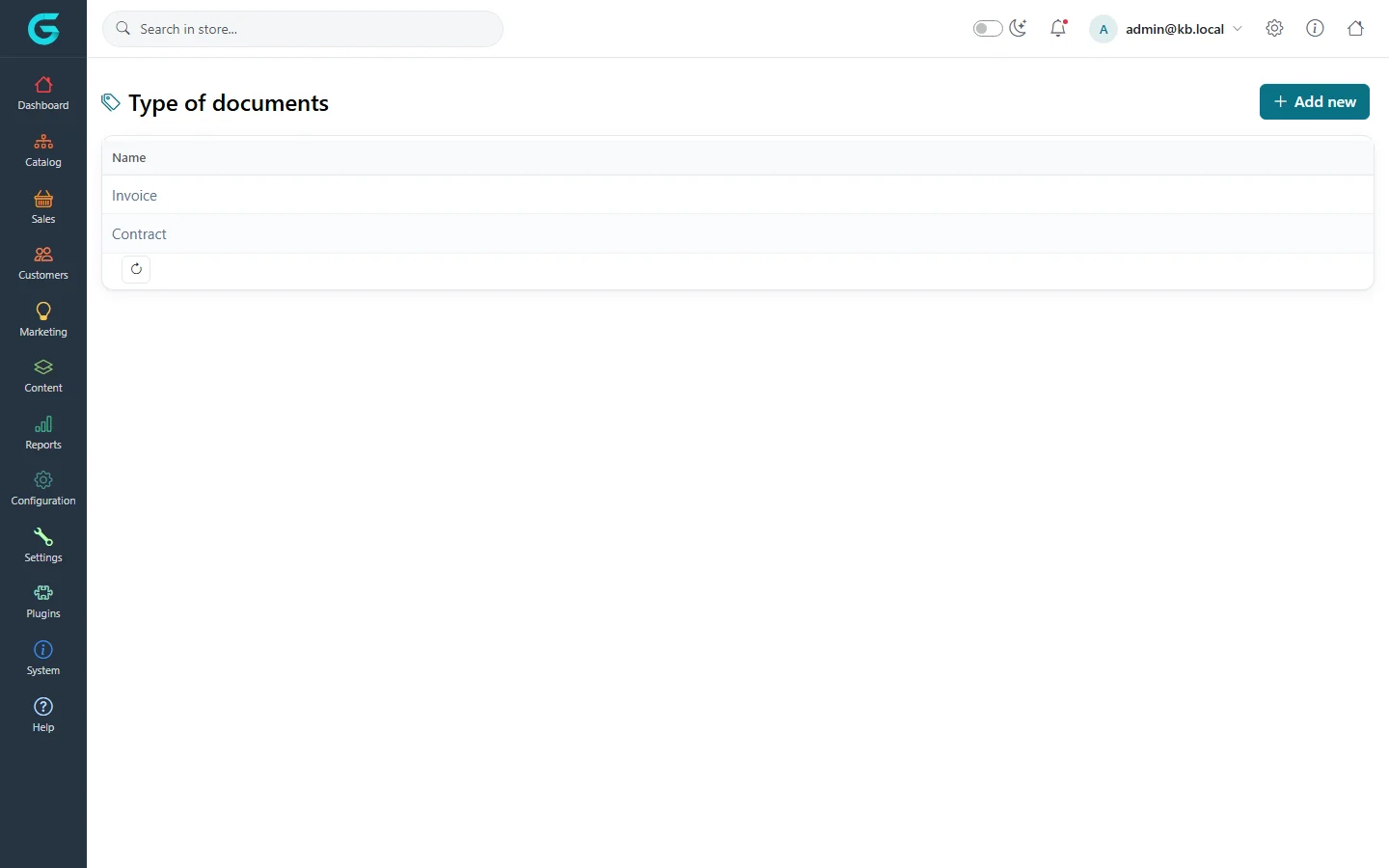
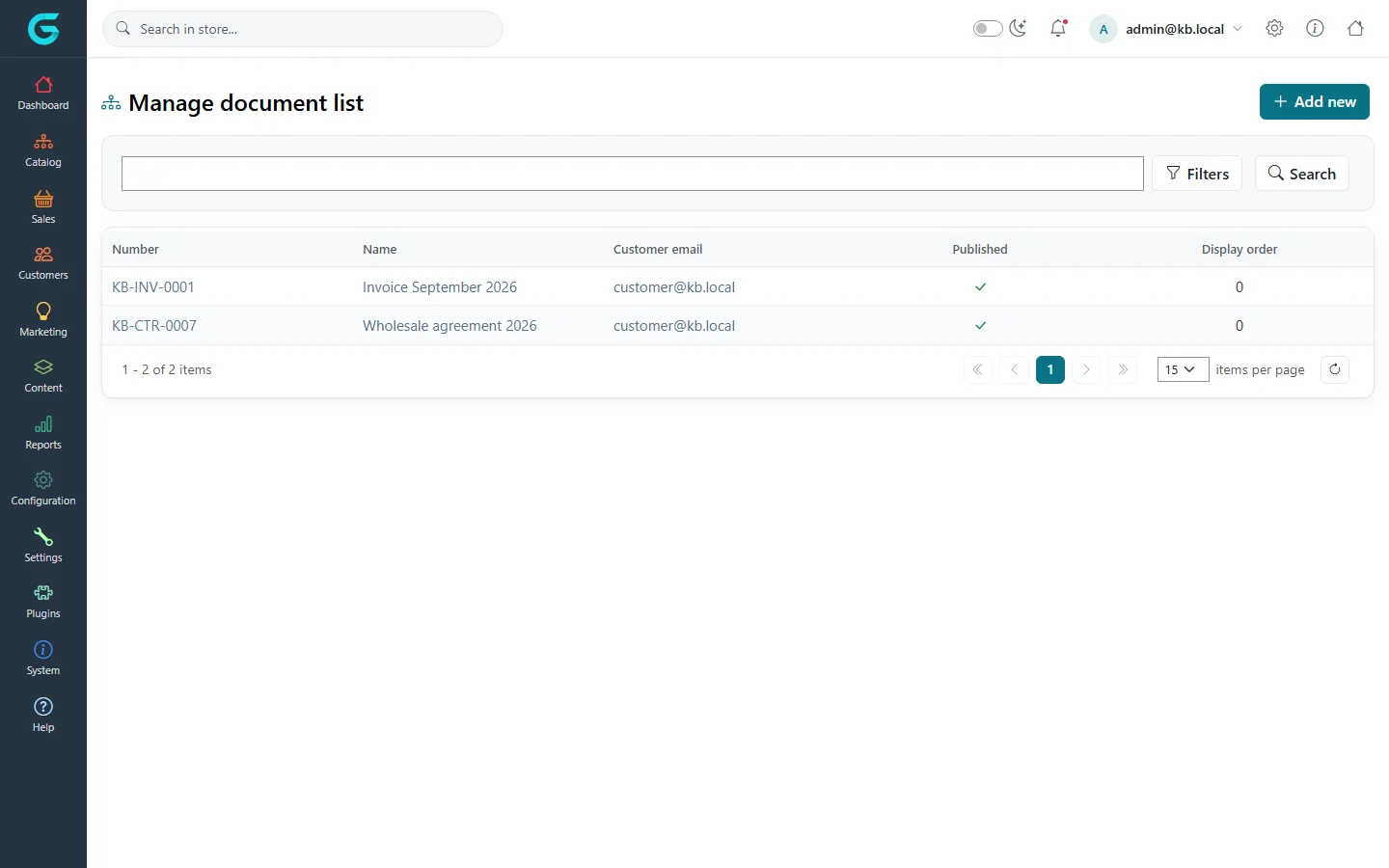
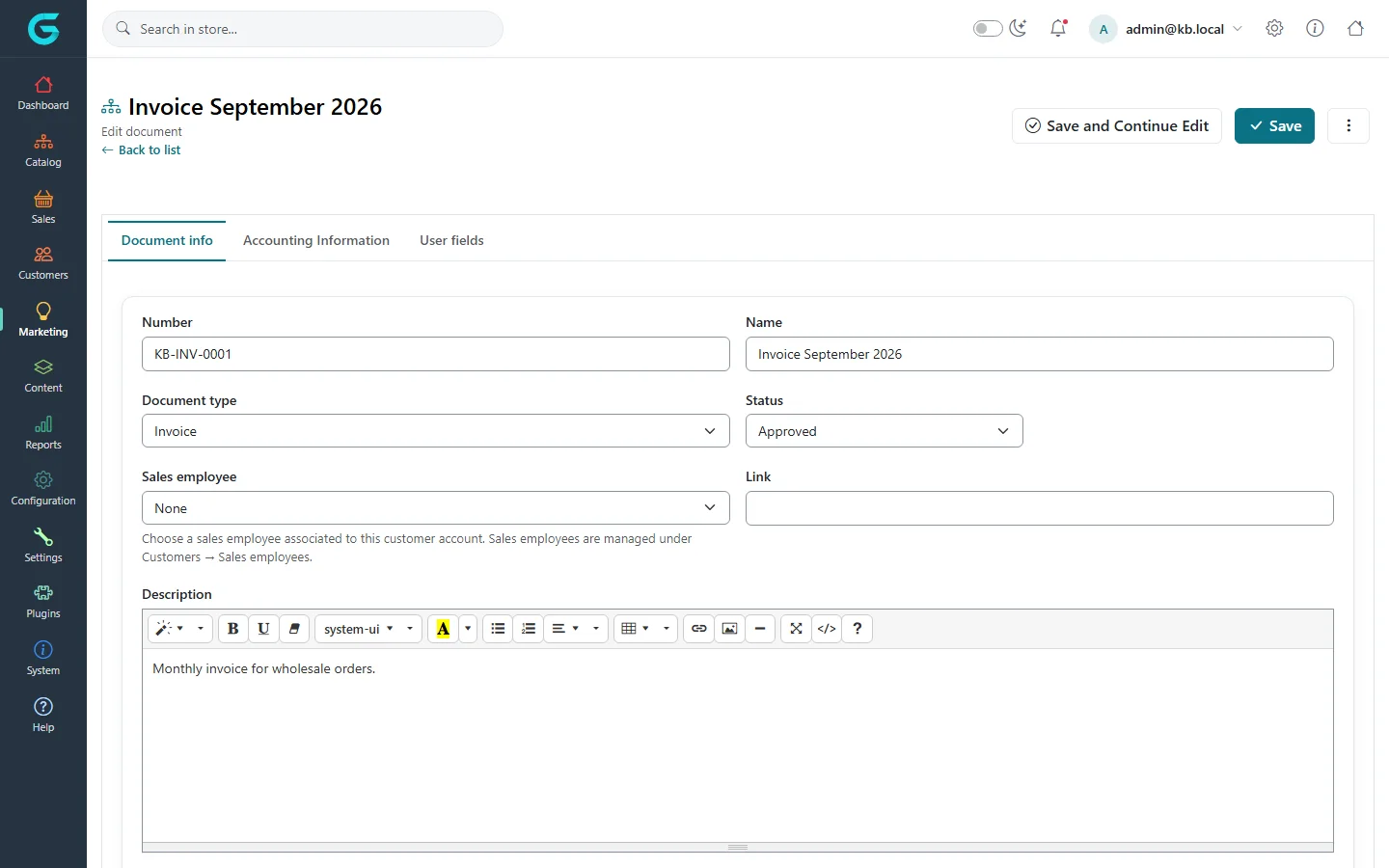
{"ArticleId":null,"Name":"Documents for customers","Content":"\n\u003Cp\u003EThe \u003Cstrong\u003EDocuments\u003C/strong\u003E module lets you publish documents for individual customers - invoices from your ERP, contracts, price lists, certificates - with a status, amounts and due dates. Customers see them in \u003Cstrong\u003EMy account \u2192 Documents\u003C/strong\u003E. It is mostly used in B2B stores, where customers expect their paperwork next to their orders.\u003C/p\u003E\n\n\u003Ch2 id=\u0022types\u0022\u003EDocument types\u003C/h2\u003E\n\u003Cp\u003E\u003Cstrong\u003EMarketing \u2192 Documents \u2192 Document types\u003C/strong\u003E lists the kinds of documents you use. Create one per kind - Invoice, Contract, Credit note - with a name, description and display order.\u003C/p\u003E\n\u003Cfigure\u003E\u003Cimg src=\u0022/Plugins/Theme.GrandNodeCom/Content/kb/marketing/document-types.webp\u0022 alt=\u0022The Type of documents list with Invoice and Contract and an Add new button\u0022 width=\u00221440\u0022 height=\u0022900\u0022 loading=\u0022lazy\u0022\u003E\u003Cfigcaption\u003EDocument types.\u003C/figcaption\u003E\u003C/figure\u003E\n\n\u003Ch2 id=\u0022documents\u0022\u003EDocuments\u003C/h2\u003E\n\u003Cp\u003E\u003Cstrong\u003EMarketing \u2192 Documents \u2192 Document list\u003C/strong\u003E lists documents with their number, name, customer e-mail, whether they are published and display order.\u003C/p\u003E\n\u003Cfigure\u003E\u003Cimg src=\u0022/Plugins/Theme.GrandNodeCom/Content/kb/marketing/documents-list.webp\u0022 alt=\u0022The Manage document list with KB-INV-0001 Invoice September 2026 and KB-CTR-0007 Wholesale agreement 2026 for customer@kb.local\u0022 width=\u00221440\u0022 height=\u0022900\u0022 loading=\u0022lazy\u0022\u003E\u003Cfigcaption\u003EMarketing \u2192 Documents \u2192 Document list.\u003C/figcaption\u003E\u003C/figure\u003E\n\u003Ch3 id=\u0022create\u0022\u003ECreate a document\u003C/h3\u003E\n\u003Col\u003E\n\u003Cli\u003EClick \u003Cstrong\u003EAdd new\u003C/strong\u003E.\u003C/li\u003E\n\u003Cli\u003EOn \u003Cstrong\u003EDocument info\u003C/strong\u003E enter the \u003Cstrong\u003ENumber\u003C/strong\u003E and \u003Cstrong\u003EName\u003C/strong\u003E, choose the \u003Cstrong\u003EDocument type\u003C/strong\u003E and \u003Cstrong\u003EStatus\u003C/strong\u003E, optionally a \u003Cstrong\u003ESales employee\u003C/strong\u003E and a \u003Cstrong\u003ELink\u003C/strong\u003E, and a description.\u003C/li\u003E\n\u003Cli\u003EChoose the customer, attach the file (for example the PDF of the invoice) and set \u003Cstrong\u003EPublished\u003C/strong\u003E.\u003C/li\u003E\n\u003Cli\u003EOn \u003Cstrong\u003EAccounting Information\u003C/strong\u003E enter the currency, the total and outstanding amounts, the quantity, and the document and due dates.\u003C/li\u003E\n\u003Cli\u003ESave.\u003C/li\u003E\n\u003C/ol\u003E\n\u003Cfigure\u003E\u003Cimg src=\u0022/Plugins/Theme.GrandNodeCom/Content/kb/marketing/document-edit.webp\u0022 alt=\u0022Editing the document Invoice September 2026: number KB-INV-0001, name, document type Invoice, status Approved, sales employee, link and description; tabs Accounting Information and User fields\u0022 width=\u00221440\u0022 height=\u0022900\u0022 loading=\u0022lazy\u0022\u003E\u003Cfigcaption\u003EA document.\u003C/figcaption\u003E\u003C/figure\u003E\n\u003Ctable\u003E\n\u003Cthead\u003E\u003Ctr\u003E\u003Cth\u003EStatus\u003C/th\u003E\u003Cth\u003ETypical use\u003C/th\u003E\u003C/tr\u003E\u003C/thead\u003E\n\u003Ctbody\u003E\n\u003Ctr\u003E\u003Ctd\u003EOpen\u003C/td\u003E\u003Ctd\u003ECreated, not yet processed.\u003C/td\u003E\u003C/tr\u003E\n\u003Ctr\u003E\u003Ctd\u003EProcessing\u003C/td\u003E\u003Ctd\u003EBeing handled, e.g. a contract under review.\u003C/td\u003E\u003C/tr\u003E\n\u003Ctr\u003E\u003Ctd\u003EApproved\u003C/td\u003E\u003Ctd\u003EValid and final.\u003C/td\u003E\u003C/tr\u003E\n\u003Ctr\u003E\u003Ctd\u003EClosed\u003C/td\u003E\u003Ctd\u003ESettled or expired.\u003C/td\u003E\u003C/tr\u003E\n\u003Ctr\u003E\u003Ctd\u003ECancelled\u003C/td\u003E\u003Ctd\u003ENo longer valid.\u003C/td\u003E\u003C/tr\u003E\n\u003C/tbody\u003E\n\u003C/table\u003E\n\u003Cp\u003EA document can also refer to an order, a product, a category or another entity, and documents can be nested (a parent document with its attachments). The \u003Cstrong\u003EDocuments\u003C/strong\u003E tab on a customer\u0027s page lists that customer\u0027s documents.\u003C/p\u003E\n\n\u003Ch2 id=\u0022customers\u0022\u003EWhat customers see\u003C/h2\u003E\n\u003Cp\u003EIn \u003Cstrong\u003EMy account \u2192 Documents\u003C/strong\u003E customers see their published documents with number, type, status, amounts and dates, and can download the files. The tab can be hidden with \u003Cstrong\u003EHide \u0027Documents\u0027 tab\u003C/strong\u003E in the customer settings.\u003C/p\u003E\n\n\u003Ch2 id=\u0022tips\u0022\u003ETips\u003C/h2\u003E\n\u003Cul\u003E\n\u003Cli\u003EDocuments are often created automatically by an ERP integration through the web API, rather than by hand.\u003C/li\u003E\n\u003Cli\u003EUnpublished documents are kept but not shown to the customer - useful for drafts.\u003C/li\u003E\n\u003C/ul\u003E\n\n\u003Ch2 id=\u0022related\u0022\u003ERelated\u003C/h2\u003E\n\u003Cul\u003E\n\u003Cli\u003E\u003Ca href=\u0022/customers-customer-record\u0022\u003EThe customer record\u003C/a\u003E\u003C/li\u003E\n\u003Cli\u003E\u003Ca href=\u0022/developers-rest-api\u0022\u003EThe REST API\u003C/a\u003E\u003C/li\u003E\n\u003C/ul\u003E\n","ParentCategoryId":"6abdec6c83d2816248229ef1","SeName":"marketing-documents","MetaKeywords":null,"MetaDescription":"Share invoices, contracts and other documents with customers in GrandNode: document types, statuses, amounts, due dates, files and the Documents tab.","MetaTitle":null,"AllowComments":false,"Captcha":{"ReCaptchaChallengeField":null,"ReCaptchaResponseField":null,"ReCaptchaResponseValue":null,"ReCaptchaResponse":null},"RelatedArticles":[],"CategoryBreadcrumb":[{"Name":"Marketing and promotions","Description":null,"IsCurrent":false,"Children":null,"Parent":null,"SeName":"docs-marketing","Id":"6abdec6c83d2816248229ef1","UserFields":[]}],"AddNewComment":{"CommentText":null,"DisplayCaptcha":false,"Id":null,"UserFields":[]},"Comments":[],"Id":"6abe3a3a04b9d0a2009febe9","UserFields":[]}