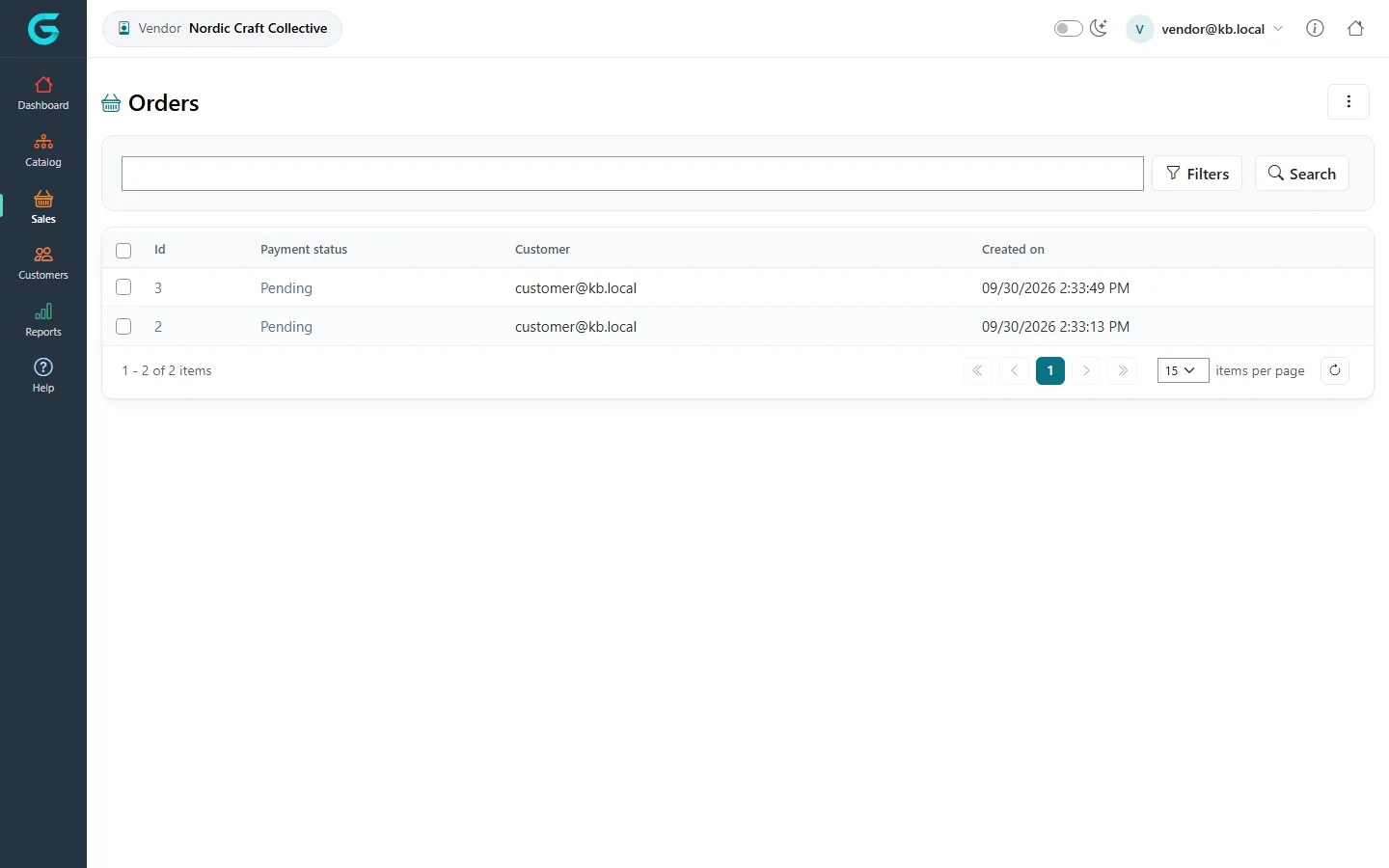
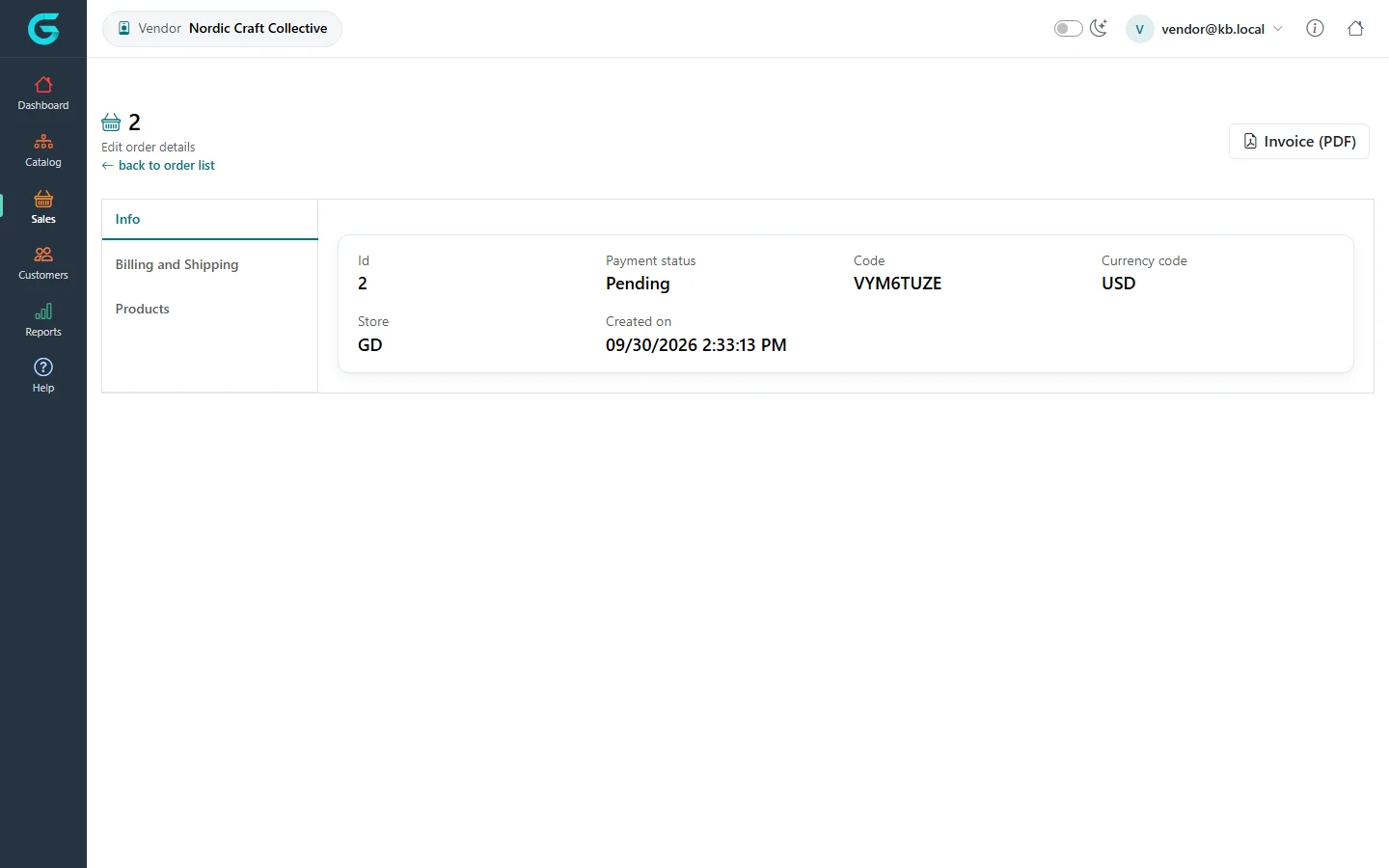
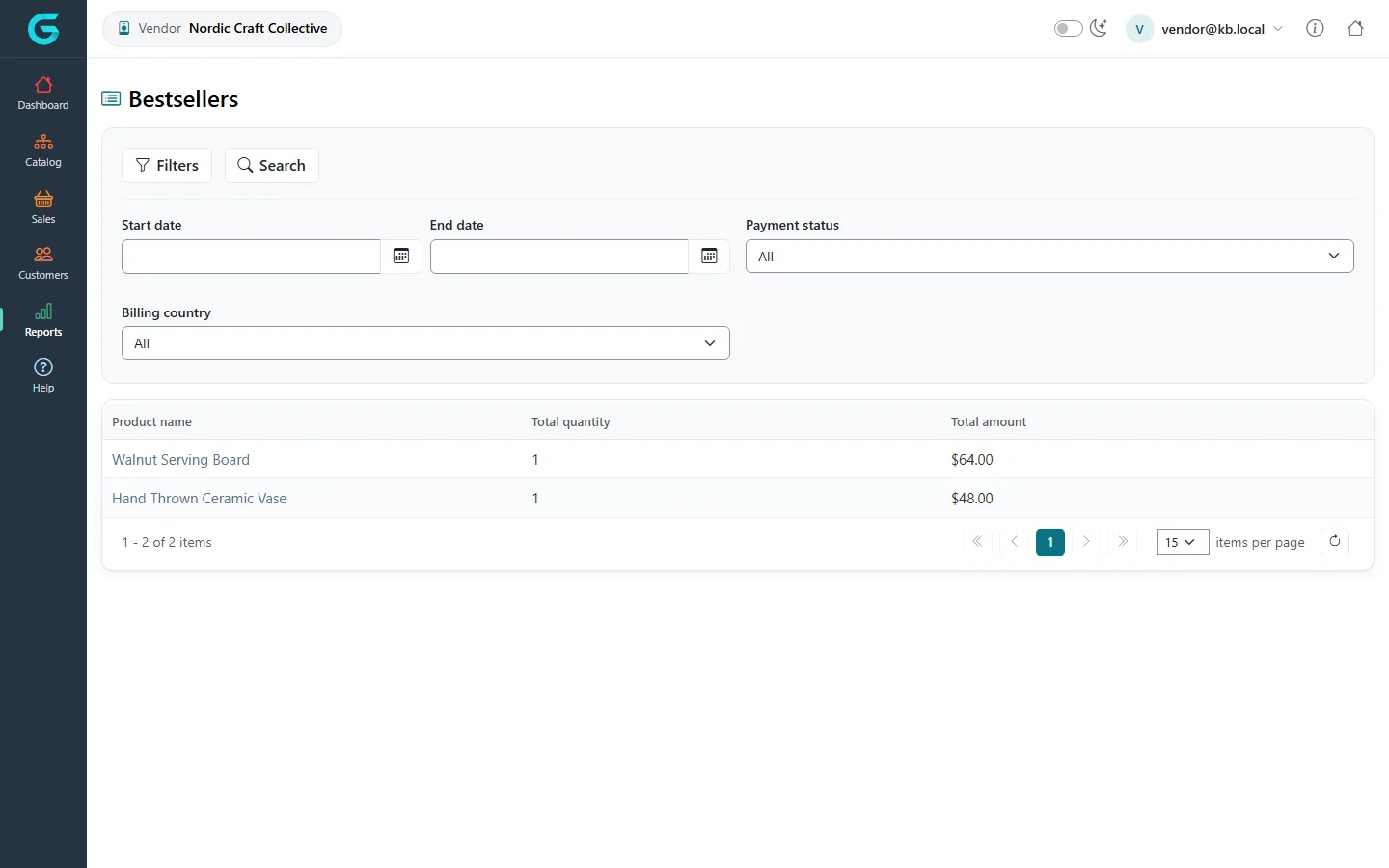
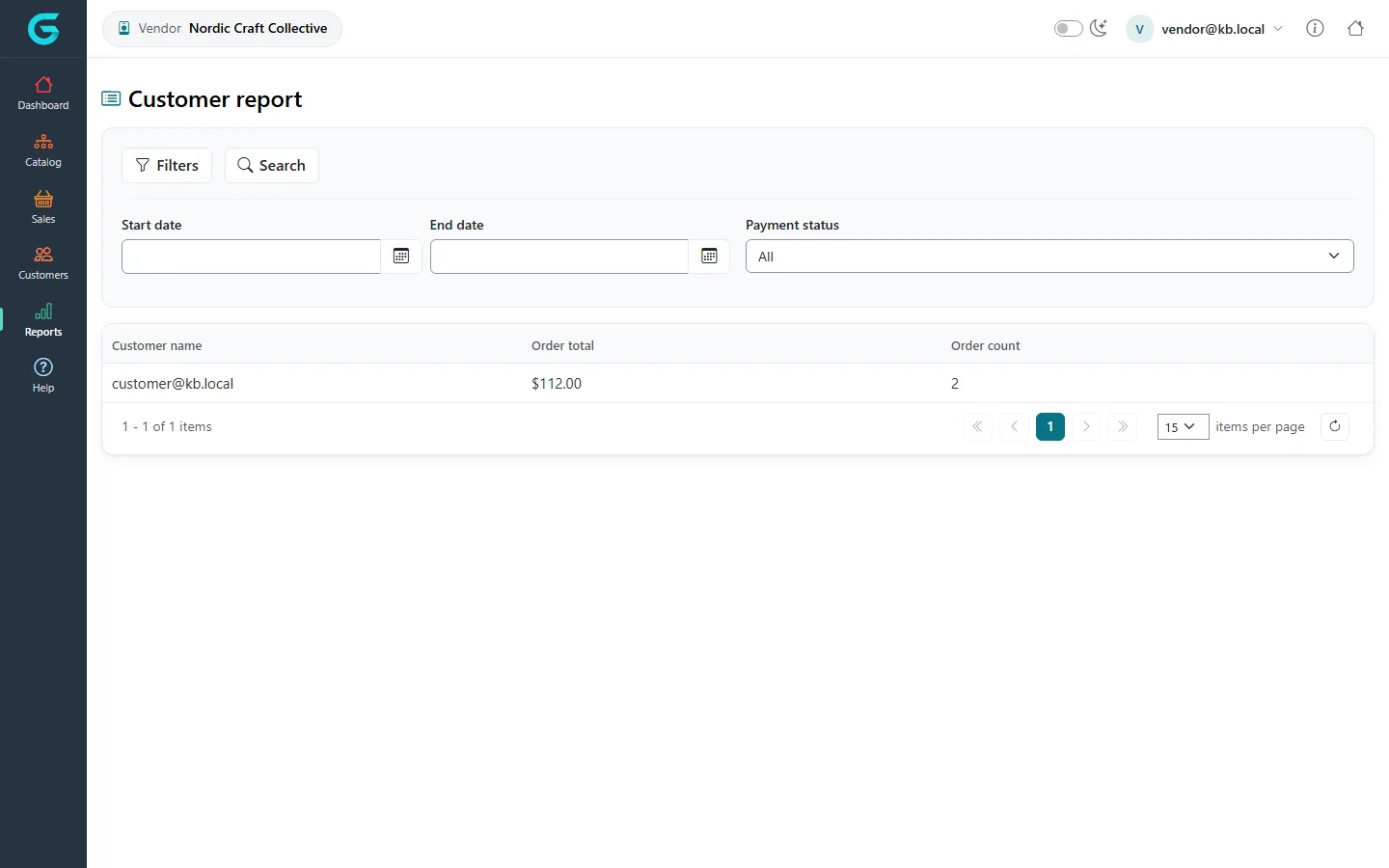
{"ArticleId":null,"Name":"Orders, shipments and returns for vendors","Content":"\n\u003Cp\u003EA customer\u0027s order can contain products from several vendors and from the store itself. In the vendor panel each vendor sees the orders that contain \u003Cstrong\u003Etheir\u003C/strong\u003E products - and within them only their own items and amounts.\u003C/p\u003E\n\n\u003Ch2 id=\u0022orders\u0022\u003EOrders\u003C/h2\u003E\n\u003Cp\u003E\u003Cstrong\u003ESales \u2192 Orders\u003C/strong\u003E lists the orders with your items, their payment status, the customer and the date.\u003C/p\u003E\n\u003Cfigure\u003E\u003Cimg src=\u0022/Plugins/Theme.GrandNodeCom/Content/kb/vendor-panel/order-list.webp\u0022 alt=\u0022The vendor order list with orders 2 and 3 from customer@kb.local, pending payment and dates\u0022 width=\u00221440\u0022 height=\u0022900\u0022 loading=\u0022lazy\u0022\u003E\u003Cfigcaption\u003ESales \u2192 Orders in the vendor panel.\u003C/figcaption\u003E\u003C/figure\u003E\n\u003Cp\u003EOpen an order to see its information, the billing and shipping addresses (so you can send the parcel) and your products in it, and to download the invoice.\u003C/p\u003E\n\u003Cfigure\u003E\u003Cimg src=\u0022/Plugins/Theme.GrandNodeCom/Content/kb/vendor-panel/order-edit.webp\u0022 alt=\u0022Order 2 in the vendor panel: id, payment status Pending, code, currency, store and creation date, with tabs Billing and Shipping and Products\u0022 width=\u00221440\u0022 height=\u0022900\u0022 loading=\u0022lazy\u0022\u003E\u003Cfigcaption\u003EAn order as a vendor sees it.\u003C/figcaption\u003E\u003C/figure\u003E\n\u003Cp\u003EThe overall order status and the payment belong to the store owner: vendors do not capture or refund payments and do not change the order status.\u003C/p\u003E\n\n\u003Ch2 id=\u0022shipments\u0022\u003EShipping your items\u003C/h2\u003E\n\u003Cp\u003EWhen the store ships per vendor, vendors create shipments for their items from the order - with \u003Cstrong\u003EAdd shipment\u003C/strong\u003E, the tracking number and the quantities - and set them shipped and delivered, exactly as described in \u003Ca href=\u0022/sales-shipments\u0022\u003EShipments\u003C/a\u003E. The order\u0027s shipping status is complete when all vendors\u0027 items are shipped.\u003C/p\u003E\n\n\u003Ch2 id=\u0022returns\u0022\u003EReturns\u003C/h2\u003E\n\u003Cp\u003EMerchandise returns of your items appear under \u003Cstrong\u003ESales \u2192 Merchandise returns\u003C/strong\u003E. Agree with the store owner who handles the refund; see \u003Ca href=\u0022/sales-merchandise-returns\u0022\u003EMerchandise returns\u003C/a\u003E.\u003C/p\u003E\n\n\u003Ch2 id=\u0022reports\u0022\u003EReports\u003C/h2\u003E\n\u003Cp\u003E\u003Cstrong\u003EReports\u003C/strong\u003E show bestsellers and customers for your products only.\u003C/p\u003E\n\u003Cfigure\u003E\u003Cimg src=\u0022/Plugins/Theme.GrandNodeCom/Content/kb/vendor-panel/report-bestsellers.webp\u0022 alt=\u0022The vendor Bestsellers report with date, payment status and billing country filters and Walnut Serving Board and Hand-Thrown Ceramic Vase\u0022 width=\u00221440\u0022 height=\u0022900\u0022 loading=\u0022lazy\u0022\u003E\u003Cfigcaption\u003EReports \u2192 Bestsellers.\u003C/figcaption\u003E\u003C/figure\u003E\n\u003Cfigure\u003E\u003Cimg src=\u0022/Plugins/Theme.GrandNodeCom/Content/kb/vendor-panel/report-customers.webp\u0022 alt=\u0022The vendor Customer report with date and payment status filters and customer@kb.local with total and order count\u0022 width=\u00221440\u0022 height=\u0022900\u0022 loading=\u0022lazy\u0022\u003E\u003Cfigcaption\u003EReports \u2192 Customer report.\u003C/figcaption\u003E\u003C/figure\u003E\n\n\u003Ch2 id=\u0022money\u0022\u003ECommission and payouts\u003C/h2\u003E\n\u003Cp\u003EThe customer pays the store. The store keeps the vendor\u0027s \u003Cstrong\u003Ecommission\u003C/strong\u003E (set on the vendor in the admin) and pays the rest to the vendor outside GrandNode; the order shows the commission per item.\u003C/p\u003E\n\n\u003Ch2 id=\u0022related\u0022\u003ERelated\u003C/h2\u003E\n\u003Cul\u003E\n\u003Cli\u003E\u003Ca href=\u0022/vendor-panel-marketplace-overview\u0022\u003EMarketplace overview\u003C/a\u003E\u003C/li\u003E\n\u003Cli\u003E\u003Ca href=\u0022/docs-sales\u0022\u003ESales and orders\u003C/a\u003E\u003C/li\u003E\n\u003C/ul\u003E\n","ParentCategoryId":"6abdec6d83d2816248229f55","SeName":"vendor-panel-orders-shipments-returns","MetaKeywords":null,"MetaDescription":"How vendors see and fulfil orders in the GrandNode vendor panel: order list, their items only, shipments, returns and reports.","MetaTitle":null,"AllowComments":false,"Captcha":{"ReCaptchaChallengeField":null,"ReCaptchaResponseField":null,"ReCaptchaResponseValue":null,"ReCaptchaResponse":null},"RelatedArticles":[],"CategoryBreadcrumb":[{"Name":"Vendor panel (marketplace)","Description":null,"IsCurrent":false,"Children":null,"Parent":null,"SeName":"docs-vendor-panel","Id":"6abdec6d83d2816248229f55","UserFields":[]}],"AddNewComment":{"CommentText":null,"DisplayCaptcha":false,"Id":null,"UserFields":[]},"Comments":[],"Id":"6abdec6d83d2816248229f61","UserFields":[]}