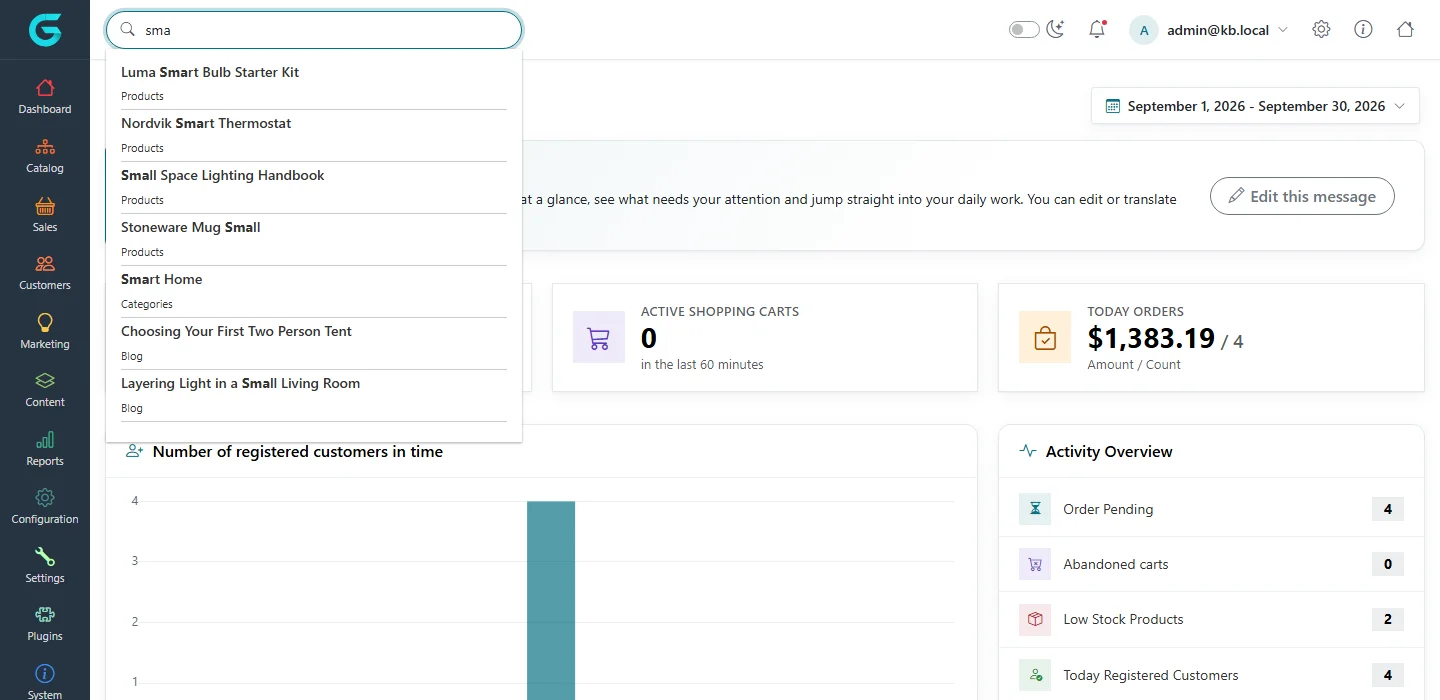
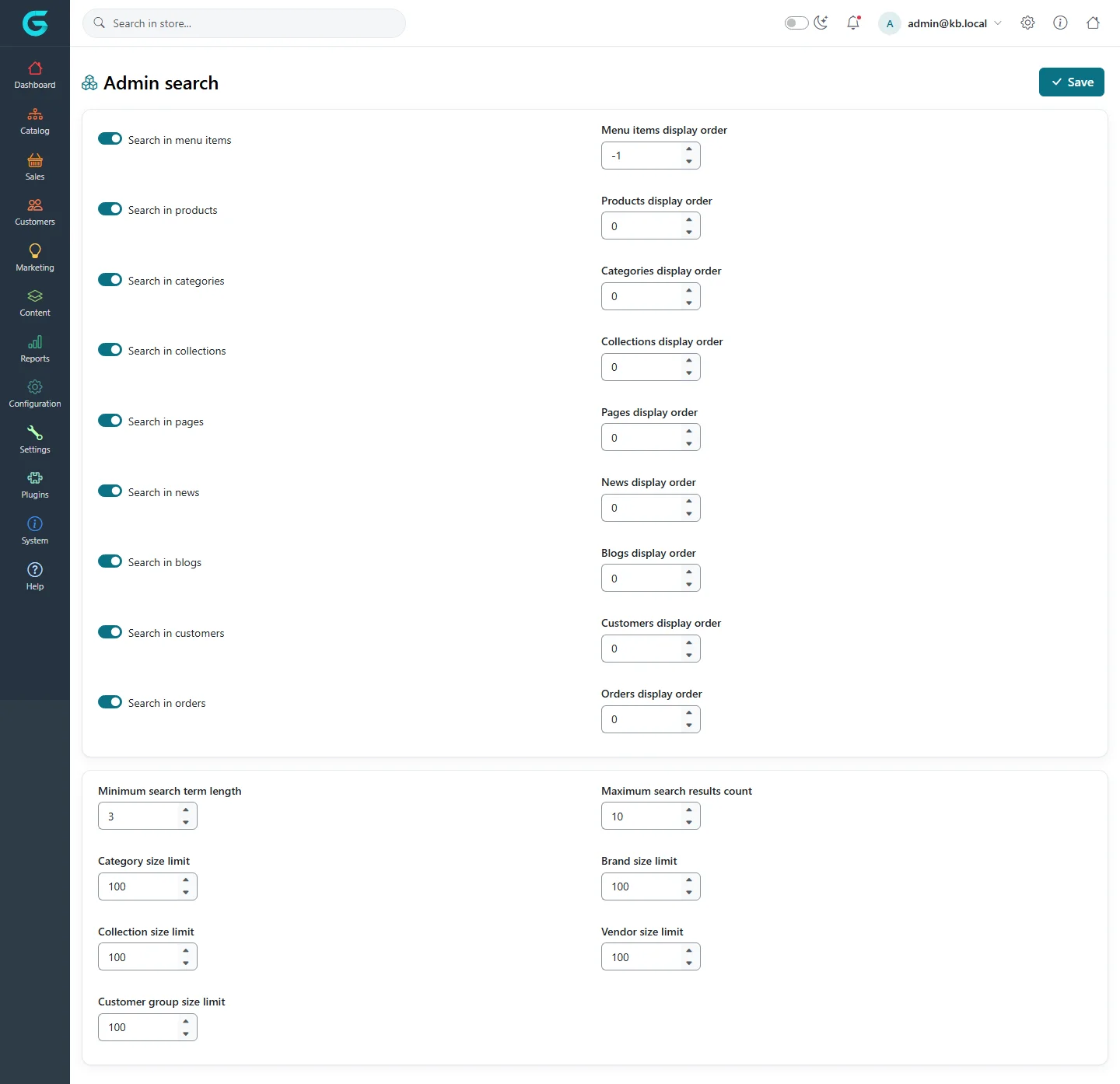
{"ArticleId":null,"Name":"The admin search","Content":"\n\u003Cp\u003EThe search box at the top of the admin panel finds almost anything: a menu item (\u0022tax settings\u0022), a product, a category, a customer by e-mail, an order by number, a page or a blog post. It is the quickest way to move around the panel.\u003C/p\u003E\n\n\u003Ch2 id=\u0022use\u0022\u003EUse it\u003C/h2\u003E\n\u003Cp\u003EType at least a few characters. Results appear grouped by type; press Enter or click a result to open it.\u003C/p\u003E\n\u003Cfigure\u003E\u003Cimg src=\u0022/Plugins/Theme.GrandNodeCom/Content/kb/system/admin-search-results.webp\u0022 alt=\u0022The admin search box with the query sma and results: products such as Luma Smart Bulb Starter Kit, the category Smart Home and blog posts\u0022 width=\u00221440\u0022 height=\u0022700\u0022 loading=\u0022lazy\u0022\u003E\u003Cfigcaption\u003EResults for \u0022sma\u0022: products, a category and blog posts.\u003C/figcaption\u003E\u003C/figure\u003E\n\n\u003Ch2 id=\u0022settings\u0022\u003EChoose what it searches\u003C/h2\u003E\n\u003Cp\u003E\u003Cstrong\u003ESettings \u2192 Admin search settings\u003C/strong\u003E switches each type on or off and sets its display order, the minimum search term length and how many results of each type are shown.\u003C/p\u003E\n\u003Cfigure\u003E\u003Cimg src=\u0022/Plugins/Theme.GrandNodeCom/Content/kb/system/admin-search-settings.webp\u0022 alt=\u0022Admin search settings with switches for menu items, products, categories, collections, pages, news, blogs, customers and orders, display orders, minimum search term length and size limits\u0022 width=\u00221440\u0022 height=\u00221394\u0022 loading=\u0022lazy\u0022\u003E\u003Cfigcaption\u003ESettings \u2192 Admin search settings.\u003C/figcaption\u003E\u003C/figure\u003E\n\u003Cp\u003EOn large stores, limit the number of results per type or turn off types you never search, to keep the search fast.\u003C/p\u003E\n\n\u003Ch2 id=\u0022related\u0022\u003ERelated\u003C/h2\u003E\n\u003Cul\u003E\n\u003Cli\u003E\u003Ca href=\u0022/configuration-system-settings\u0022\u003ESystem, vendor and admin search settings\u003C/a\u003E\u003C/li\u003E\n\u003C/ul\u003E\n","ParentCategoryId":"6abdec6d83d2816248229f33","SeName":"system-admin-search","MetaKeywords":null,"MetaDescription":"Find products, customers, orders, pages and menu items from the GrandNode admin search box, and choose what it searches.","MetaTitle":null,"AllowComments":false,"Captcha":{"ReCaptchaChallengeField":null,"ReCaptchaResponseField":null,"ReCaptchaResponseValue":null,"ReCaptchaResponse":null},"RelatedArticles":[],"CategoryBreadcrumb":[{"Name":"System and maintenance","Description":null,"IsCurrent":false,"Children":null,"Parent":null,"SeName":"docs-system","Id":"6abdec6d83d2816248229f33","UserFields":[]}],"AddNewComment":{"CommentText":null,"DisplayCaptcha":false,"Id":null,"UserFields":[]},"Comments":[],"Id":"6abdec6d83d2816248229f3f","UserFields":[]}