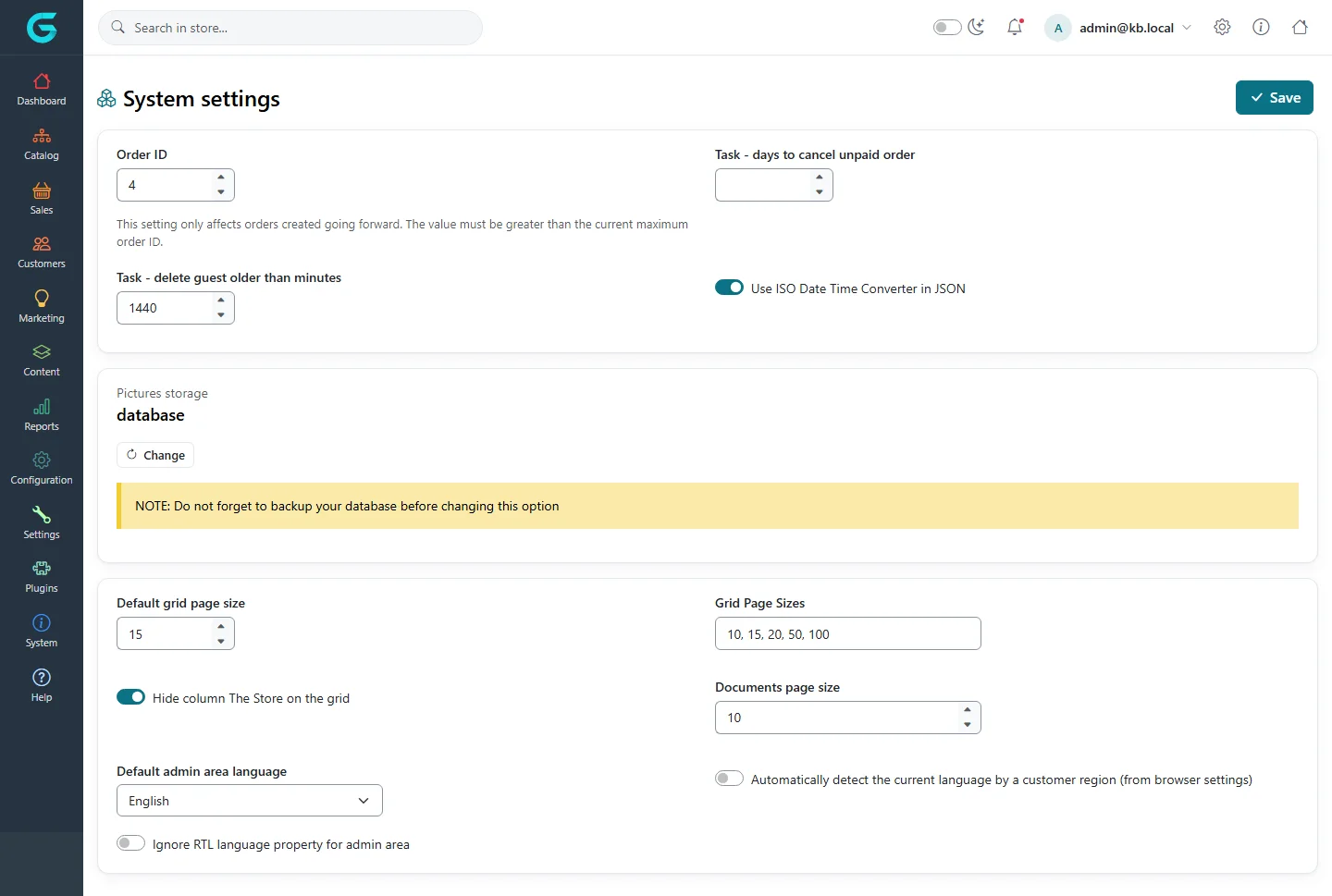
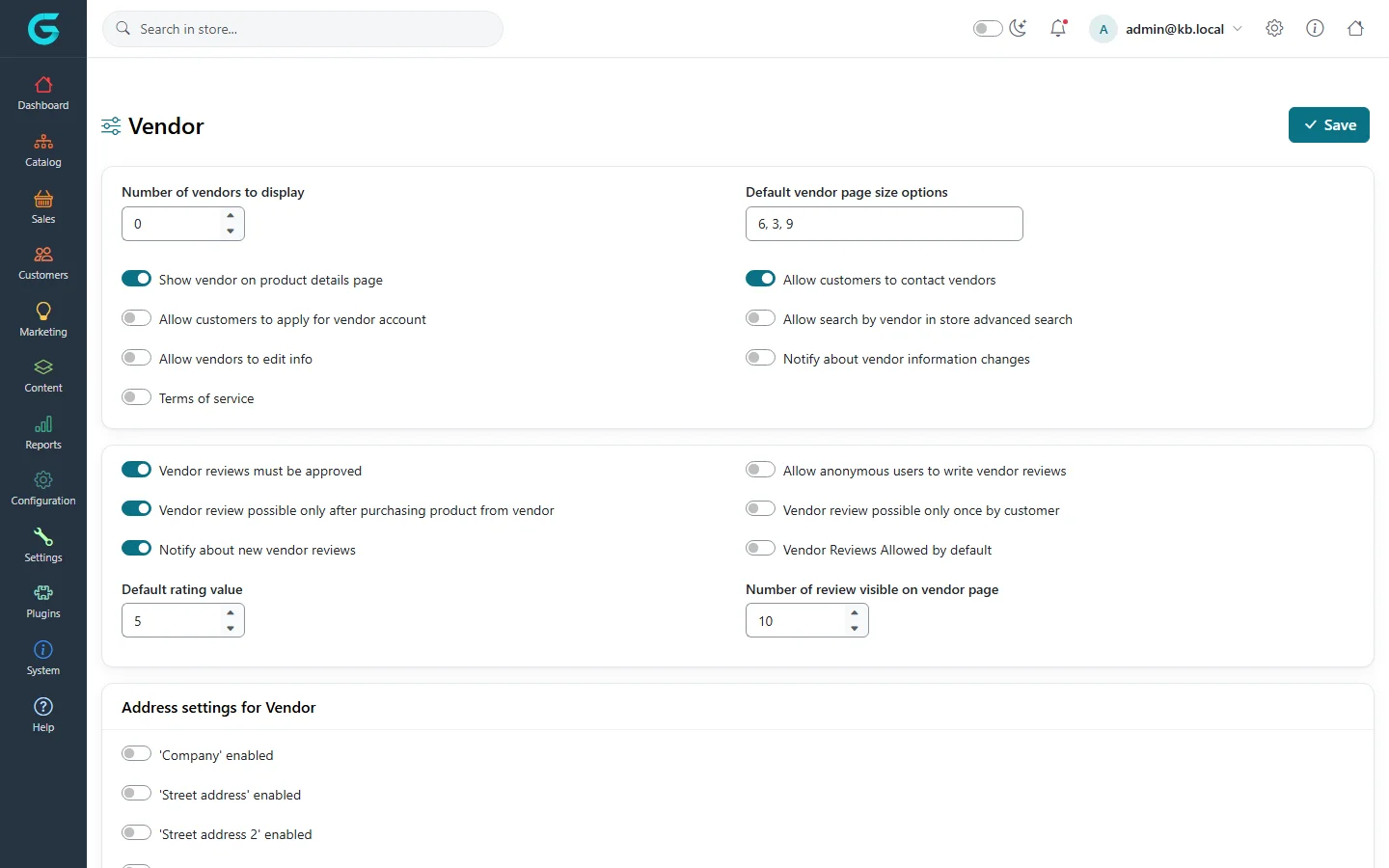
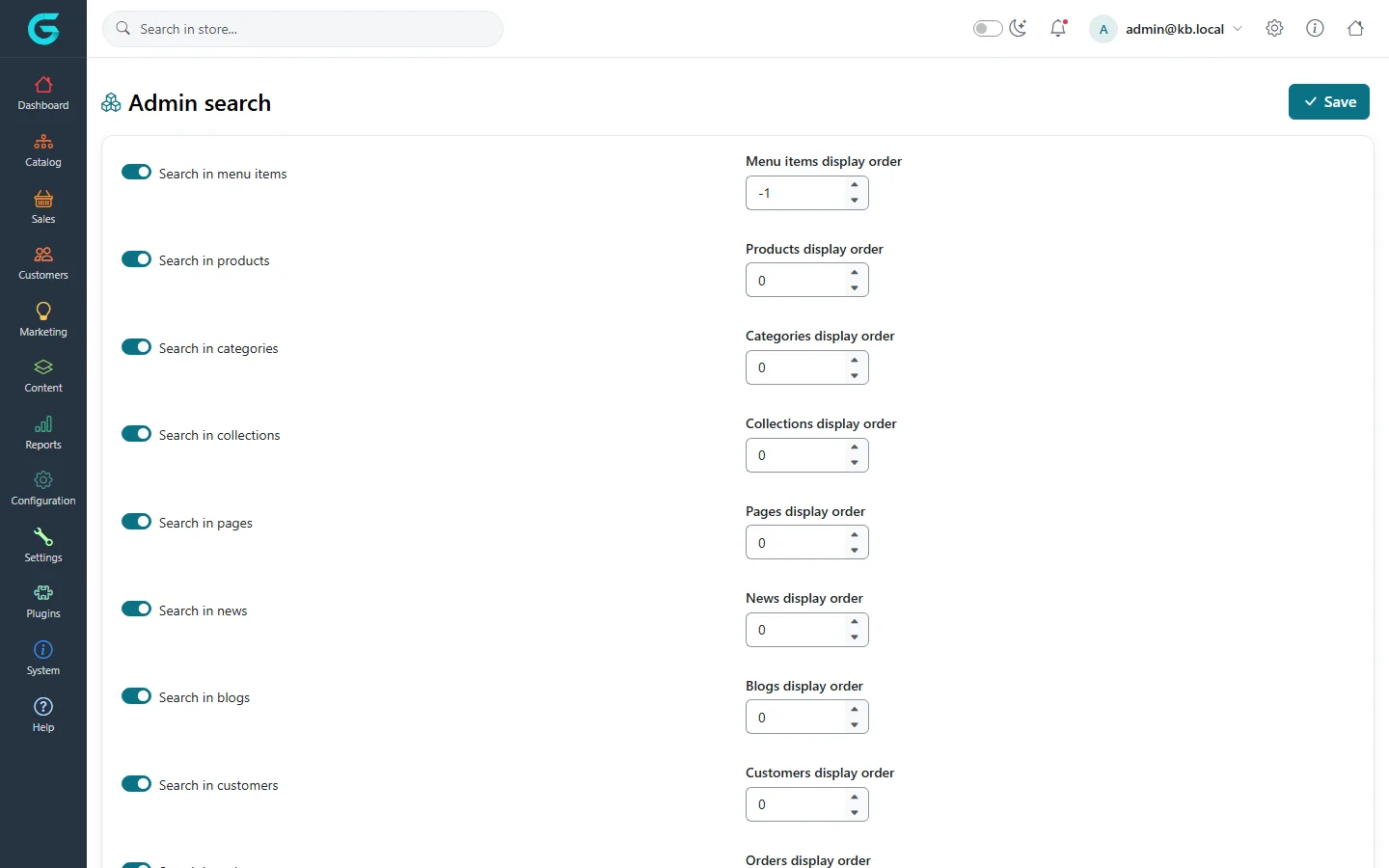
{"ArticleId":null,"Name":"System, vendor and admin search settings","Content":"\n\u003Cp\u003EThree settings pages are less about the storefront and more about how the installation behaves: \u003Cstrong\u003ESystem settings\u003C/strong\u003E, \u003Cstrong\u003EVendor settings\u003C/strong\u003E and \u003Cstrong\u003EAdmin search settings\u003C/strong\u003E. All are under the \u003Cstrong\u003ESettings\u003C/strong\u003E menu.\u003C/p\u003E\n\n\u003Ch2 id=\u0022system\u0022\u003ESystem settings\u003C/h2\u003E\n\u003Cfigure\u003E\u003Cimg src=\u0022/Plugins/Theme.GrandNodeCom/Content/kb/configuration/settings-system.webp\u0022 alt=\u0022System settings: order ID, days to cancel unpaid orders, delete guests older than minutes, ISO date converter, picture storage in the database with a Change button, grid page sizes, admin language options\u0022 width=\u00221440\u0022 height=\u0022969\u0022 loading=\u0022lazy\u0022\u003E\u003Cfigcaption\u003ESettings \u2192 System settings.\u003C/figcaption\u003E\u003C/figure\u003E\n\u003Ctable\u003E\n\u003Cthead\u003E\u003Ctr\u003E\u003Cth\u003ESetting\u003C/th\u003E\u003Cth\u003EWhat it does\u003C/th\u003E\u003C/tr\u003E\u003C/thead\u003E\n\u003Ctbody\u003E\n\u003Ctr\u003E\u003Ctd\u003EOrder ID\u003C/td\u003E\u003Ctd\u003EThe next order number. Only affects new orders and must be higher than the current highest number - use it to start numbering at, say, 10000.\u003C/td\u003E\u003C/tr\u003E\n\u003Ctr\u003E\u003Ctd\u003ETask - days to cancel unpaid order\u003C/td\u003E\u003Ctd\u003EA scheduled task cancels orders still unpaid after this many days. Empty = never.\u003C/td\u003E\u003C/tr\u003E\n\u003Ctr\u003E\u003Ctd\u003ETask - delete guest older than minutes\u003C/td\u003E\u003Ctd\u003EA scheduled task deletes guest customer records older than this, which keeps the customer collection small.\u003C/td\u003E\u003C/tr\u003E\n\u003Ctr\u003E\u003Ctd\u003EUse ISO Date Time Converter in JSON\u003C/td\u003E\u003Ctd\u003EDate format in JSON responses; leave as is unless an integration needs it.\u003C/td\u003E\u003C/tr\u003E\n\u003Ctr\u003E\u003Ctd\u003EPictures storage\u003C/td\u003E\u003Ctd\u003EWhere pictures are kept: in the database or on disk. \u003Cstrong\u003EChange\u003C/strong\u003E moves every picture - back up the database first.\u003C/td\u003E\u003C/tr\u003E\n\u003Ctr\u003E\u003Ctd\u003EDefault grid page size, Grid page sizes\u003C/td\u003E\u003Ctd\u003ERows per page in admin grids and the sizes offered.\u003C/td\u003E\u003C/tr\u003E\n\u003Ctr\u003E\u003Ctd\u003EHide column The Store on the grid\u003C/td\u003E\u003Ctd\u003EHides the store column on single-store installations.\u003C/td\u003E\u003C/tr\u003E\n\u003Ctr\u003E\u003Ctd\u003EDocuments page size\u003C/td\u003E\u003Ctd\u003EPage size of the document lists.\u003C/td\u003E\u003C/tr\u003E\n\u003Ctr\u003E\u003Ctd\u003EDefault admin area language, Ignore RTL\u003C/td\u003E\u003Ctd\u003EThe language of the admin panel for staff who have not chosen one, and whether right-to-left languages flip the admin layout.\u003C/td\u003E\u003C/tr\u003E\n\u003Ctr\u003E\u003Ctd\u003EAutomatically detect the current language\u003C/td\u003E\u003Ctd\u003EChooses the storefront language from the browser\u0027s language on the first visit.\u003C/td\u003E\u003C/tr\u003E\n\u003C/tbody\u003E\n\u003C/table\u003E\n\n\u003Ch2 id=\u0022vendor\u0022\u003EVendor settings\u003C/h2\u003E\n\u003Cp\u003EFor marketplaces: how vendors appear to customers, whether customers can apply to become vendors, vendor reviews and the vendor address fields.\u003C/p\u003E\n\u003Cfigure\u003E\u003Cimg src=\u0022/Plugins/Theme.GrandNodeCom/Content/kb/configuration/settings-vendor.webp\u0022 alt=\u0022Vendor settings: vendors to display, page size options, show vendor on product page, contact vendors, apply for vendor account, vendor reviews options and address settings\u0022 width=\u00221440\u0022 height=\u0022900\u0022 loading=\u0022lazy\u0022\u003E\u003Cfigcaption\u003ESettings \u2192 Vendor settings.\u003C/figcaption\u003E\u003C/figure\u003E\n\u003Cp\u003EThe options are explained in \u003Ca href=\u0022/docs-vendor-panel\u0022\u003EVendor panel (marketplace)\u003C/a\u003E.\u003C/p\u003E\n\n\u003Ch2 id=\u0022admin-search\u0022\u003EAdmin search settings\u003C/h2\u003E\n\u003Cp\u003EThe search box at the top of the admin panel finds menu items, products, categories, collections, pages, news, blog posts, customers and orders. Here you choose which of them it searches and in what order the result groups are listed.\u003C/p\u003E\n\u003Cfigure\u003E\u003Cimg src=\u0022/Plugins/Theme.GrandNodeCom/Content/kb/configuration/settings-admin-search.webp\u0022 alt=\u0022Admin search settings with switches to search in menu items, products, categories, collections, pages, news, blogs and customers, each with a display order\u0022 width=\u00221440\u0022 height=\u0022900\u0022 loading=\u0022lazy\u0022\u003E\u003Cfigcaption\u003ESettings \u2192 Admin search settings.\u003C/figcaption\u003E\u003C/figure\u003E\n\n\u003Ch2 id=\u0022related\u0022\u003ERelated\u003C/h2\u003E\n\u003Cul\u003E\n\u003Cli\u003E\u003Ca href=\u0022/configuration-general-settings\u0022\u003EGeneral settings\u003C/a\u003E\u003C/li\u003E\n\u003Cli\u003E\u003Ca href=\u0022/docs-system\u0022\u003ESystem and maintenance\u003C/a\u003E\u003C/li\u003E\n\u003C/ul\u003E\n","ParentCategoryId":"6abdec6c83d2816248229f19","SeName":"configuration-system-settings","MetaKeywords":null,"MetaDescription":"GrandNode system settings (order numbers, guest cleanup, picture storage, grids, admin language), vendor settings and admin search settings explained.","MetaTitle":null,"AllowComments":false,"Captcha":{"ReCaptchaChallengeField":null,"ReCaptchaResponseField":null,"ReCaptchaResponseValue":null,"ReCaptchaResponse":null},"RelatedArticles":[],"CategoryBreadcrumb":[{"Name":"Configuration","Description":null,"IsCurrent":false,"Children":null,"Parent":null,"SeName":"docs-configuration","Id":"6abdec6c83d2816248229f19","UserFields":[]}],"AddNewComment":{"CommentText":null,"DisplayCaptcha":false,"Id":null,"UserFields":[]},"Comments":[],"Id":"6abdec6c83d2816248229f23","UserFields":[]}