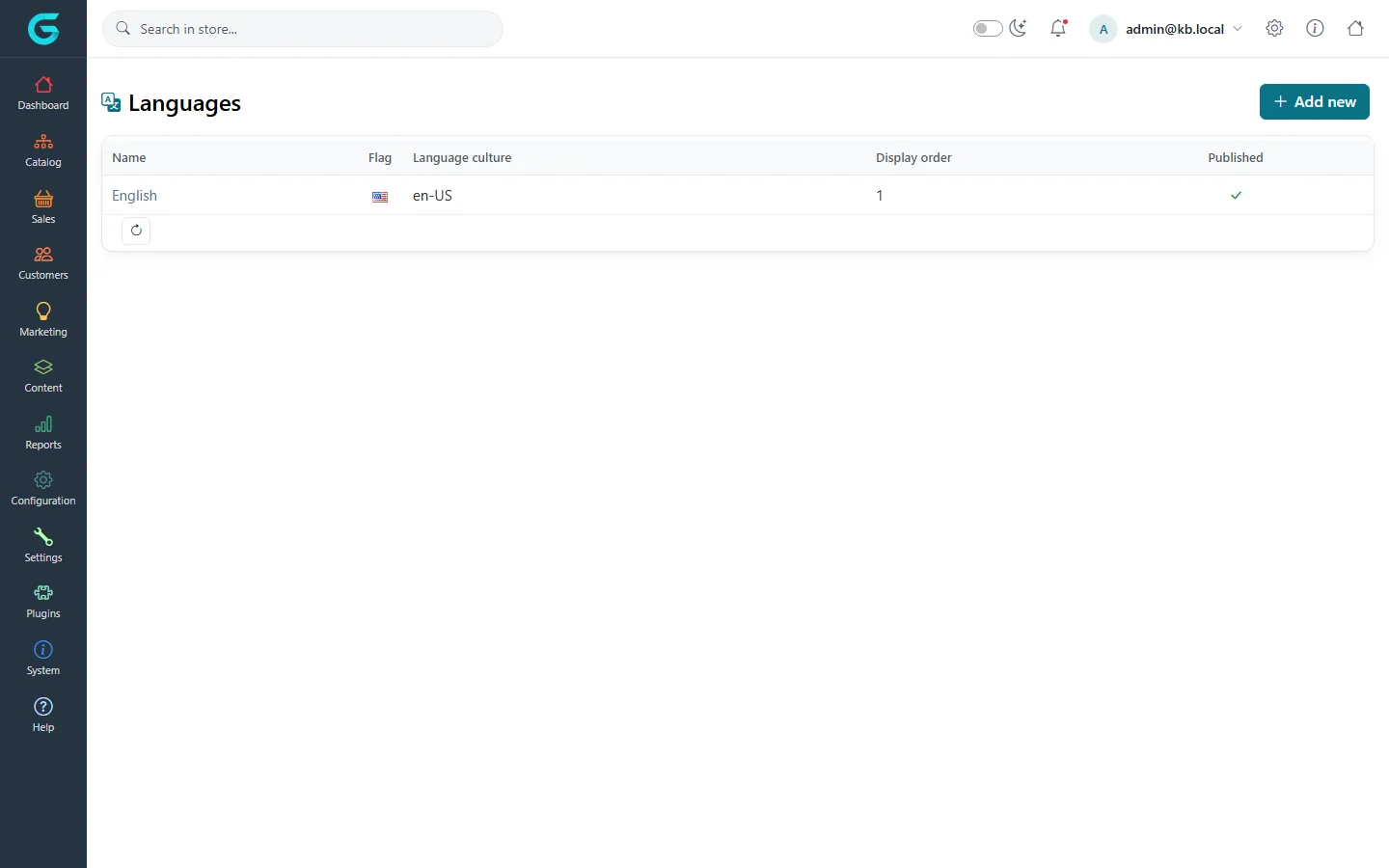
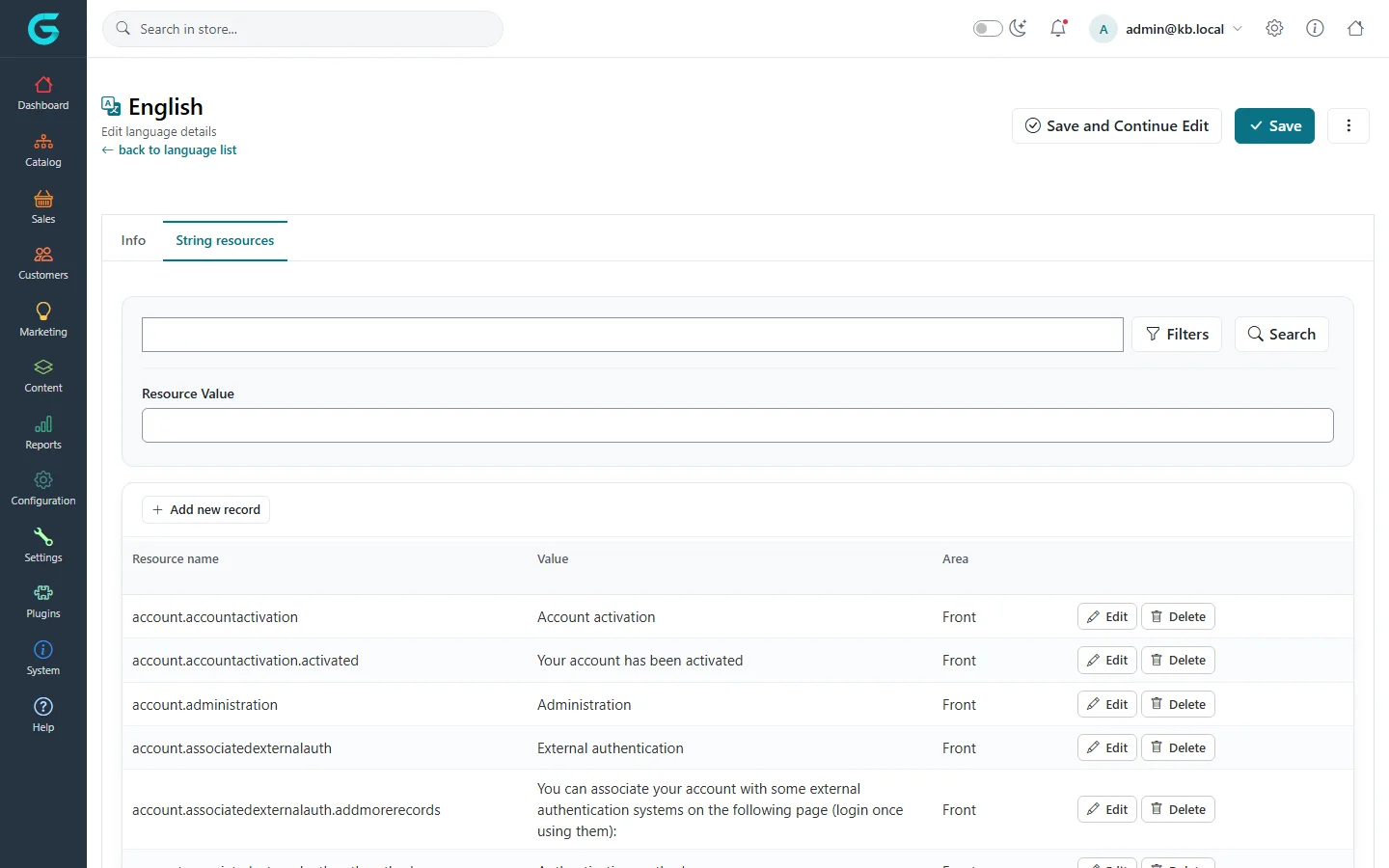
{"ArticleId":null,"Name":"Languages and translations","Content":"\n\u003Cp\u003EGrandNode is fully multilingual: the storefront texts, e-mails, and your own content - products, categories, pages - can all be translated. Two kinds of text are involved: \u003Cstrong\u003Estring resources\u003C/strong\u003E (the fixed texts of the application, such as \u0022Add to cart\u0022) and \u003Cstrong\u003Elocalized content\u003C/strong\u003E (the texts you enter).\u003C/p\u003E\n\n\u003Ch2 id=\u0022languages\u0022\u003ELanguages\u003C/h2\u003E\n\u003Cp\u003E\u003Cstrong\u003EConfiguration \u2192 Languages\u003C/strong\u003E lists the installed languages with their flag, culture, display order and whether they are published.\u003C/p\u003E\n\u003Cfigure\u003E\u003Cimg src=\u0022/Plugins/Theme.GrandNodeCom/Content/kb/configuration/languages.webp\u0022 alt=\u0022The Languages list with English, flag, culture en-US, display order and published flag\u0022 width=\u00221440\u0022 height=\u0022900\u0022 loading=\u0022lazy\u0022\u003E\u003Cfigcaption\u003EConfiguration \u2192 Languages.\u003C/figcaption\u003E\u003C/figure\u003E\n\u003Ch3 id=\u0022add-language\u0022\u003EAdd a language\u003C/h3\u003E\n\u003Col\u003E\n\u003Cli\u003EClick \u003Cstrong\u003EAdd new\u003C/strong\u003E. Enter the \u003Cstrong\u003EName\u003C/strong\u003E, the \u003Cstrong\u003ELanguage culture\u003C/strong\u003E (for example \u003Ccode\u003Epl-PL\u003C/code\u003E), the \u003Cstrong\u003EUnique SEO code\u003C/strong\u003E (\u003Ccode\u003Epl\u003C/code\u003E) and a flag.\u003C/li\u003E\n\u003Cli\u003ETick \u003Cstrong\u003ERight-to-left\u003C/strong\u003E for Arabic, Hebrew and similar languages.\u003C/li\u003E\n\u003Cli\u003EOptionally choose a default currency for the language and limit it to stores.\u003C/li\u003E\n\u003Cli\u003ESet \u003Cstrong\u003EPublished\u003C/strong\u003E and save.\u003C/li\u003E\n\u003Cli\u003EImport the translated string resources (below).\u003C/li\u003E\n\u003C/ol\u003E\n\n\u003Ch2 id=\u0022resources\u0022\u003EString resources\u003C/h2\u003E\n\u003Cp\u003EOpen a language and go to \u003Cstrong\u003EString resources\u003C/strong\u003E. Search by name or value, edit a value, or add a resource.\u003C/p\u003E\n\u003Cfigure\u003E\u003Cimg src=\u0022/Plugins/Theme.GrandNodeCom/Content/kb/configuration/language-resources.webp\u0022 alt=\u0022The String resources tab of English with a search, resource names such as account.accountactivation and their values with Edit and Delete buttons\u0022 width=\u00221440\u0022 height=\u0022900\u0022 loading=\u0022lazy\u0022\u003E\u003Cfigcaption\u003EString resources of a language.\u003C/figcaption\u003E\u003C/figure\u003E\n\u003Cul\u003E\n\u003Cli\u003E\u003Cstrong\u003EExport\u003C/strong\u003E downloads all resources of the language as XML; \u003Cstrong\u003EImport\u003C/strong\u003E loads such a file. Translation packs are imported this way.\u003C/li\u003E\n\u003Cli\u003EResource names are lower case keys; the admin shows the key when a resource is missing, which makes it easy to find what to add.\u003C/li\u003E\n\u003Cli\u003EPlugins and themes add their own resources when installed.\u003C/li\u003E\n\u003C/ul\u003E\n\n\u003Ch2 id=\u0022content\u0022\u003ETranslating your content\u003C/h2\u003E\n\u003Cp\u003EOnce there is more than one language, editors show language tabs: products, categories, brands, collections, pages, blog posts, attributes, e-mail templates and more can be translated field by field. Empty translations fall back to the standard text.\u003C/p\u003E\n\n\u003Ch2 id=\u0022urls\u0022\u003ELanguage URLs\u003C/h2\u003E\n\u003Cp\u003EWith \u003Ccode\u003ESeoFriendlyUrlsForLanguagesEnabled\u003C/code\u003E set to \u003Ccode\u003Etrue\u003C/code\u003E in \u003Ccode\u003Eappsettings.json\u003C/code\u003E, URLs get the language code prefix (\u003Ccode\u003E/pl/produkt\u003C/code\u003E) and each language can have its own search engine friendly names.\u003C/p\u003E\n\n\u003Ch2 id=\u0022related\u0022\u003ERelated\u003C/h2\u003E\n\u003Cul\u003E\n\u003Cli\u003E\u003Ca href=\u0022/configuration-currencies-countries-measures\u0022\u003ECurrencies, countries and measures\u003C/a\u003E\u003C/li\u003E\n\u003Cli\u003E\u003Ca href=\u0022/configuration-general-settings\u0022\u003EGeneral settings\u003C/a\u003E\u003C/li\u003E\n\u003C/ul\u003E\n","ParentCategoryId":"6abdec6c83d2816248229f19","SeName":"configuration-languages-translations","MetaKeywords":null,"MetaDescription":"Add languages to GrandNode, edit and import string resources, translate products and pages, and set up language-specific URLs.","MetaTitle":null,"AllowComments":false,"Captcha":{"ReCaptchaChallengeField":null,"ReCaptchaResponseField":null,"ReCaptchaResponseValue":null,"ReCaptchaResponse":null},"RelatedArticles":[],"CategoryBreadcrumb":[{"Name":"Configuration","Description":null,"IsCurrent":false,"Children":null,"Parent":null,"SeName":"docs-configuration","Id":"6abdec6c83d2816248229f19","UserFields":[]}],"AddNewComment":{"CommentText":null,"DisplayCaptcha":false,"Id":null,"UserFields":[]},"Comments":[],"Id":"6abdec6c83d2816248229f27","UserFields":[]}