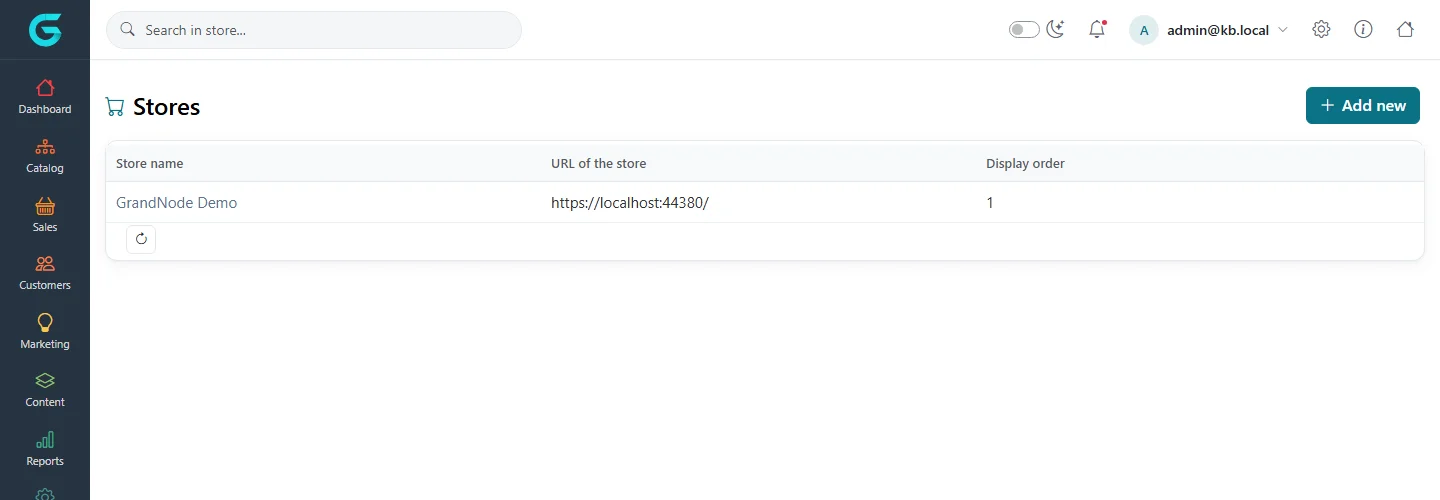
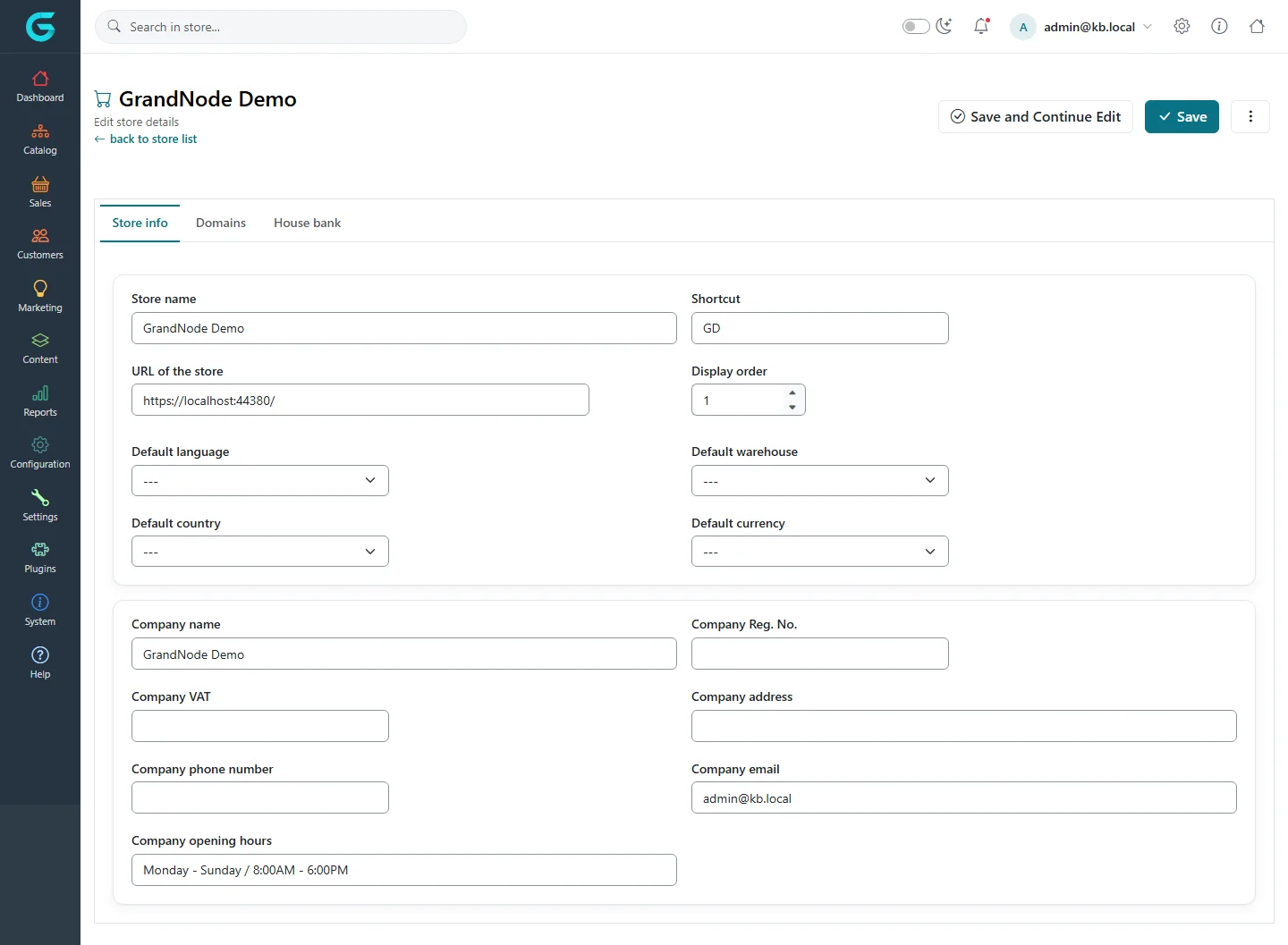
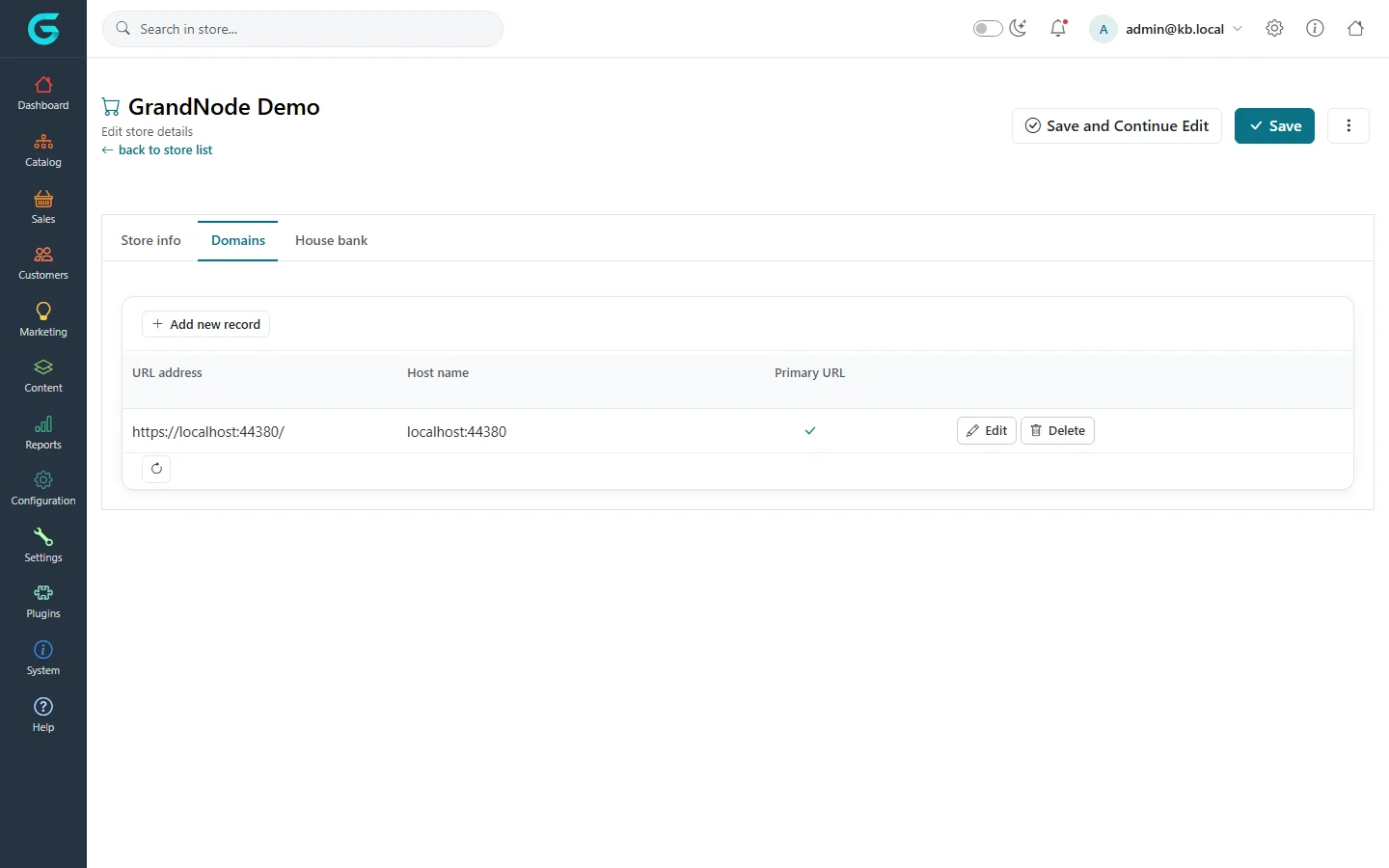
{"ArticleId":null,"Name":"Stores and multi-store","Content":"\n\u003Cp\u003EOne GrandNode installation can run several stores - different brands, countries or B2B and B2C shops - sharing one catalog, one customer base and one admin panel. Each store has its own domain, name, company details, theme and settings where you want them to differ.\u003C/p\u003E\n\n\u003Ch2 id=\u0022stores\u0022\u003EThe store list\u003C/h2\u003E\n\u003Cfigure\u003E\u003Cimg src=\u0022/Plugins/Theme.GrandNodeCom/Content/kb/configuration/stores-list.webp\u0022 alt=\u0022The Stores list with GrandNode Demo, its URL and display order\u0022 width=\u00221440\u0022 height=\u0022500\u0022 loading=\u0022lazy\u0022\u003E\u003Cfigcaption\u003EConfiguration \u2192 Stores.\u003C/figcaption\u003E\u003C/figure\u003E\n\n\u003Ch2 id=\u0022create\u0022\u003ECreate or edit a store\u003C/h2\u003E\n\u003Col\u003E\n\u003Cli\u003EOpen \u003Cstrong\u003EConfiguration \u2192 Stores\u003C/strong\u003E and click \u003Cstrong\u003EAdd new\u003C/strong\u003E (or open an existing store).\u003C/li\u003E\n\u003Cli\u003EOn \u003Cstrong\u003EStore info\u003C/strong\u003E, enter the \u003Cstrong\u003EStore name\u003C/strong\u003E, a short \u003Cstrong\u003EShortcut\u003C/strong\u003E, the \u003Cstrong\u003EURL of the store\u003C/strong\u003E, and optionally the default language, warehouse, country and currency of this store.\u003C/li\u003E\n\u003Cli\u003EFill in the company details - name, registration number, VAT number, address, phone, e-mail, opening hours. They appear on invoices and in e-mails.\u003C/li\u003E\n\u003Cli\u003EOn \u003Cstrong\u003EDomains\u003C/strong\u003E, list every host name the store answers to.\u003C/li\u003E\n\u003Cli\u003ESave.\u003C/li\u003E\n\u003C/ol\u003E\n\u003Cfigure\u003E\u003Cimg src=\u0022/Plugins/Theme.GrandNodeCom/Content/kb/configuration/store-edit.webp\u0022 alt=\u0022Editing the store GrandNode Demo: store name, shortcut, URL, display order, default language, warehouse, country and currency, and company details\u0022 width=\u00221440\u0022 height=\u00221057\u0022 loading=\u0022lazy\u0022\u003E\u003Cfigcaption\u003EThe Store info tab.\u003C/figcaption\u003E\u003C/figure\u003E\n\u003Cfigure\u003E\u003Cimg src=\u0022/Plugins/Theme.GrandNodeCom/Content/kb/configuration/store-domains.webp\u0022 alt=\u0022The Domains tab of the store with the URL https://localhost:44380/, host name localhost:44380 and primary flag\u0022 width=\u00221440\u0022 height=\u0022900\u0022 loading=\u0022lazy\u0022\u003E\u003Cfigcaption\u003EThe Domains tab.\u003C/figcaption\u003E\u003C/figure\u003E\n\u003Cp\u003EGrandNode picks the store for each request by the host name. The \u003Cstrong\u003Eprimary\u003C/strong\u003E domain is the canonical address used in links and e-mails; use HTTPS addresses.\u003C/p\u003E\n\n\u003Ch2 id=\u0022store-settings\u0022\u003EStore-specific settings\u003C/h2\u003E\n\u003Cp\u003EEvery settings page has a store selector at the top. With \u003Cstrong\u003EAll stores\u003C/strong\u003E selected, you edit the shared values. Choose a store to set values for that store only.\u003C/p\u003E\n\u003Cblockquote\u003E\u003Cp\u003EA store-specific save stores the \u003Cstrong\u003Ewhole settings group\u003C/strong\u003E for that store, not only the field you changed. From then on, changes to that group under All stores no longer reach this store. Change store-specific settings deliberately, and check both levels when a setting \u0022does not work\u0022.\u003C/p\u003E\u003C/blockquote\u003E\n\n\u003Ch2 id=\u0022limit\u0022\u003ELimit content to stores\u003C/h2\u003E\n\u003Cp\u003EProducts, categories, brands, collections, pages, blog posts, news, discounts, payment methods and more have a \u003Cstrong\u003ELimited to stores\u003C/strong\u003E option. Leave it empty to show the item everywhere, or pick stores. Prices can differ per store through store-specific tier prices and discounts.\u003C/p\u003E\n\n\u003Ch2 id=\u0022store-owners\u0022\u003EStore owners\u003C/h2\u003E\n\u003Cp\u003EA store can have its own manager who works in the \u003Ca href=\u0022/docs-store-panel\u0022\u003Estore owner panel\u003C/a\u003E and sees only that store\u0027s data.\u003C/p\u003E\n\n\u003Ch2 id=\u0022related\u0022\u003ERelated\u003C/h2\u003E\n\u003Cul\u003E\n\u003Cli\u003E\u003Ca href=\u0022/configuration-general-settings\u0022\u003EGeneral settings\u003C/a\u003E\u003C/li\u003E\n\u003Cli\u003E\u003Ca href=\u0022/configuration-themes-layouts\u0022\u003EThemes and layouts\u003C/a\u003E\u003C/li\u003E\n\u003C/ul\u003E\n","ParentCategoryId":"6abdec6c83d2816248229f19","SeName":"configuration-stores-multi-store","MetaKeywords":null,"MetaDescription":"Run several storefronts from one GrandNode installation: create stores, set domains, store-specific settings, and limit products and content to stores.","MetaTitle":null,"AllowComments":false,"Captcha":{"ReCaptchaChallengeField":null,"ReCaptchaResponseField":null,"ReCaptchaResponseValue":null,"ReCaptchaResponse":null},"RelatedArticles":[],"CategoryBreadcrumb":[{"Name":"Configuration","Description":null,"IsCurrent":false,"Children":null,"Parent":null,"SeName":"docs-configuration","Id":"6abdec6c83d2816248229f19","UserFields":[]}],"AddNewComment":{"CommentText":null,"DisplayCaptcha":false,"Id":null,"UserFields":[]},"Comments":[],"Id":"6abdec6c83d2816248229f25","UserFields":[]}