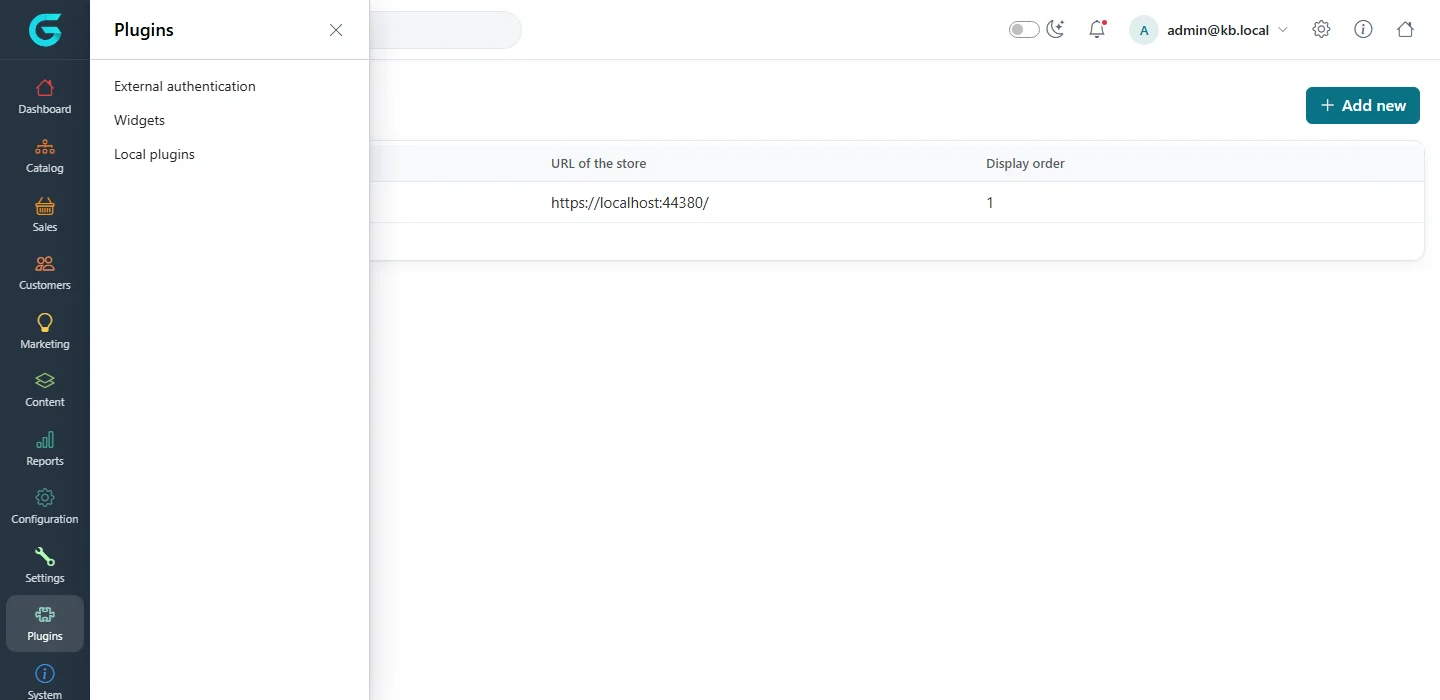
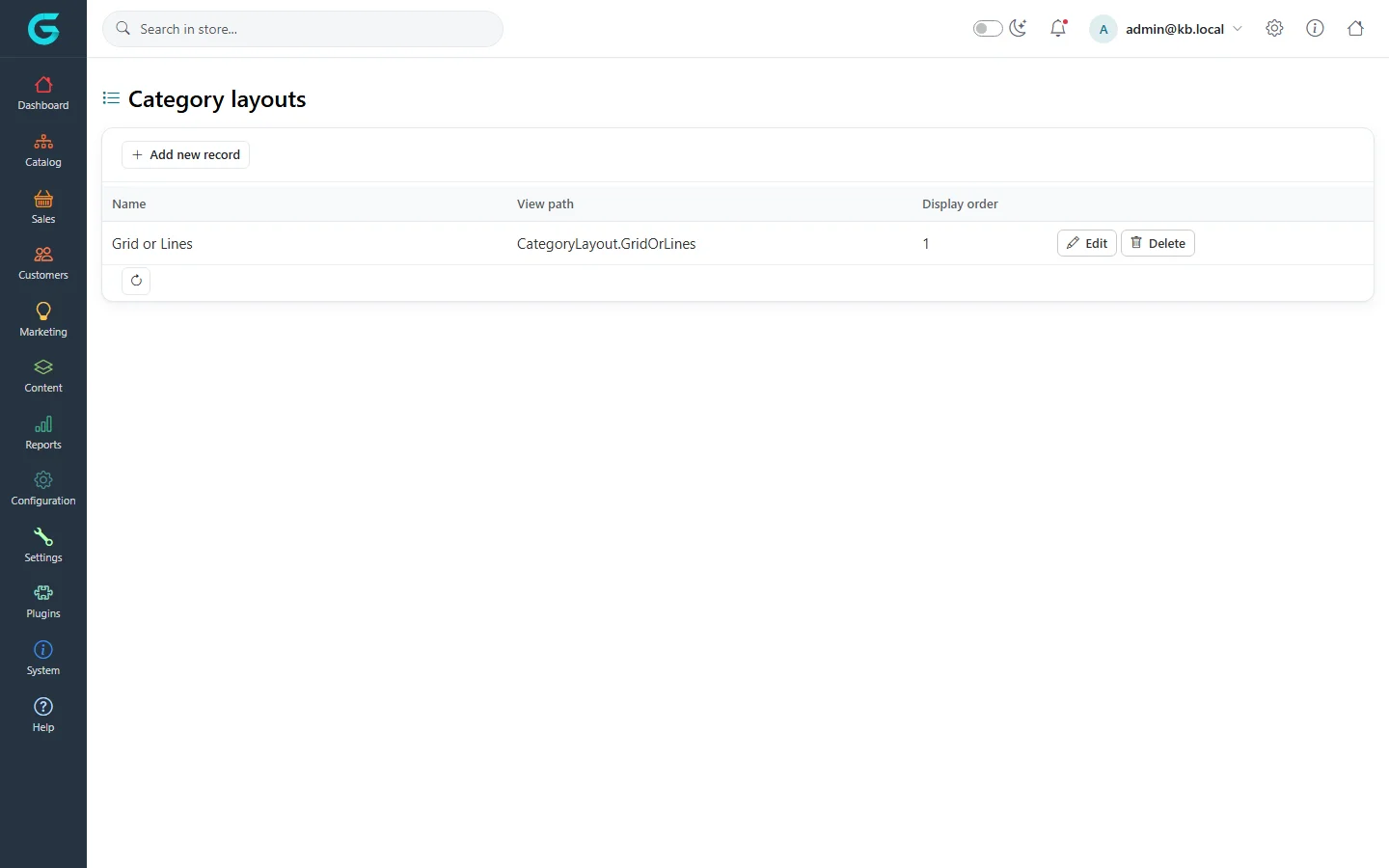
{"ArticleId":null,"Name":"Themes and layouts","Content":"\n\u003Cp\u003EThe look of the storefront comes from the \u003Cstrong\u003Etheme\u003C/strong\u003E; the structure of individual pages can be varied with \u003Cstrong\u003Elayouts\u003C/strong\u003E.\u003C/p\u003E\n\n\u003Ch2 id=\u0022themes\u0022\u003EChoose the theme\u003C/h2\u003E\n\u003Cp\u003EThemes are plugins. GrandNode includes the \u003Cstrong\u003EDefault\u003C/strong\u003E theme and the \u003Cstrong\u003EModern\u003C/strong\u003E and \u003Cstrong\u003ENordic Editorial\u003C/strong\u003E themes (the storefront screenshots in this documentation use Nordic Editorial).\u003C/p\u003E\n\u003Col\u003E\n\u003Cli\u003EInstall the theme plugin under \u003Cstrong\u003EPlugins \u2192 Local plugins\u003C/strong\u003E if needed.\u003C/li\u003E\n\u003Cli\u003EOpen \u003Cstrong\u003ESettings \u2192 General\u003C/strong\u003E, tab \u003Cstrong\u003EStore information\u003C/strong\u003E.\u003C/li\u003E\n\u003Cli\u003EPick the theme card under \u003Cstrong\u003EDefault store theme\u003C/strong\u003E and save.\u003C/li\u003E\n\u003C/ol\u003E\n\u003Cp\u003EOn a multi-store installation, select a store at the top to give each store its own theme. With \u003Cstrong\u003EAllow customers to select a theme\u003C/strong\u003E on, customers can switch between installed themes on the storefront.\u003C/p\u003E\n\u003Cfigure\u003E\u003Cimg src=\u0022/Plugins/Theme.GrandNodeCom/Content/kb/configuration/menu-plugins.webp\u0022 alt=\u0022The Plugins flyout in the admin sidebar with External authentication, Widgets and Local plugins\u0022 width=\u00221440\u0022 height=\u0022700\u0022 loading=\u0022lazy\u0022\u003E\u003Cfigcaption\u003EThemes and other plugins are installed under Plugins \u2192 Local plugins.\u003C/figcaption\u003E\u003C/figure\u003E\n\n\u003Ch2 id=\u0022layouts\u0022\u003ELayouts\u003C/h2\u003E\n\u003Cp\u003ELayouts are alternative templates for one type of page. The \u003Cstrong\u003ELayouts\u003C/strong\u003E entries of the Configuration menu list them per type: \u003Cstrong\u003ECategory layouts\u003C/strong\u003E, \u003Cstrong\u003EBrand layouts\u003C/strong\u003E, \u003Cstrong\u003ECollection layouts\u003C/strong\u003E, \u003Cstrong\u003EProduct layouts\u003C/strong\u003E and \u003Cstrong\u003EPage layouts\u003C/strong\u003E.\u003C/p\u003E\n\u003Cfigure\u003E\u003Cimg src=\u0022/Plugins/Theme.GrandNodeCom/Content/kb/configuration/category-layouts.webp\u0022 alt=\u0022Category layouts with Grid or Lines, its view path CategoryLayout.GridOrLines and display order\u0022 width=\u00221440\u0022 height=\u0022900\u0022 loading=\u0022lazy\u0022\u003E\u003Cfigcaption\u003ECategory layouts.\u003C/figcaption\u003E\u003C/figure\u003E\n\u003Cul\u003E\n\u003Cli\u003EEach layout has a \u003Cstrong\u003EName\u003C/strong\u003E, a \u003Cstrong\u003EView path\u003C/strong\u003E (the Razor view the theme provides) and a display order.\u003C/li\u003E\n\u003Cli\u003EChoose the layout on each category, brand, collection, product or page.\u003C/li\u003E\n\u003Cli\u003EA theme can bring its own layouts, for example a landing-page layout for pages. See \u003Ca href=\u0022/content-layouts\u0022\u003EPage layouts\u003C/a\u003E.\u003C/li\u003E\n\u003C/ul\u003E\n\u003Cblockquote\u003E\u003Cp\u003EA layout\u0027s view must exist in the active theme or fall back to the default views. Switching to a theme that lacks a layout\u0027s view breaks the pages that use it - move them to a standard layout first.\u003C/p\u003E\u003C/blockquote\u003E\n\n\u003Ch2 id=\u0022custom\u0022\u003ECustom CSS and JavaScript\u003C/h2\u003E\n\u003Cp\u003ESmall adjustments without a new theme go in \u003Cstrong\u003ESystem \u2192 Custom css\u003C/strong\u003E and \u003Cstrong\u003ECustom JS\u003C/strong\u003E. For anything larger, create a theme - see \u003Ca href=\u0022/developers-creating-a-theme\u0022\u003ECreating a theme\u003C/a\u003E.\u003C/p\u003E\n\n\u003Ch2 id=\u0022related\u0022\u003ERelated\u003C/h2\u003E\n\u003Cul\u003E\n\u003Cli\u003E\u003Ca href=\u0022/configuration-general-settings\u0022\u003EGeneral settings\u003C/a\u003E\u003C/li\u003E\n\u003Cli\u003E\u003Ca href=\u0022/configuration-stores-multi-store\u0022\u003EStores and multi-store\u003C/a\u003E\u003C/li\u003E\n\u003C/ul\u003E\n","ParentCategoryId":"6abdec6c83d2816248229f19","SeName":"configuration-themes-layouts","MetaKeywords":null,"MetaDescription":"Choose the storefront theme in GrandNode, let customers switch themes, and use category, brand, collection, product and page layouts.","MetaTitle":null,"AllowComments":false,"Captcha":{"ReCaptchaChallengeField":null,"ReCaptchaResponseField":null,"ReCaptchaResponseValue":null,"ReCaptchaResponse":null},"RelatedArticles":[],"CategoryBreadcrumb":[{"Name":"Configuration","Description":null,"IsCurrent":false,"Children":null,"Parent":null,"SeName":"docs-configuration","Id":"6abdec6c83d2816248229f19","UserFields":[]}],"AddNewComment":{"CommentText":null,"DisplayCaptcha":false,"Id":null,"UserFields":[]},"Comments":[],"Id":"6abdec6d83d2816248229f31","UserFields":[]}