Currencies, countries and measures
Currencies decide what prices customers see, countries decide where you sell and ship to, and measures decide the units for weight and size. Set them up before your first product.
Currencies
Configuration → Currencies lists currencies with their code, exchange rate, whether they are the primary exchange rate currency or the primary store currency, and whether they are published.
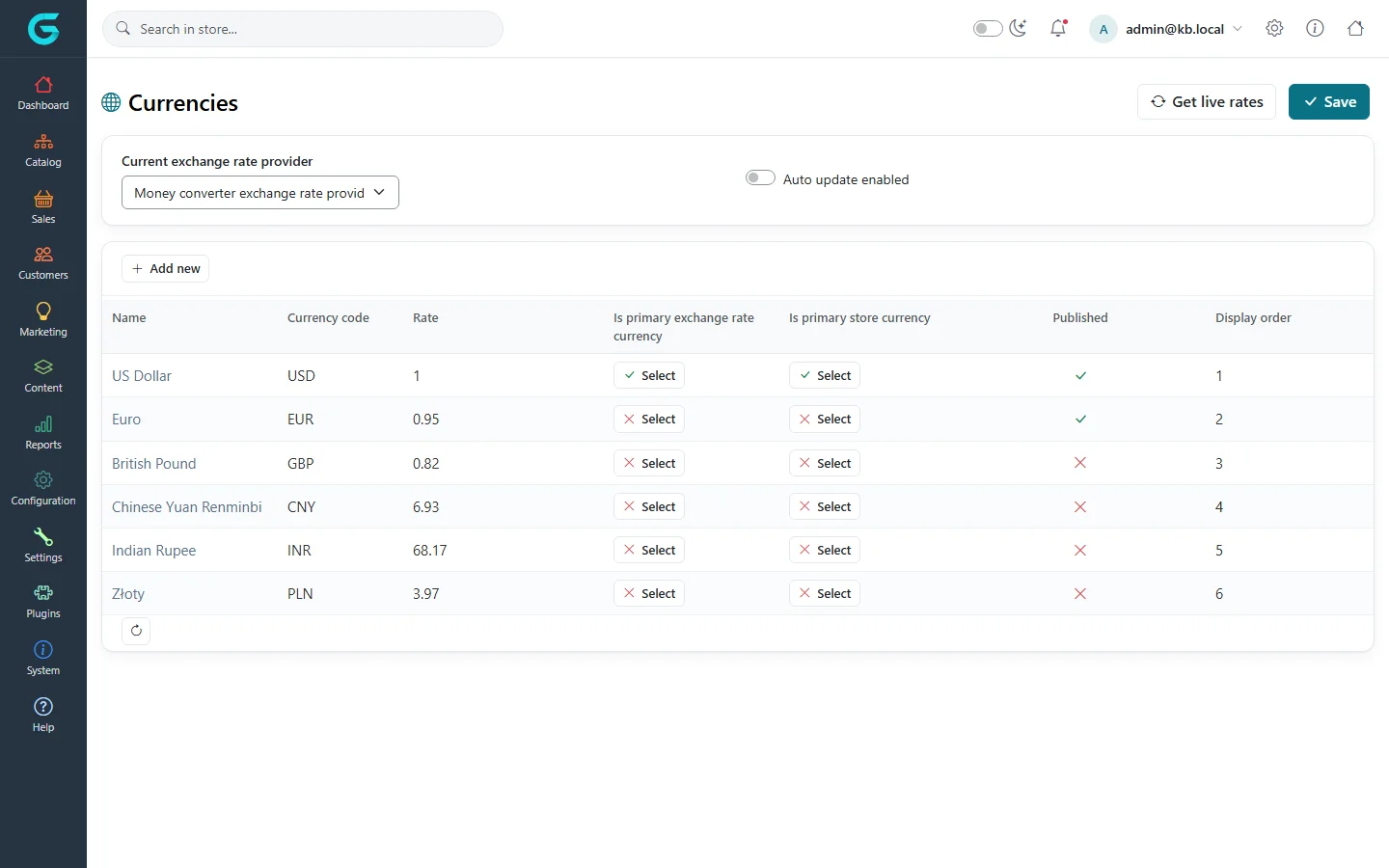
- Primary store currency: the currency prices are entered in.
- Primary exchange rate currency: the base for exchange rates, usually the same.
- Other published currencies are offered to customers; prices are converted with the Rate, and rounded as set on the currency.
- Rates are typed by hand, or fetched with Get live rates from the selected exchange rate provider. Auto update enabled refreshes them periodically.
- Each currency has a display format set by its Display locale or Custom formatting, the number of decimals, and a rounding type.
Customers always pay in the currency they chose; the order stores the rate used. A product can also have fixed prices per currency (see Prices and inventory).
Countries and states
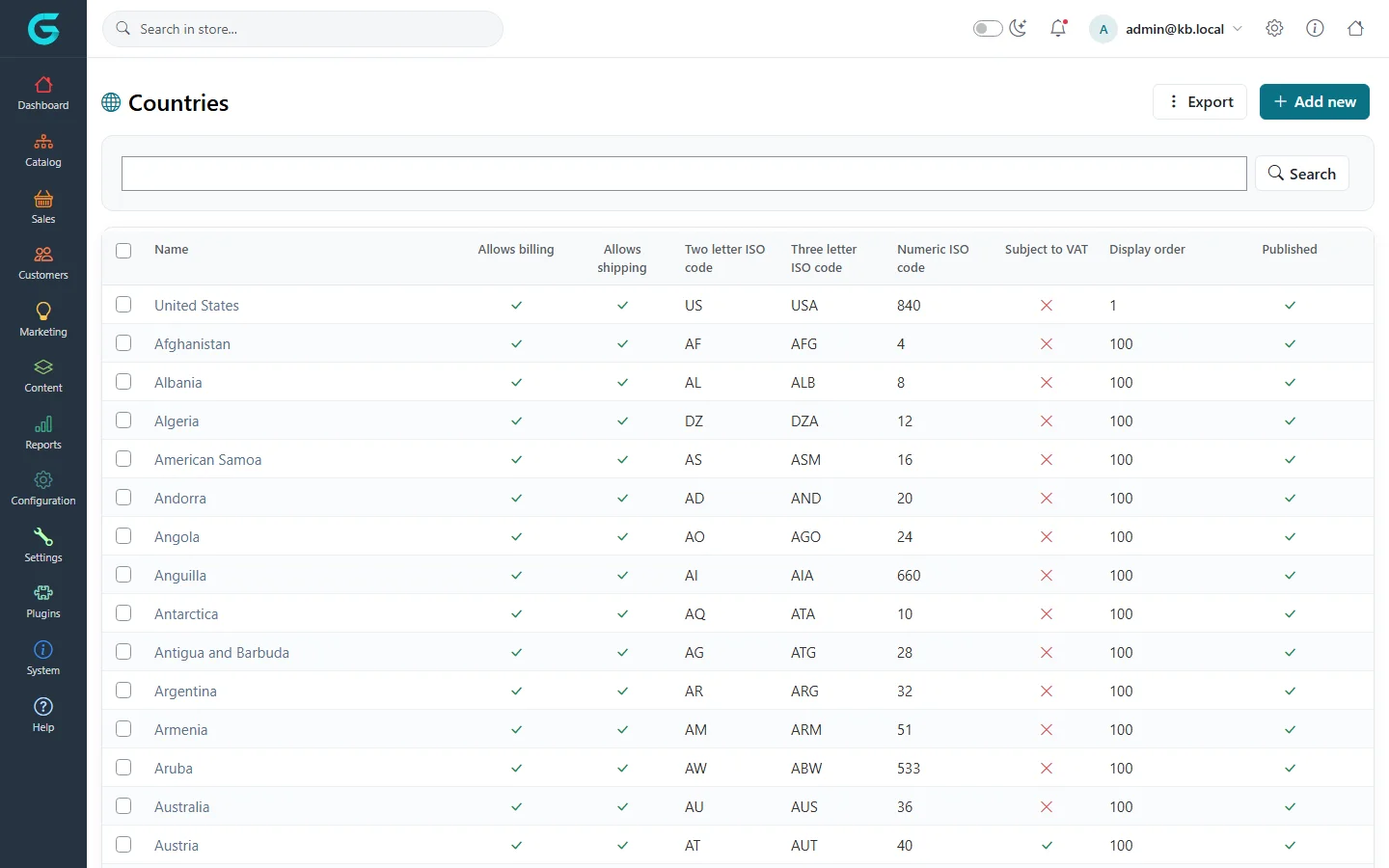
Configuration → Countries lists countries with their ISO codes and switches.
| Field | What it does |
|---|---|
| Allow billing, Allow shipping | Whether the country can be used in billing or shipping addresses. |
| Subject to VAT | Used with EU VAT rules. |
| Published | Unpublished countries are not offered at all. Unpublish the countries you do not serve. |
| States / provinces | On the country's page; states appear as a drop-down in addresses. |
Countries and states can be exported and imported with Excel.
Measures
Configuration → Shipping → Measures has three tabs: Dimensions, Units and Weights. Mark the primary dimension and weight; the others have a ratio to the primary one. Shipping rate plugins that charge by weight use these values.
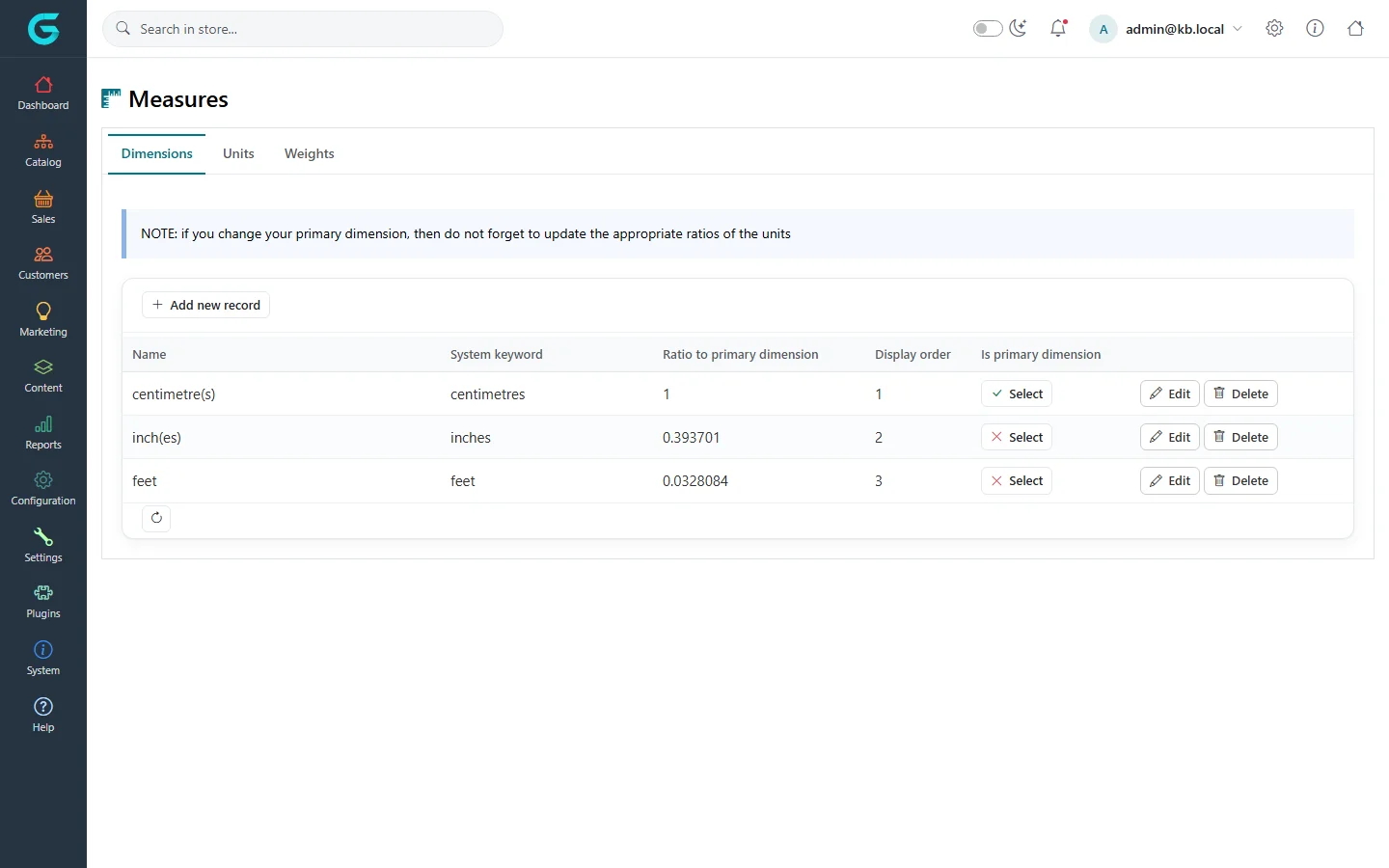
If you change the primary dimension or weight, update the ratios of the other units and the weights of your products.
Related
Question not answered here? Ask the community on GitHub Discussions ↗