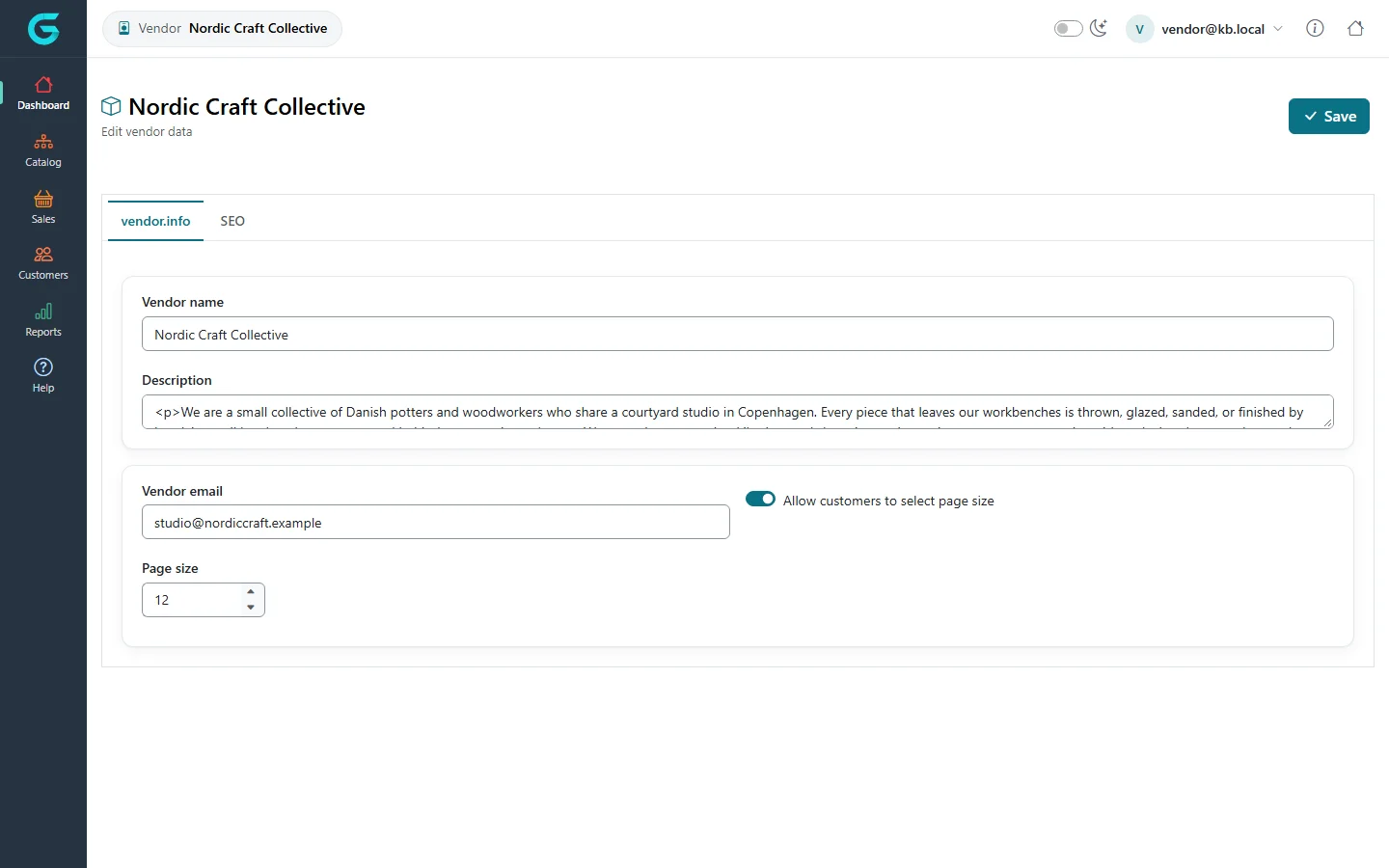
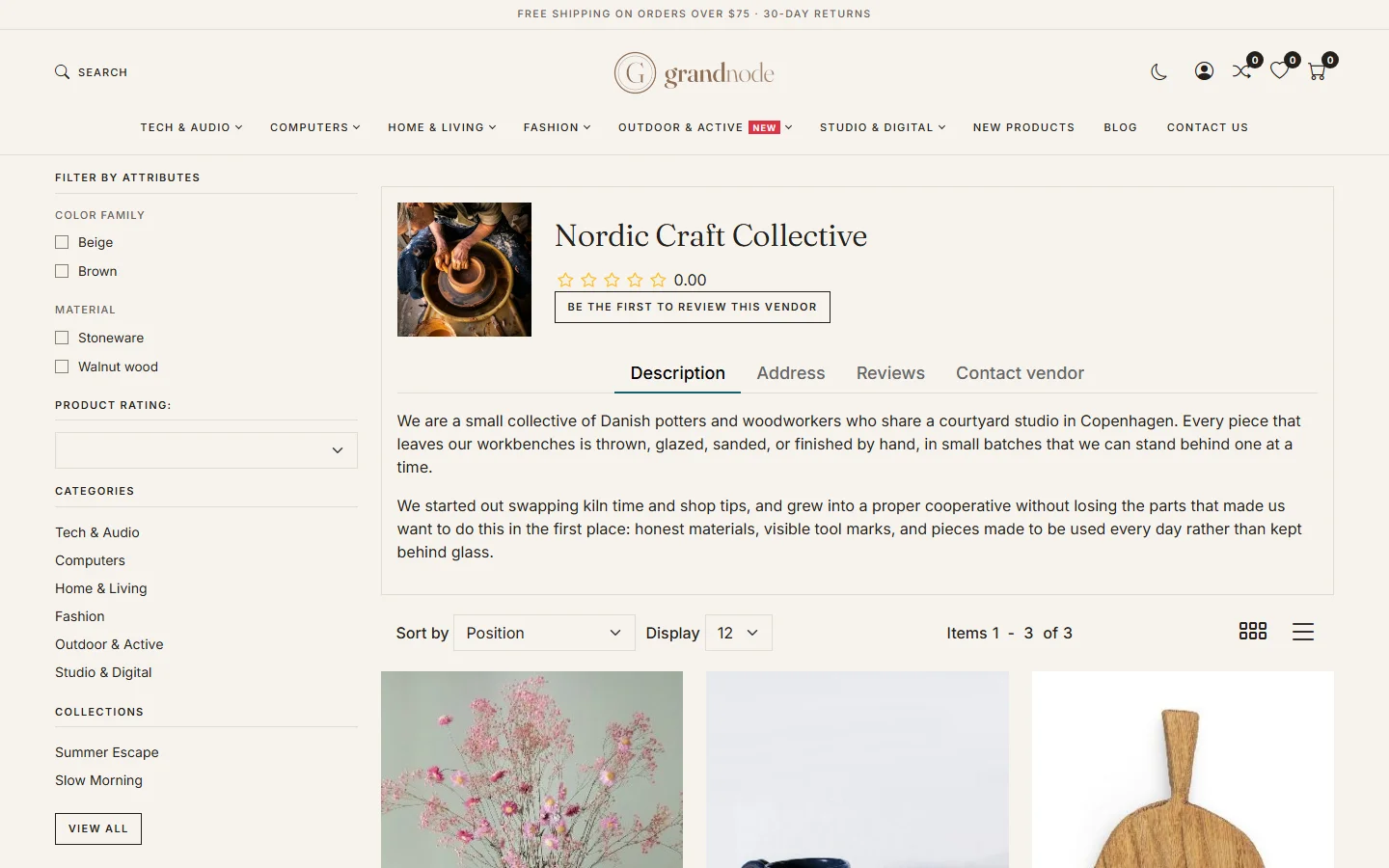
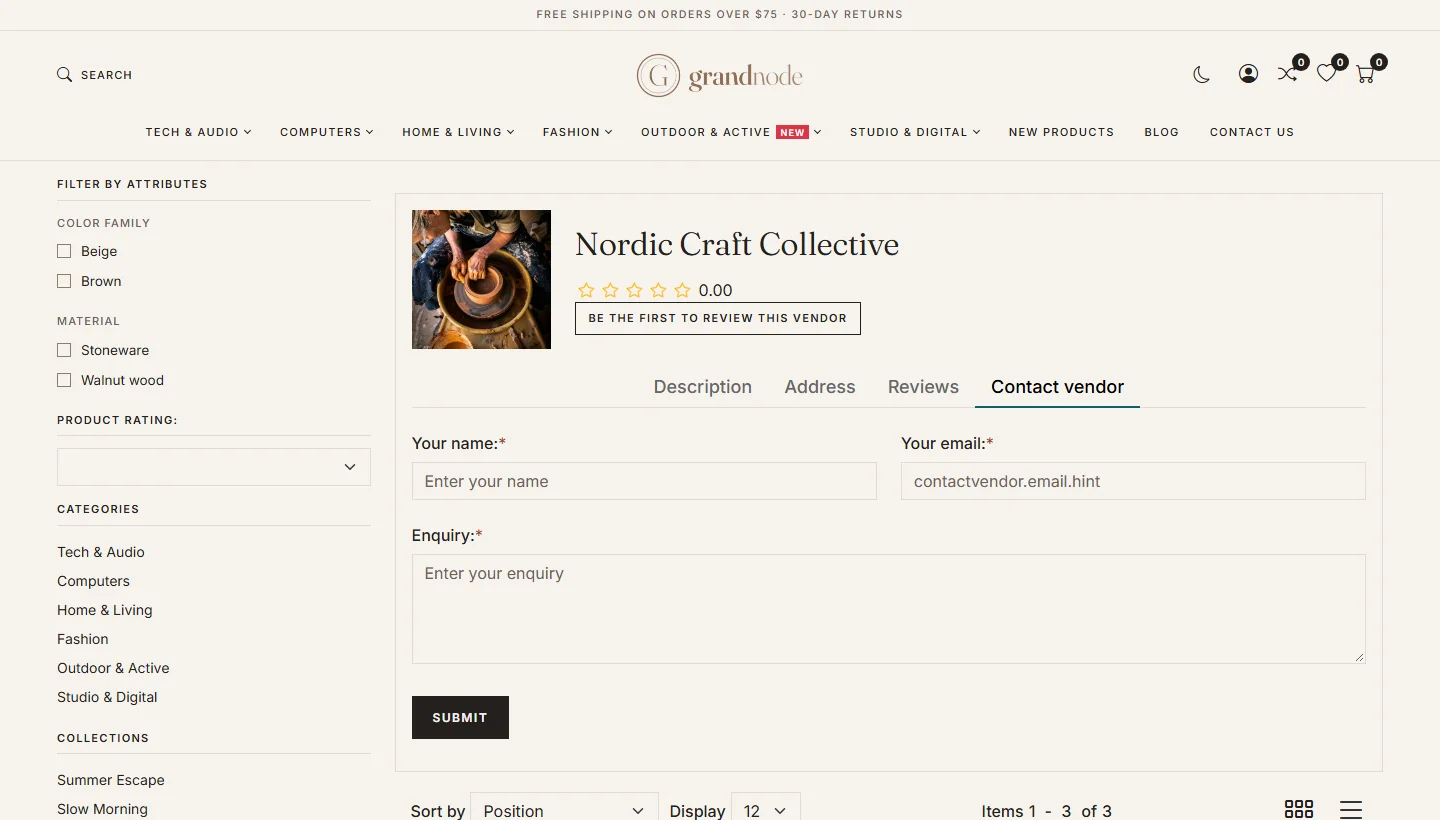
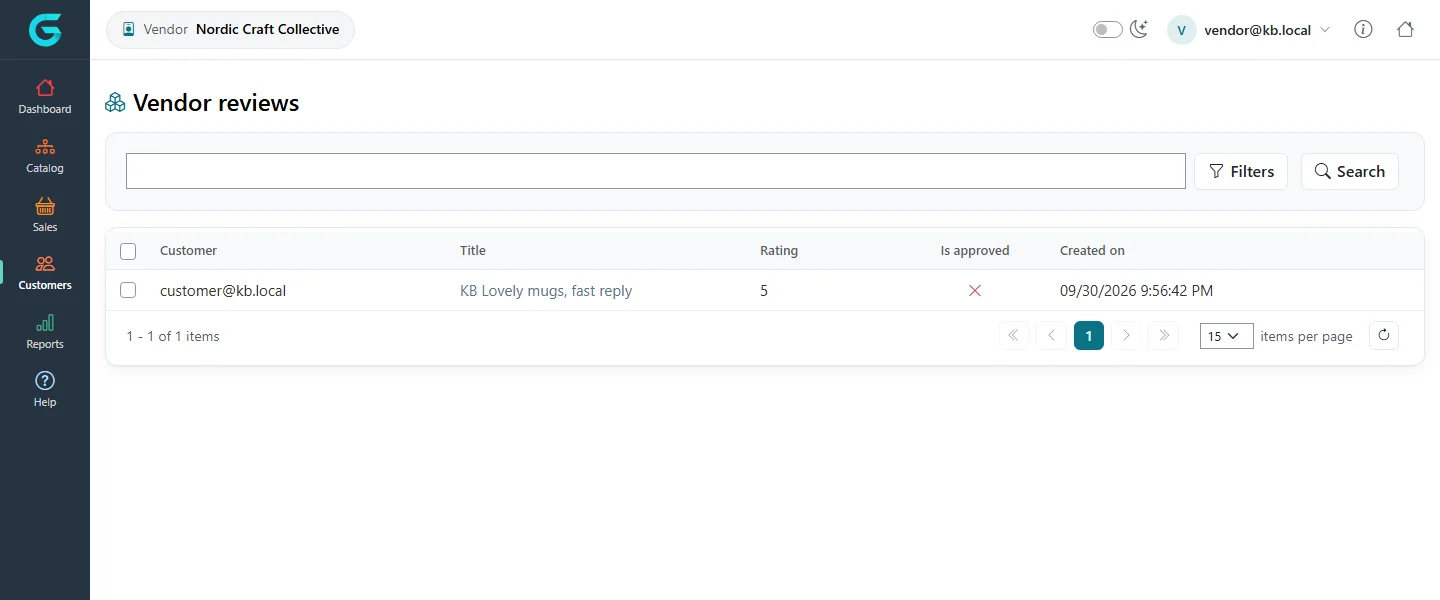
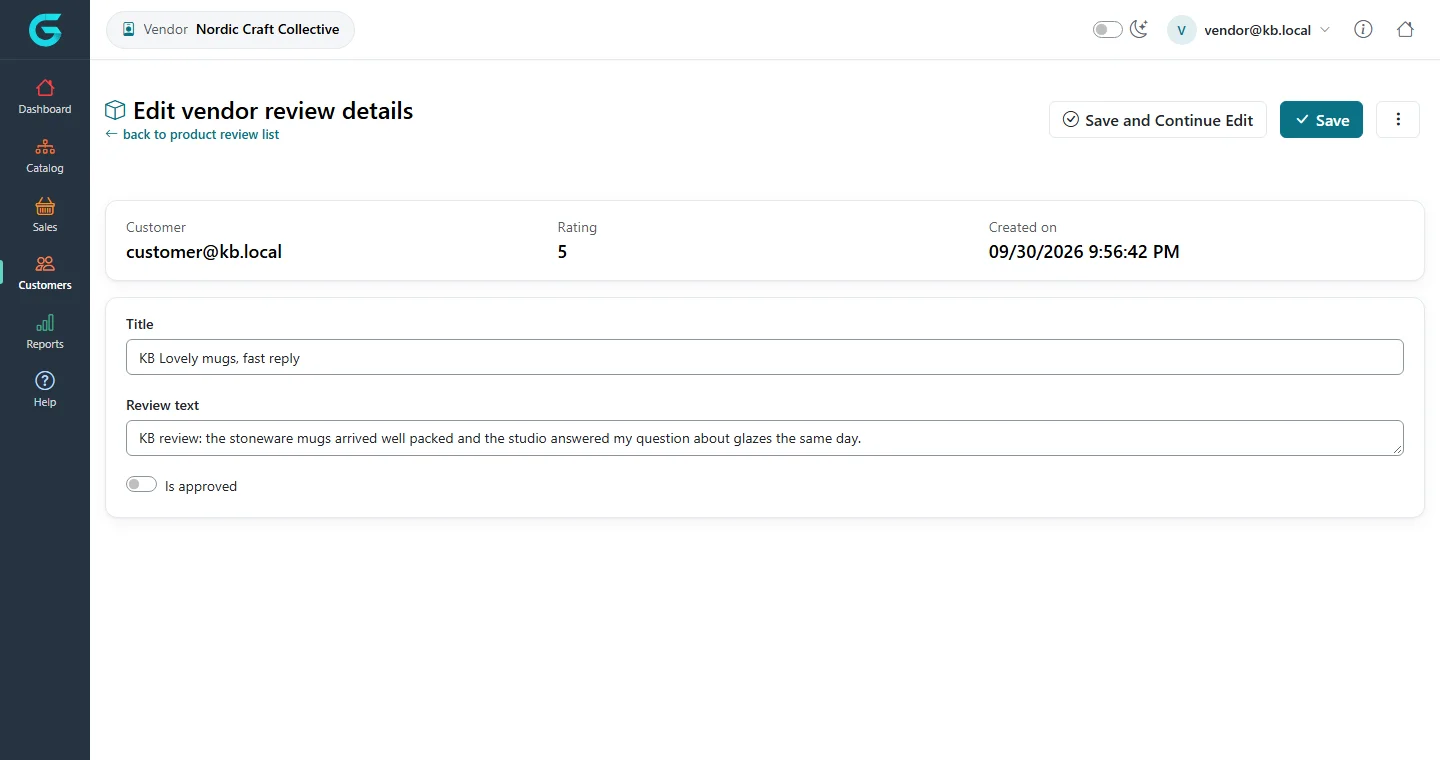
{"ArticleId":null,"Name":"Vendor profile, page and reviews","Content":"\n\u003Cp\u003EEach vendor has a public \u003Cstrong\u003Evendor page\u003C/strong\u003E on the storefront, a profile the vendor can maintain, and - if enabled - \u003Cstrong\u003Ereviews\u003C/strong\u003E from customers.\u003C/p\u003E\n\n\u003Ch2 id=\u0022profile\u0022\u003EThe vendor profile\u003C/h2\u003E\n\u003Cp\u003EIn the vendor panel, the user menu in the top right leads to the vendor information: name, description, e-mail, picture, address and page size options.\u003C/p\u003E\n\u003Cfigure\u003E\u003Cimg src=\u0022/Plugins/Theme.GrandNodeCom/Content/kb/vendor-panel/vendor-info-edit.webp\u0022 alt=\u0022Editing Nordic Craft Collective in the vendor panel: vendor name, description, vendor e-mail, allow customers to select page size and page size options\u0022 width=\u00221440\u0022 height=\u0022900\u0022 loading=\u0022lazy\u0022\u003E\u003Cfigcaption\u003EThe vendor profile in the vendor panel.\u003C/figcaption\u003E\u003C/figure\u003E\n\u003Cp\u003EWhether vendors may change it is decided by \u003Cstrong\u003EAllow vendors to edit info\u003C/strong\u003E in the vendor settings; with \u003Cstrong\u003ENotify about vendor information changes\u003C/strong\u003E the store owner gets an e-mail on each change.\u003C/p\u003E\n\n\u003Ch2 id=\u0022page\u0022\u003EThe vendor page\u003C/h2\u003E\n\u003Cp\u003EThe vendor page shows the picture, description, rating and the vendor\u0027s products with filters. Tabs show the address, reviews and a contact form.\u003C/p\u003E\n\u003Cfigure\u003E\u003Cimg src=\u0022/Plugins/Theme.GrandNodeCom/Content/kb/vendor-panel/storefront-vendor-page.webp\u0022 alt=\u0022The storefront page of Nordic Craft Collective with picture, rating, description and tabs Description, Address, Reviews and Contact vendor, and the vendor products below\u0022 width=\u00221440\u0022 height=\u0022900\u0022 loading=\u0022lazy\u0022\u003E\u003Cfigcaption\u003EThe vendor page on the storefront.\u003C/figcaption\u003E\u003C/figure\u003E\n\u003Cfigure\u003E\u003Cimg src=\u0022/Plugins/Theme.GrandNodeCom/Content/kb/vendor-panel/storefront-vendor-contact.webp\u0022 alt=\u0022The Contact vendor tab on the vendor page with name, e-mail and enquiry fields and Submit\u0022 width=\u00221440\u0022 height=\u0022820\u0022 loading=\u0022lazy\u0022\u003E\u003Cfigcaption\u003ECustomers can contact the vendor directly.\u003C/figcaption\u003E\u003C/figure\u003E\n\u003Cp\u003EThe contact form is available when \u003Cstrong\u003EAllow customers to contact vendors\u003C/strong\u003E is on; messages go to the vendor\u0027s e-mail.\u003C/p\u003E\n\n\u003Ch2 id=\u0022reviews\u0022\u003EVendor reviews\u003C/h2\u003E\n\u003Cp\u003ECustomers rate and review vendors on the vendor page. The store owner moderates them under \u003Cstrong\u003ECustomers \u2192 Vendor reviews\u003C/strong\u003E; the vendor sees reviews about them.\u003C/p\u003E\n\u003Cfigure\u003E\u003Cimg src=\u0022/Plugins/Theme.GrandNodeCom/Content/kb/vendor-panel/vendor-reviews-list.webp\u0022 alt=\u0022The admin Vendor reviews list with vendor, customer, title, rating, approved flag and date\u0022 width=\u00221440\u0022 height=\u0022600\u0022 loading=\u0022lazy\u0022\u003E\u003Cfigcaption\u003ECustomers \u2192 Vendor reviews.\u003C/figcaption\u003E\u003C/figure\u003E\n\u003Cfigure\u003E\u003Cimg src=\u0022/Plugins/Theme.GrandNodeCom/Content/kb/vendor-panel/vendor-review-edit.webp\u0022 alt=\u0022Editing a vendor review: title, text, rating and is approved\u0022 width=\u00221440\u0022 height=\u0022760\u0022 loading=\u0022lazy\u0022\u003E\u003Cfigcaption\u003EA vendor review.\u003C/figcaption\u003E\u003C/figure\u003E\n\u003Cp\u003EThe rules - reviews must be approved, only after buying from the vendor, only once, anonymous reviews, the default rating - are in the \u003Ca href=\u0022/vendor-panel-vendor-settings\u0022\u003Evendor settings\u003C/a\u003E.\u003C/p\u003E\n\n\u003Ch2 id=\u0022related\u0022\u003ERelated\u003C/h2\u003E\n\u003Cul\u003E\n\u003Cli\u003E\u003Ca href=\u0022/vendor-panel-vendor-settings\u0022\u003EVendor settings\u003C/a\u003E\u003C/li\u003E\n\u003Cli\u003E\u003Ca href=\u0022/vendor-panel-manage-products\u0022\u003EManaging products as a vendor\u003C/a\u003E\u003C/li\u003E\n\u003C/ul\u003E\n","ParentCategoryId":"6abdec6d83d2816248229f55","SeName":"vendor-panel-vendor-profile-and-reviews","MetaKeywords":null,"MetaDescription":"Edit the vendor profile, see the public vendor page and contact form, and moderate vendor reviews in GrandNode.","MetaTitle":null,"AllowComments":false,"Captcha":{"ReCaptchaChallengeField":null,"ReCaptchaResponseField":null,"ReCaptchaResponseValue":null,"ReCaptchaResponse":null},"RelatedArticles":[],"CategoryBreadcrumb":[{"Name":"Vendor panel (marketplace)","Description":null,"IsCurrent":false,"Children":null,"Parent":null,"SeName":"docs-vendor-panel","Id":"6abdec6d83d2816248229f55","UserFields":[]}],"AddNewComment":{"CommentText":null,"DisplayCaptcha":false,"Id":null,"UserFields":[]},"Comments":[],"Id":"6abdec6d83d2816248229f63","UserFields":[]}