Titles, meta tags and SEO settings
Every page in GrandNode has a title and a meta description - the text search engines show in results and assistants use to summarise a page. Store-wide defaults are set once; products, categories, brands, collections, pages, blog posts and news have their own SEO fields that override them.
The SEO settings
Open Settings → General and common settings, tab SEO settings.
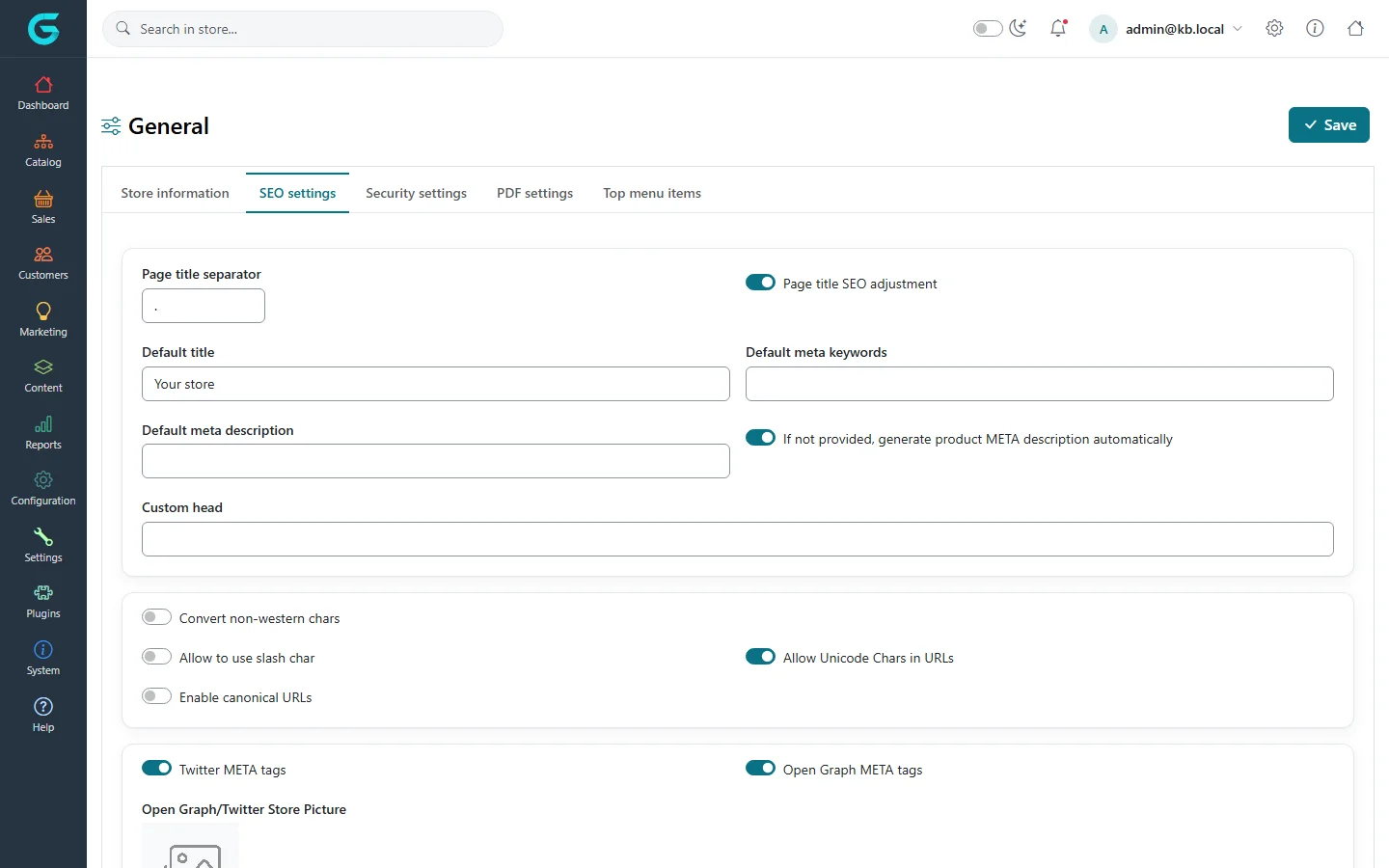
| Setting | What it does |
|---|---|
| Default title | The store's name in page titles and the title of pages without their own. |
| Page title separator, Page title SEO adjustment | How the page title and the store title are joined (e.g. "Headphones | My store") and which comes first. Put the page name first - it is what people read in results. |
| Default meta description, keywords | Used where a page has none. Write a real sentence about the store. |
| If not provided, generate product META description automatically | Uses the product's short description when its meta description is empty. |
| Custom head | Extra tags added to the <head> of every page - for example the verification tag of Google Search Console or Bing. |
| Convert non-western chars, Allow Unicode chars in URLs, Allow to use slash char | How names are turned into URLs (see URLs and redirects). |
| Enable canonical URLs | Adds a canonical link, so filtered, sorted and paged variants of a page count as one page. Recommended. |
| Twitter META tags, Open Graph META tags, Open Graph/Twitter Store Picture | Titles, descriptions and pictures for links shared on social networks and messengers; the store picture is used for pages without their own. |
SEO fields of a product, category or page
The SEO tab of a product (and of categories, brands, collections, pages and posts) has the Title, Meta description, Meta keywords and the Search engine friendly page name.
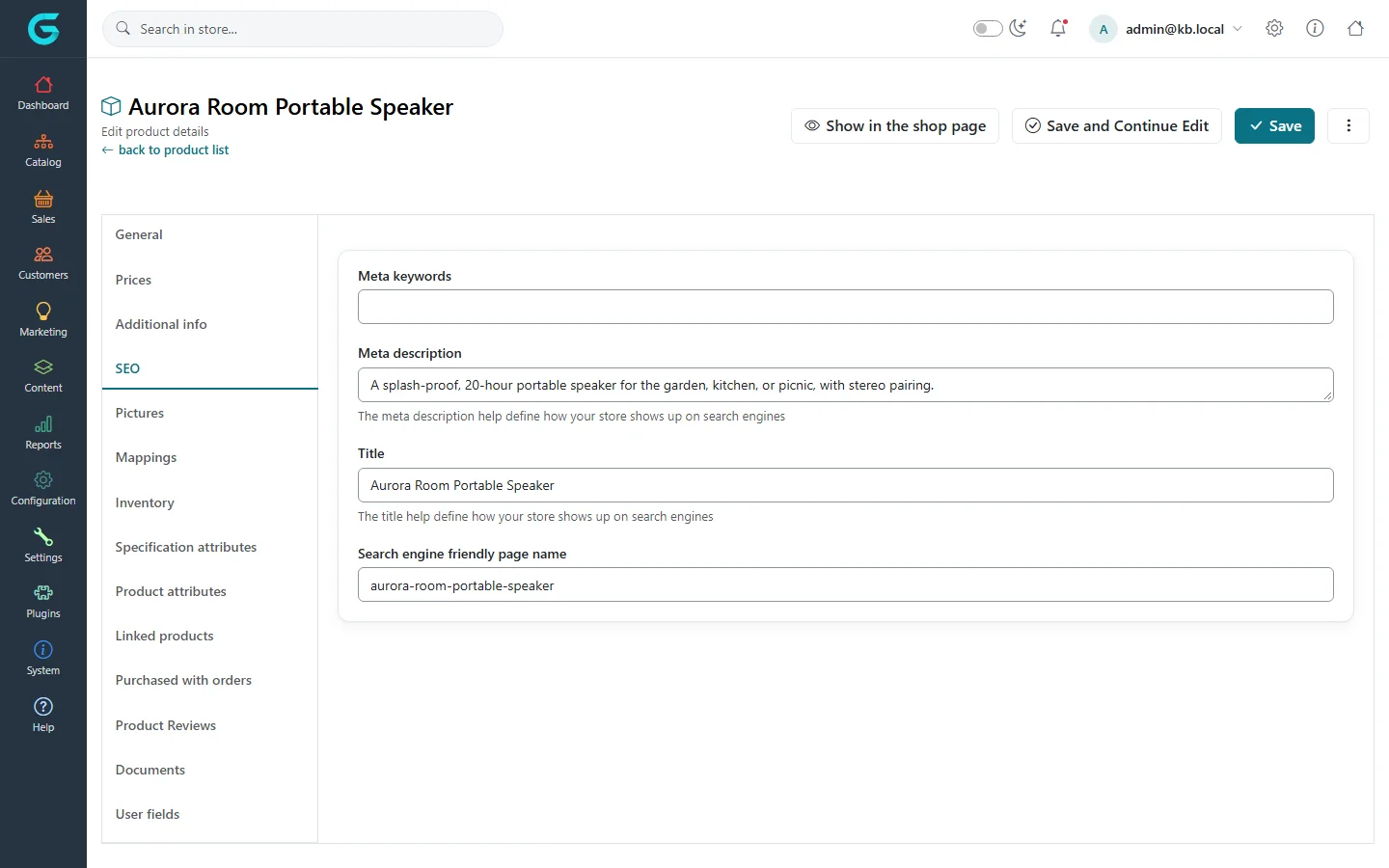
- Title: up to about 60 characters, the main words first.
- Meta description: one or two sentences, about 150 characters, that make someone click - what it is and why this store.
- Translate them for every language you sell in.
Tips
- Do not copy the manufacturer's description word for word; duplicate text across many shops ranks poorly.
- Meta keywords are ignored by Google; leave them empty.
- Store managers can set store-specific SEO defaults in the store owner panel.
Related
Question not answered here? Ask the community on GitHub Discussions ↗