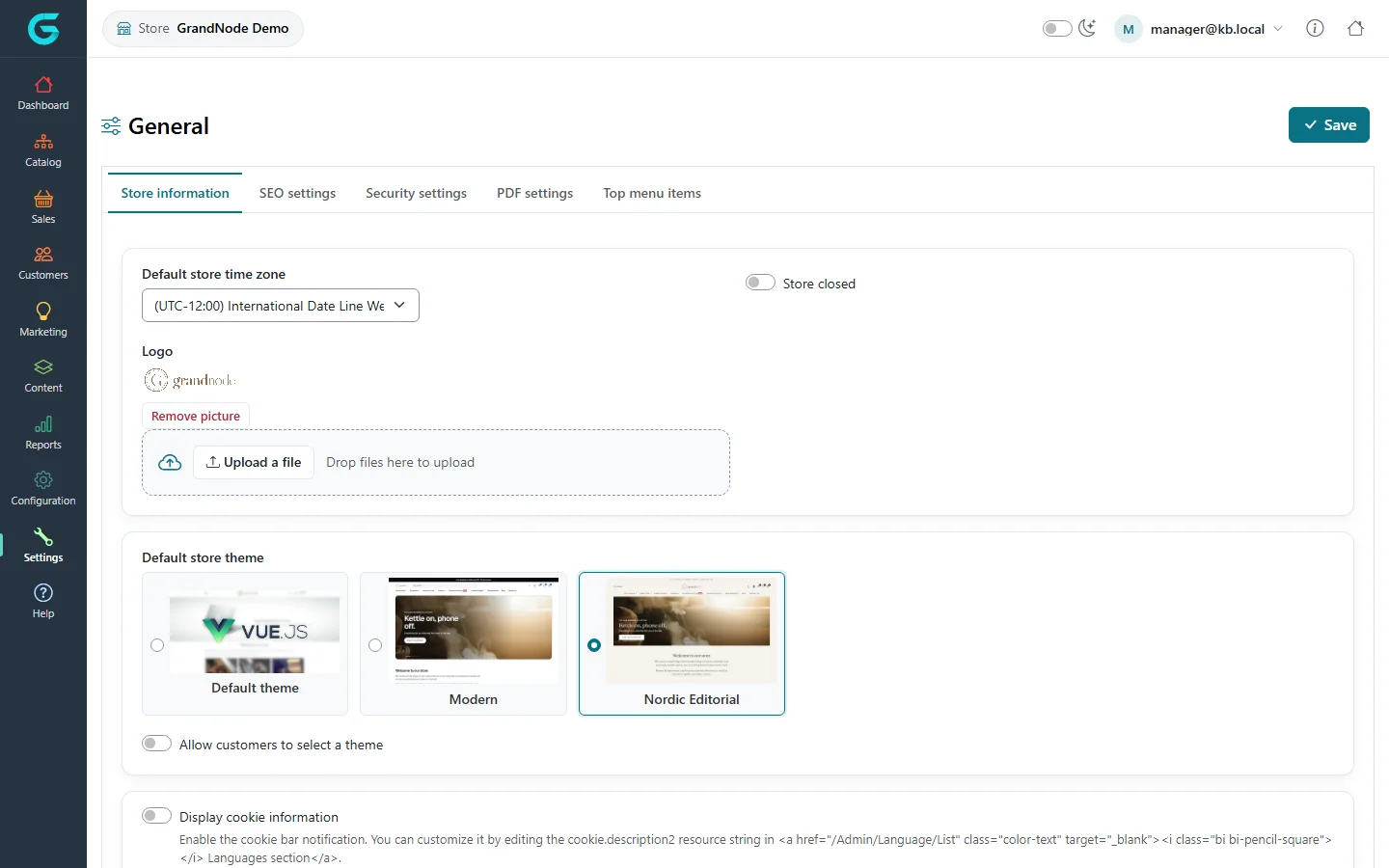
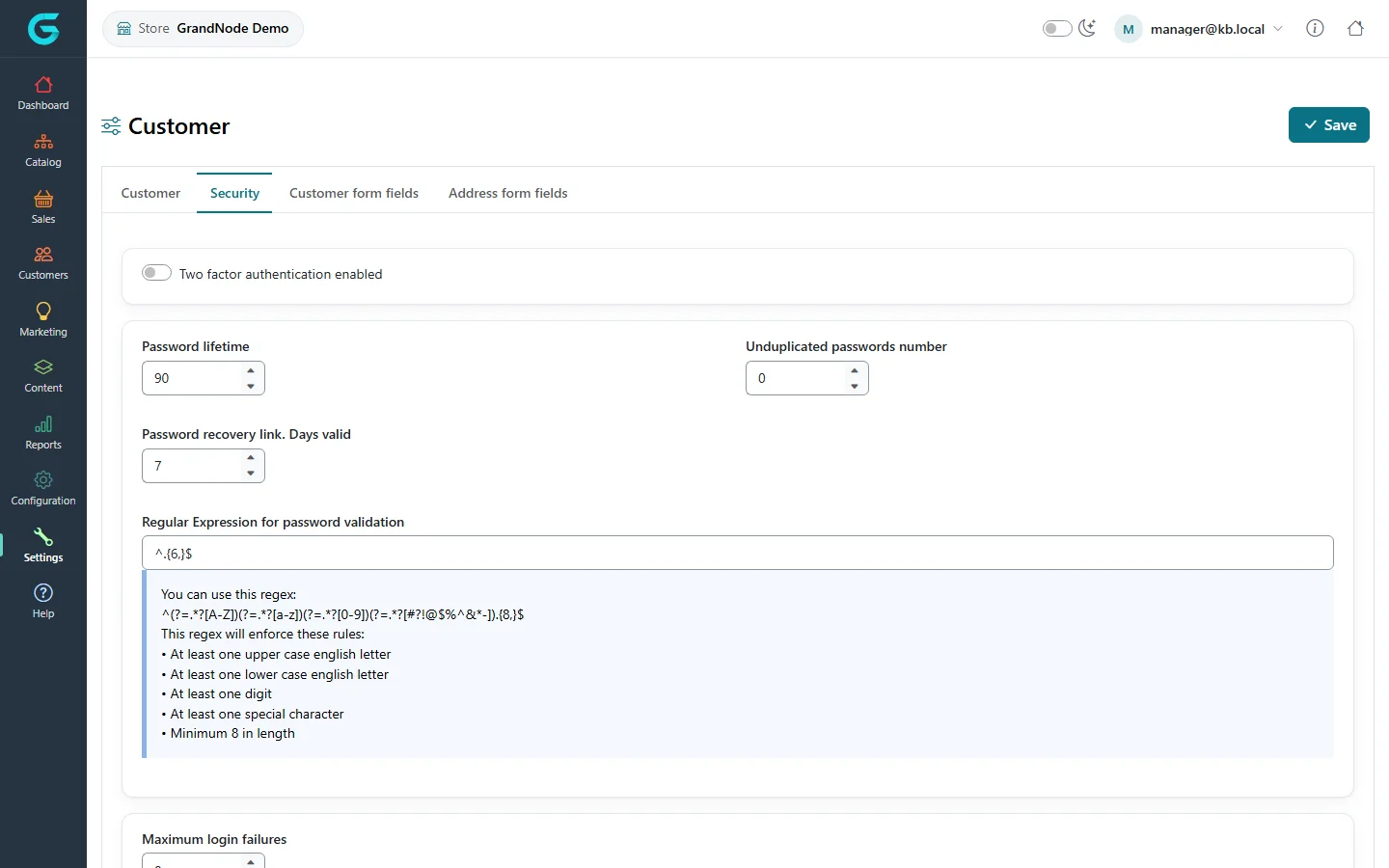
{"ArticleId":null,"Name":"Settings in the store owner panel","Content":"\n\u003Cp\u003EThe \u003Cstrong\u003ESettings\u003C/strong\u003E menu of the store owner panel shows the same settings pages as the admin panel - general, catalog, sales, customer, media and others - but everything you save applies to \u003Cstrong\u003Eyour store only\u003C/strong\u003E. You cannot change the settings of other stores or the shared defaults.\u003C/p\u003E\n\n\u003Ch2 id=\u0022general\u0022\u003EGeneral settings\u003C/h2\u003E\n\u003Cp\u003EFor example the \u003Cstrong\u003EStore information\u003C/strong\u003E tab lets you set the store\u0027s time zone, logo, whether it is closed, and its theme.\u003C/p\u003E\n\u003Cfigure\u003E\u003Cimg src=\u0022/Plugins/Theme.GrandNodeCom/Content/kb/store-panel/settings-general.webp\u0022 alt=\u0022General settings in the store panel: time zone, store closed, logo upload, default store theme with Default theme, Modern and Nordic Editorial cards, allow customers to select a theme, and cookie information\u0022 width=\u00221440\u0022 height=\u0022900\u0022 loading=\u0022lazy\u0022\u003E\u003Cfigcaption\u003ESettings \u2192 General in the store owner panel: the store can have its own theme.\u003C/figcaption\u003E\u003C/figure\u003E\n\u003Cp\u003EThe meaning of each setting is described in \u003Ca href=\u0022/docs-configuration\u0022\u003EConfiguration\u003C/a\u003E.\u003C/p\u003E\n\n\u003Ch2 id=\u0022how-it-saves\u0022\u003EHow saving works\u003C/h2\u003E\n\u003Cp\u003ESettings are stored as groups. The first time you save a group (for example the catalog settings), your store gets its own copy of the \u003Cstrong\u003Ewhole group\u003C/strong\u003E, and from then on changes the administrator makes to the shared defaults of that group no longer reach your store. Change only what you need, and tell the administrator which groups you have customised.\u003C/p\u003E\n\n\u003Ch2 id=\u0022locked\u0022\u003ELocked fields\u003C/h2\u003E\n\u003Cp\u003ESome fields affect all stores and stay with the administrator even though they appear in the same pages. They are missing from the store owner panel or kept at the administrator\u0027s value when you save:\u003C/p\u003E\n\u003Cul\u003E\n\u003Cli\u003Ethe password storage format in \u003Cstrong\u003ECustomer settings \u2192 Security\u003C/strong\u003E - customer passwords are hashed the same way everywhere;\u003C/li\u003E\n\u003Cli\u003E\u003Cstrong\u003EPoints accumulated for all stores\u003C/strong\u003E in the loyalty points settings - otherwise one store could create points spent in another;\u003C/li\u003E\n\u003Cli\u003Ethe allowed file types and file manager commands in the media settings.\u003C/li\u003E\n\u003C/ul\u003E\n\u003Cfigure\u003E\u003Cimg src=\u0022/Plugins/Theme.GrandNodeCom/Content/kb/store-panel/settings-customer-security.webp\u0022 alt=\u0022The Security tab of the customer settings in the store panel: two factor authentication, password lifetime, unduplicated passwords, recovery link validity and the password rule, without the password format fields\u0022 width=\u00221440\u0022 height=\u0022900\u0022 loading=\u0022lazy\u0022\u003E\u003Cfigcaption\u003ECustomer settings \u2192 Security: password rules per store, without the storage format.\u003C/figcaption\u003E\u003C/figure\u003E\n\n\u003Ch2 id=\u0022related\u0022\u003ERelated\u003C/h2\u003E\n\u003Cul\u003E\n\u003Cli\u003E\u003Ca href=\u0022/configuration-stores-multi-store\u0022\u003EStores and multi-store\u003C/a\u003E\u003C/li\u003E\n\u003Cli\u003E\u003Ca href=\u0022/store-panel-configuration\u0022\u003EConfiguration in the store owner panel\u003C/a\u003E\u003C/li\u003E\n\u003C/ul\u003E\n","ParentCategoryId":"6abdec6d83d2816248229f43","SeName":"store-panel-settings","MetaKeywords":null,"MetaDescription":"Which GrandNode settings a store manager can change for their own store, and which system-wide fields stay locked to the administrator.","MetaTitle":null,"AllowComments":false,"Captcha":{"ReCaptchaChallengeField":null,"ReCaptchaResponseField":null,"ReCaptchaResponseValue":null,"ReCaptchaResponse":null},"RelatedArticles":[],"CategoryBreadcrumb":[{"Name":"Store owner panel","Description":null,"IsCurrent":false,"Children":null,"Parent":null,"SeName":"docs-store-panel","Id":"6abdec6d83d2816248229f43","UserFields":[]}],"AddNewComment":{"CommentText":null,"DisplayCaptcha":false,"Id":null,"UserFields":[]},"Comments":[],"Id":"6abdec6d83d2816248229f53","UserFields":[]}