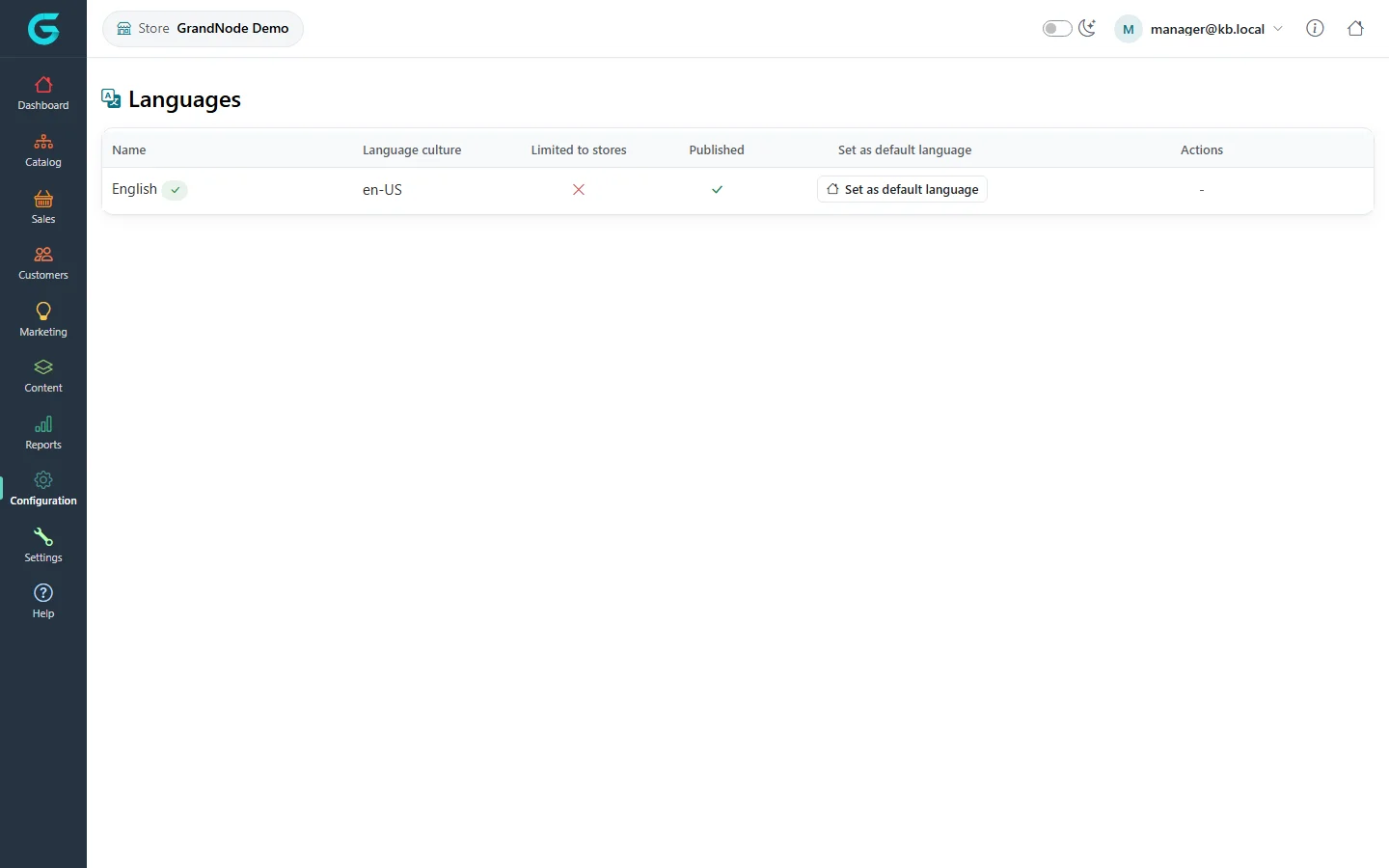
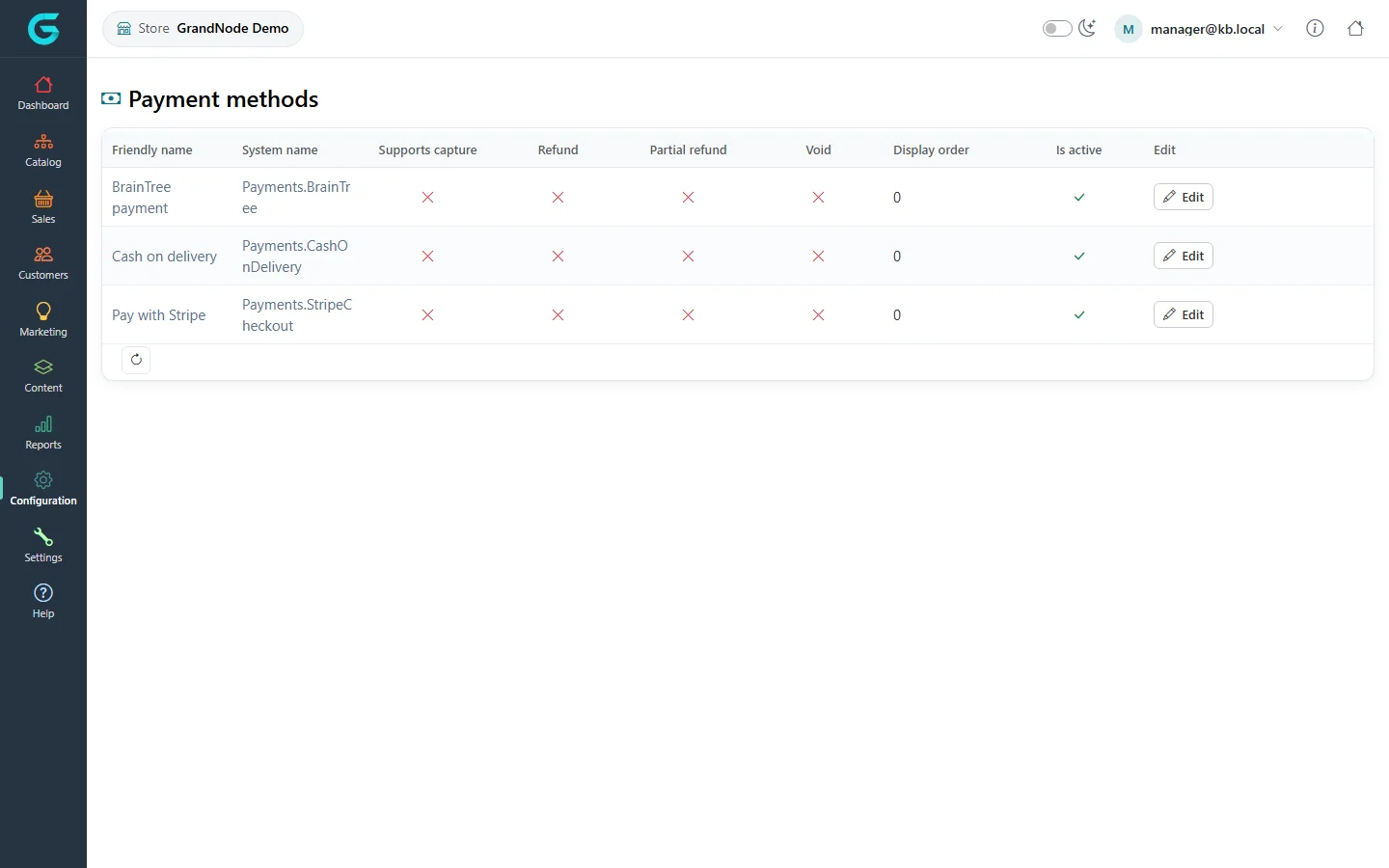
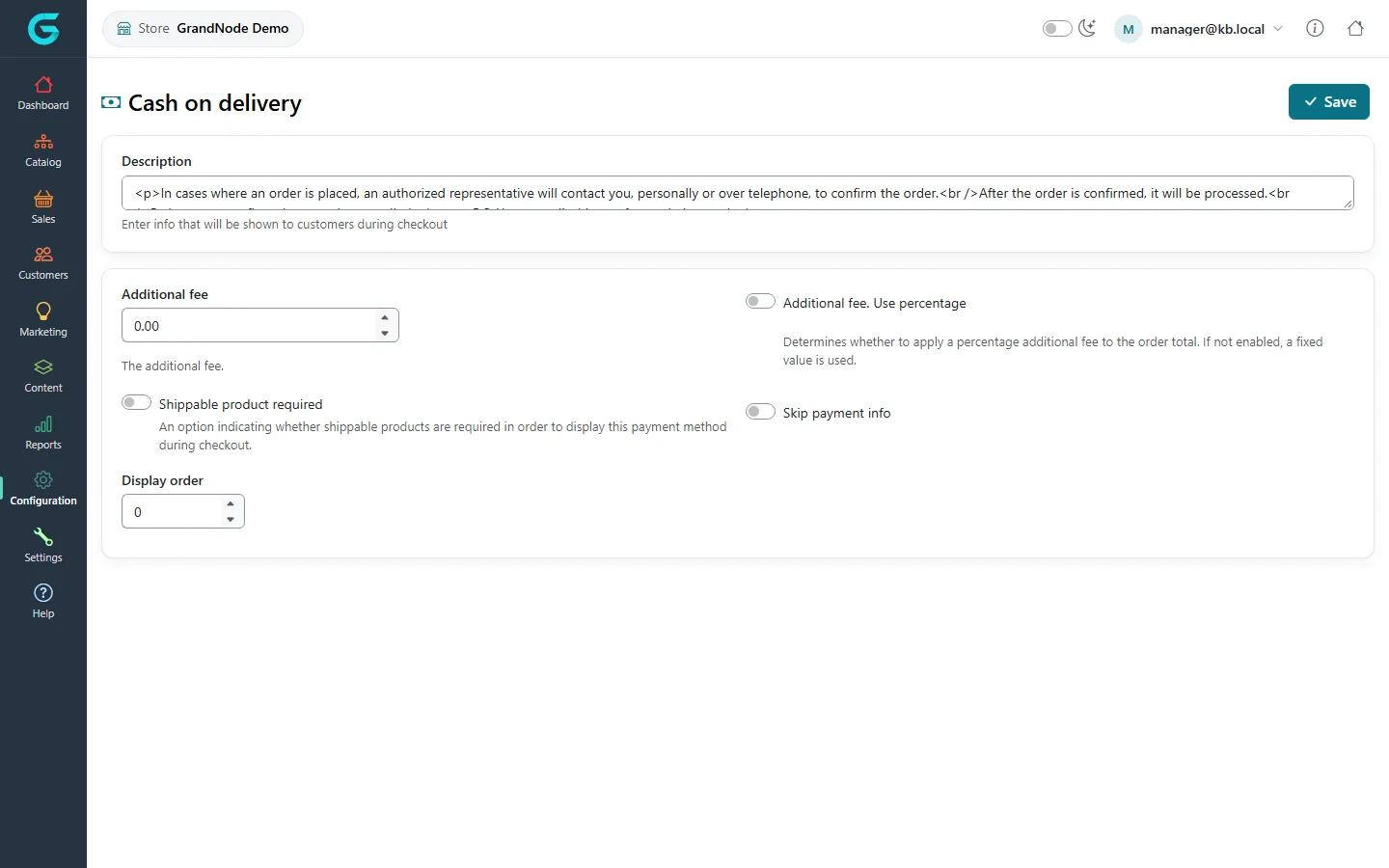
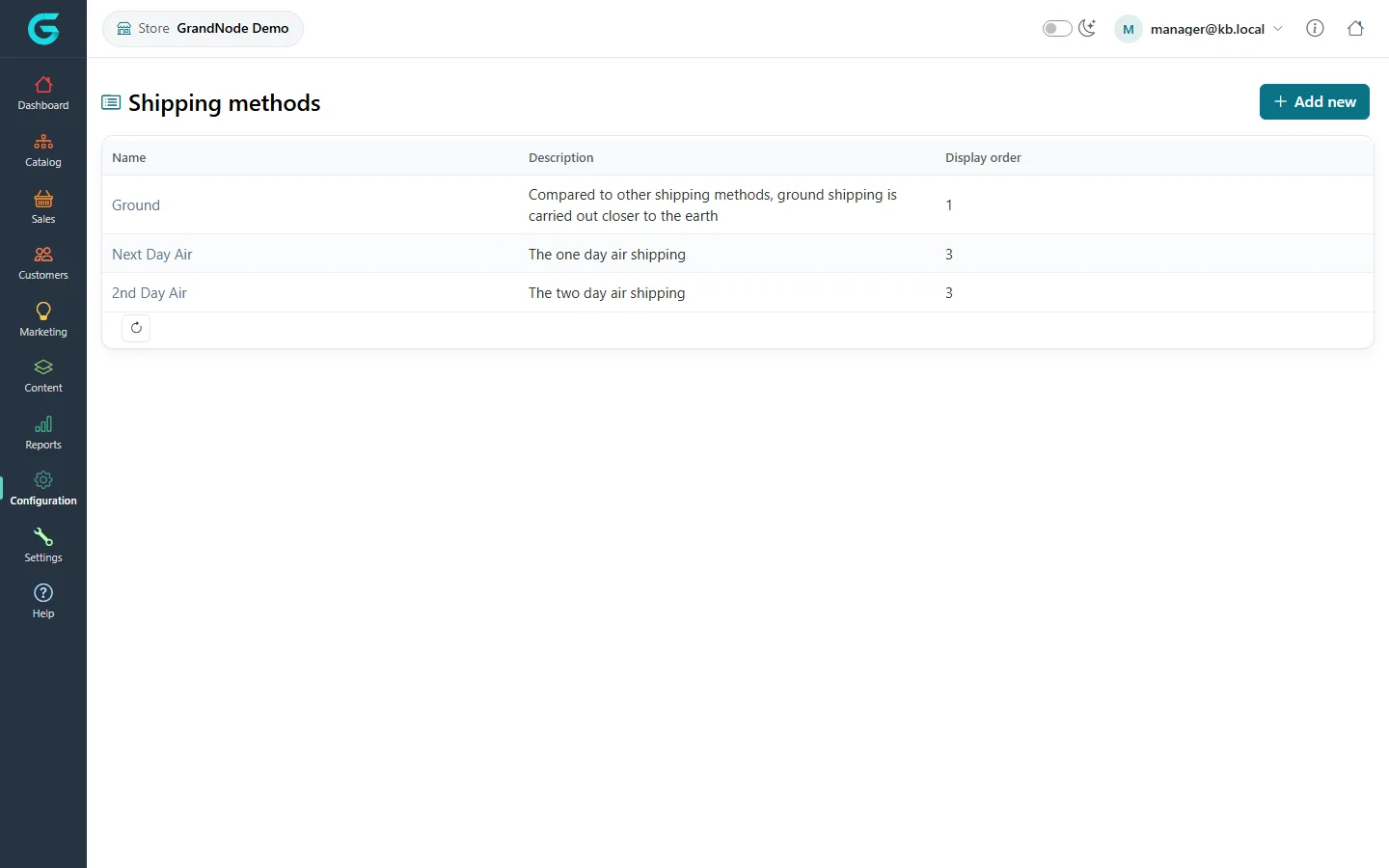
{"ArticleId":null,"Name":"Configuration in the store owner panel","Content":"\n\u003Cp\u003EThe \u003Cstrong\u003EConfiguration\u003C/strong\u003E menu of the store owner panel covers what can differ per store: which languages it offers, which payment methods it accepts and with which account, and its shipping methods.\u003C/p\u003E\n\n\u003Ch2 id=\u0022languages\u0022\u003ELanguages\u003C/h2\u003E\n\u003Cp\u003E\u003Cstrong\u003EConfiguration \u2192 Languages\u003C/strong\u003E lists the installation\u0027s languages and lets you set the store\u0027s \u003Cstrong\u003Edefault language\u003C/strong\u003E. Adding languages and translations is the administrator\u0027s job (see \u003Ca href=\u0022/configuration-languages-translations\u0022\u003ELanguages and translations\u003C/a\u003E).\u003C/p\u003E\n\u003Cfigure\u003E\u003Cimg src=\u0022/Plugins/Theme.GrandNodeCom/Content/kb/store-panel/languages.webp\u0022 alt=\u0022The store panel Languages list with English, culture en-US, limited to stores, published, and a Set as default language button\u0022 width=\u00221440\u0022 height=\u0022900\u0022 loading=\u0022lazy\u0022\u003E\u003Cfigcaption\u003ELanguages in the store owner panel.\u003C/figcaption\u003E\u003C/figure\u003E\n\n\u003Ch2 id=\u0022payments\u0022\u003EPayment methods\u003C/h2\u003E\n\u003Cp\u003E\u003Cstrong\u003EConfiguration \u2192 Payment methods\u003C/strong\u003E lists the payment methods; activate the ones your store offers.\u003C/p\u003E\n\u003Cfigure\u003E\u003Cimg src=\u0022/Plugins/Theme.GrandNodeCom/Content/kb/store-panel/payment-methods.webp\u0022 alt=\u0022The store panel Payment methods list: BrainTree payment, Cash on delivery and Pay with Stripe with supported operations, display order, active flag and Edit\u0022 width=\u00221440\u0022 height=\u0022900\u0022 loading=\u0022lazy\u0022\u003E\u003Cfigcaption\u003EPayment methods of the store.\u003C/figcaption\u003E\u003C/figure\u003E\n\u003Cp\u003EEach method has a configuration screen in the panel, and its settings are saved \u003Cstrong\u003Efor your store\u003C/strong\u003E. That includes the gateway credentials: each store can take payments on its own Stripe or BrainTree account.\u003C/p\u003E\n\u003Cfigure\u003E\u003Cimg src=\u0022/Plugins/Theme.GrandNodeCom/Content/kb/store-panel/payment-cod-configure.webp\u0022 alt=\u0022The Cash on delivery configuration in the store panel with the description, additional fee, percentage switch, shippable product required, skip payment info and display order\u0022 width=\u00221440\u0022 height=\u0022900\u0022 loading=\u0022lazy\u0022\u003E\u003Cfigcaption\u003EConfiguring Cash on delivery for the store.\u003C/figcaption\u003E\u003C/figure\u003E\n\u003Cp\u003EPayment settings and payment method restrictions (by country and by shipping method) are also per store. The Payment menu appears only if the administrator granted the Store manager group the payment methods permission.\u003C/p\u003E\n\n\u003Ch2 id=\u0022shipping\u0022\u003EShipping methods\u003C/h2\u003E\n\u003Cp\u003E\u003Cstrong\u003EConfiguration \u2192 Shipping methods\u003C/strong\u003E shows the store\u0027s shipping methods; the restrictions of a method apply per store.\u003C/p\u003E\n\u003Cfigure\u003E\u003Cimg src=\u0022/Plugins/Theme.GrandNodeCom/Content/kb/store-panel/shipping-methods.webp\u0022 alt=\u0022The store panel Shipping methods list: Ground, Next Day Air and 2nd Day Air with descriptions and display order\u0022 width=\u00221440\u0022 height=\u0022900\u0022 loading=\u0022lazy\u0022\u003E\u003Cfigcaption\u003EShipping methods.\u003C/figcaption\u003E\u003C/figure\u003E\n\u003Cp\u003EShipping providers, rates and warehouses are set up by the administrator; see \u003Ca href=\u0022/configuration-shipping\u0022\u003EShipping\u003C/a\u003E.\u003C/p\u003E\n\n\u003Ch2 id=\u0022related\u0022\u003ERelated\u003C/h2\u003E\n\u003Cul\u003E\n\u003Cli\u003E\u003Ca href=\u0022/store-panel-settings\u0022\u003ESettings in the store owner panel\u003C/a\u003E\u003C/li\u003E\n\u003Cli\u003E\u003Ca href=\u0022/configuration-payments\u0022\u003EPayments\u003C/a\u003E\u003C/li\u003E\n\u003C/ul\u003E\n","ParentCategoryId":"6abdec6d83d2816248229f43","SeName":"store-panel-configuration","MetaKeywords":null,"MetaDescription":"Languages, payment methods with the store\u0027s own gateway keys, payment restrictions and shipping methods in the GrandNode store owner panel.","MetaTitle":null,"AllowComments":false,"Captcha":{"ReCaptchaChallengeField":null,"ReCaptchaResponseField":null,"ReCaptchaResponseValue":null,"ReCaptchaResponse":null},"RelatedArticles":[],"CategoryBreadcrumb":[{"Name":"Store owner panel","Description":null,"IsCurrent":false,"Children":null,"Parent":null,"SeName":"docs-store-panel","Id":"6abdec6d83d2816248229f43","UserFields":[]}],"AddNewComment":{"CommentText":null,"DisplayCaptcha":false,"Id":null,"UserFields":[]},"Comments":[],"Id":"6abdec6d83d2816248229f51","UserFields":[]}