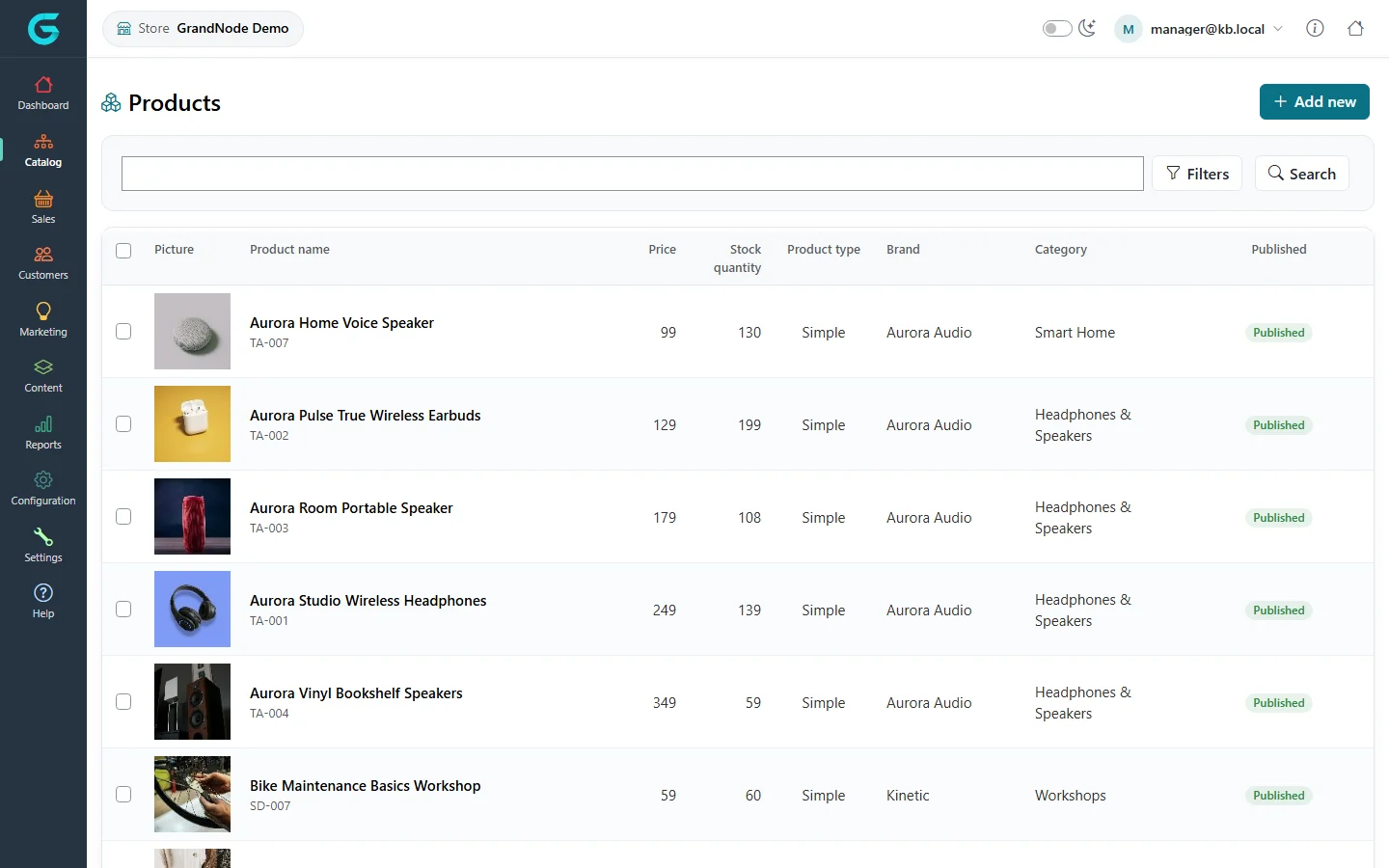
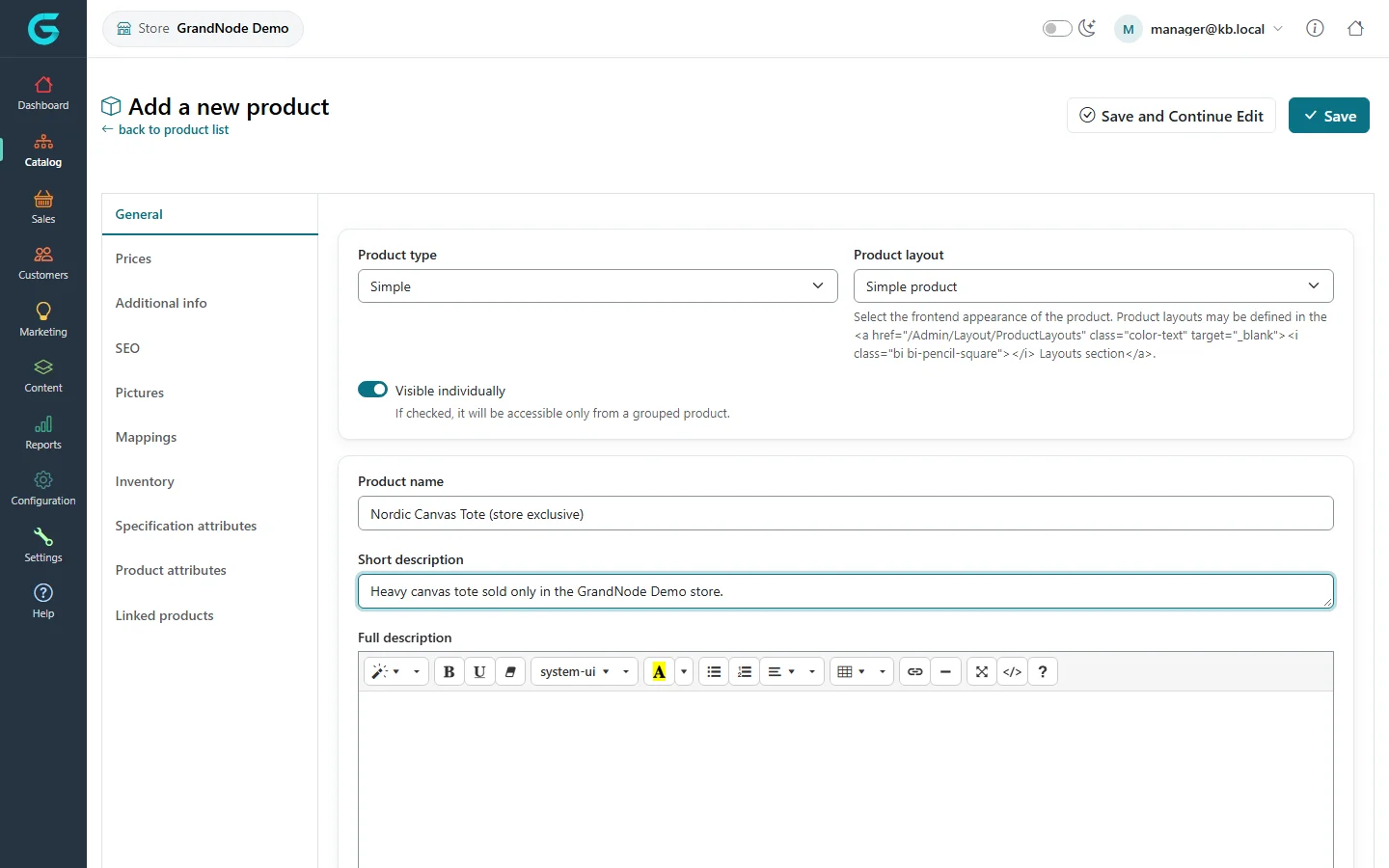
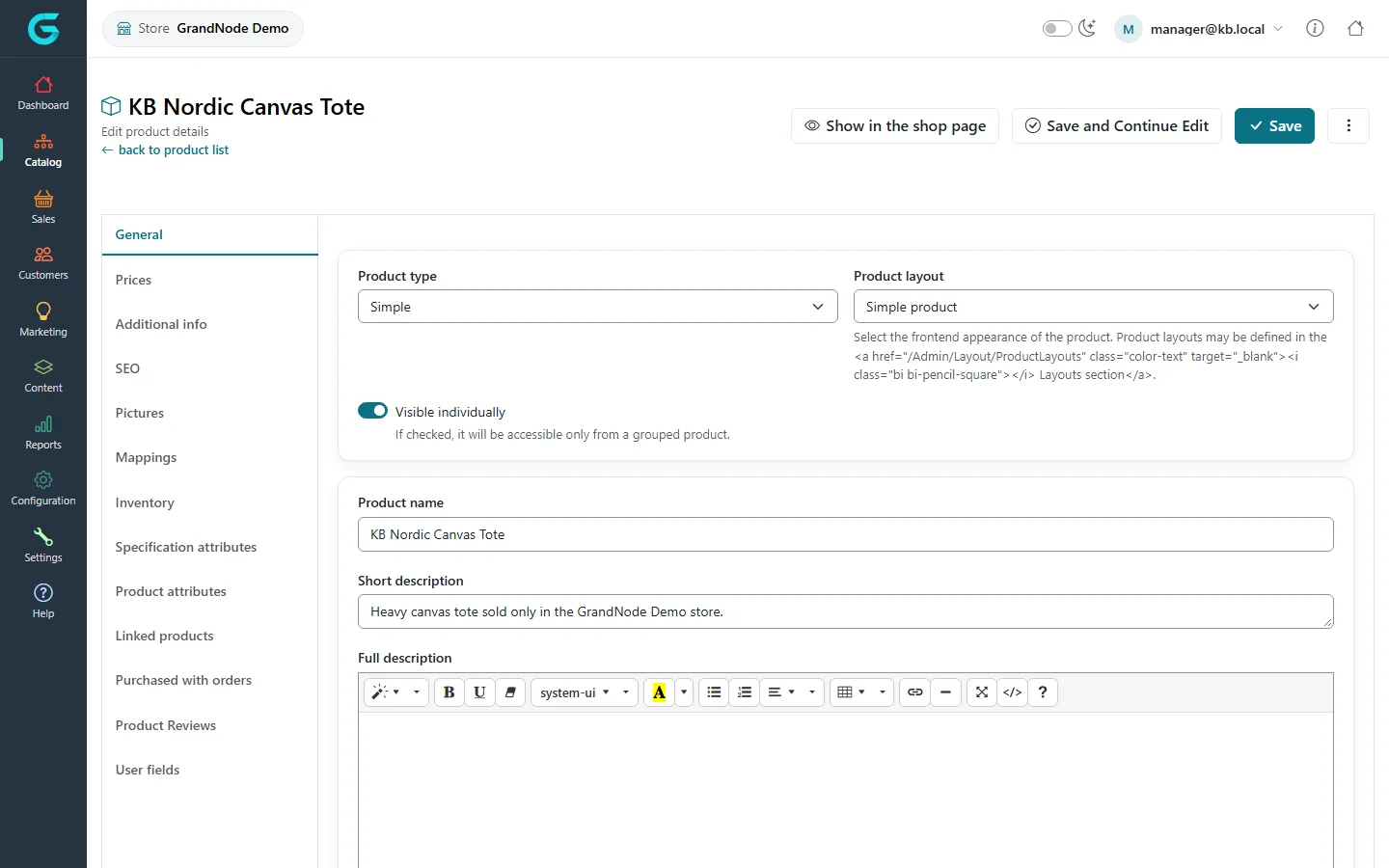
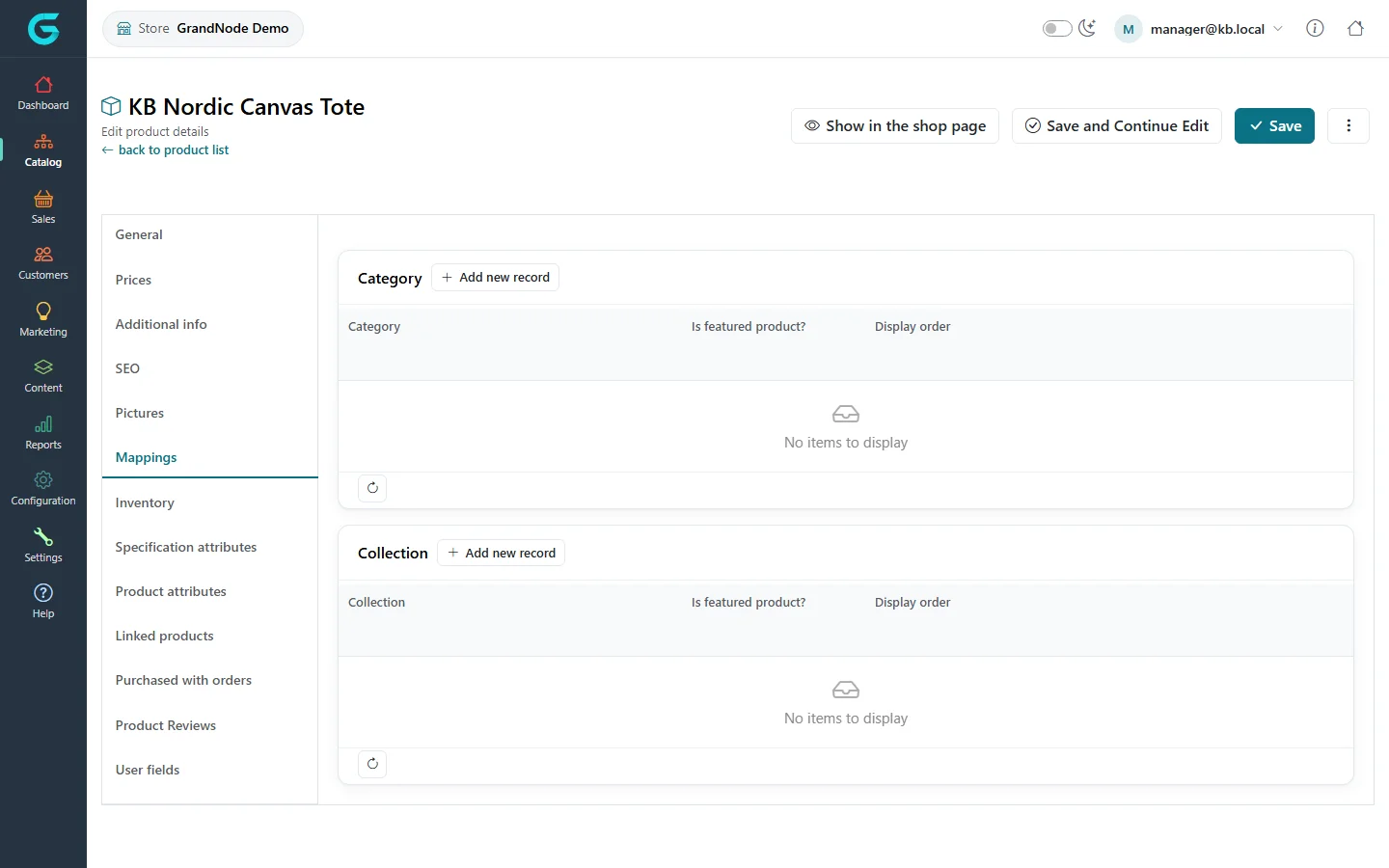
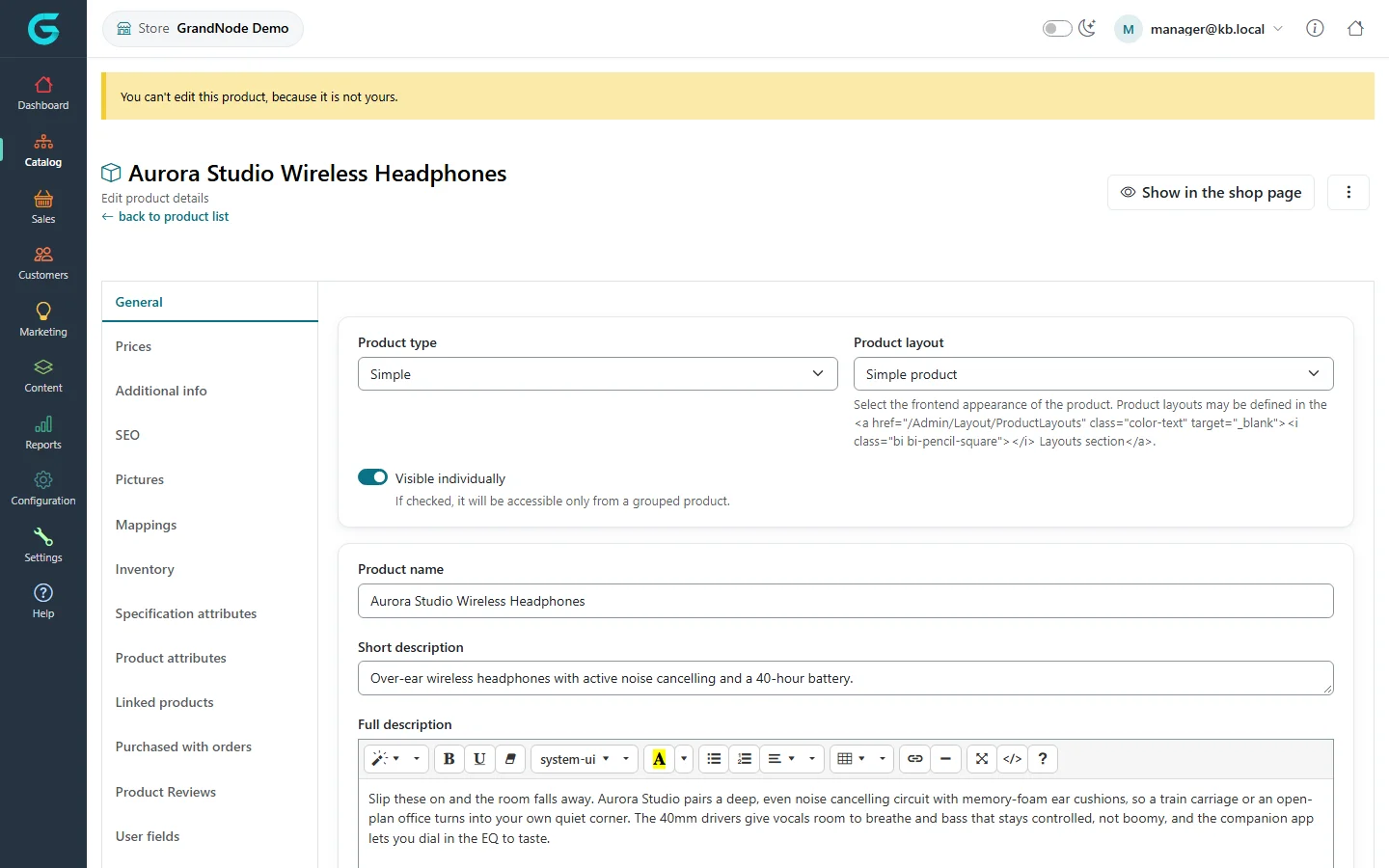
{"ArticleId":null,"Name":"Catalog in the store owner panel","Content":"\n\u003Cp\u003EIn the store owner panel the catalog is split into what belongs to \u003Cstrong\u003Eyour store\u003C/strong\u003E and what is \u003Cstrong\u003Eshared\u003C/strong\u003E. You can create and change products of your store; products the administrator shares between stores are visible so you know what you sell, but you cannot change them.\u003C/p\u003E\n\n\u003Ch2 id=\u0022product-list\u0022\u003EThe product list\u003C/h2\u003E\n\u003Cp\u003E\u003Cstrong\u003ECatalog \u2192 Products\u003C/strong\u003E lists the products available in your store, with picture, price, stock, type, brand, category and status. Search and filter as in the admin panel.\u003C/p\u003E\n\u003Cfigure\u003E\u003Cimg src=\u0022/Plugins/Theme.GrandNodeCom/Content/kb/store-panel/product-list.webp\u0022 alt=\u0022The store panel product list with Aurora speakers and headphones, prices, stock, product type, brand, category and published status\u0022 width=\u00221440\u0022 height=\u0022900\u0022 loading=\u0022lazy\u0022\u003E\u003Cfigcaption\u003ECatalog \u2192 Products in the store owner panel.\u003C/figcaption\u003E\u003C/figure\u003E\n\n\u003Ch2 id=\u0022add-product\u0022\u003EAdd a product to your store\u003C/h2\u003E\n\u003Col\u003E\n\u003Cli\u003EClick \u003Cstrong\u003EAdd new\u003C/strong\u003E.\u003C/li\u003E\n\u003Cli\u003EChoose the \u003Cstrong\u003EProduct type\u003C/strong\u003E and \u003Cstrong\u003EProduct layout\u003C/strong\u003E, enter the \u003Cstrong\u003EProduct name\u003C/strong\u003E, short and full description.\u003C/li\u003E\n\u003Cli\u003ESave with \u003Cstrong\u003ESave and Continue Edit\u003C/strong\u003E; then fill in the other tabs - prices, inventory, pictures, SEO, mappings, attributes - as described in \u003Ca href=\u0022/docs-catalog\u0022\u003ECatalog\u003C/a\u003E.\u003C/li\u003E\n\u003C/ol\u003E\n\u003Cfigure\u003E\u003Cimg src=\u0022/Plugins/Theme.GrandNodeCom/Content/kb/store-panel/product-create.webp\u0022 alt=\u0022Add a new product in the store panel: product type Simple, product layout, visible individually, product name KB Nordic Canvas Tote and a short description\u0022 width=\u00221440\u0022 height=\u0022900\u0022 loading=\u0022lazy\u0022\u003E\u003Cfigcaption\u003EA new product. It is automatically limited to your store.\u003C/figcaption\u003E\u003C/figure\u003E\n\u003Cp\u003EYou do not choose stores: a product created in the store owner panel is automatically limited to your store and invisible in the others.\u003C/p\u003E\n\u003Cfigure\u003E\u003Cimg src=\u0022/Plugins/Theme.GrandNodeCom/Content/kb/store-panel/product-edit-own.webp\u0022 alt=\u0022Editing KB Nordic Canvas Tote in the store panel, with the tabs General, Prices, Additional info, SEO, Pictures, Mappings, Inventory and more\u0022 width=\u00221440\u0022 height=\u0022900\u0022 loading=\u0022lazy\u0022\u003E\u003Cfigcaption\u003EYour own product: every tab is editable.\u003C/figcaption\u003E\u003C/figure\u003E\n\u003Ch3 id=\u0022mappings\u0022\u003ECategories and collections\u003C/h3\u003E\n\u003Cp\u003EOn \u003Cstrong\u003EMappings\u003C/strong\u003E you place your product in categories and collections. The category tree is usually shared by all stores and managed by the administrator; you choose from it.\u003C/p\u003E\n\u003Cfigure\u003E\u003Cimg src=\u0022/Plugins/Theme.GrandNodeCom/Content/kb/store-panel/product-mappings.webp\u0022 alt=\u0022The Mappings tab of KB Nordic Canvas Tote with empty category and collection grids and Add new record buttons\u0022 width=\u00221440\u0022 height=\u0022900\u0022 loading=\u0022lazy\u0022\u003E\u003Cfigcaption\u003EMappings: add the product to categories and collections.\u003C/figcaption\u003E\u003C/figure\u003E\n\n\u003Ch2 id=\u0022shared-products\u0022\u003EShared products are read only\u003C/h2\u003E\n\u003Cp\u003EA product that is available in several stores - or in all of them - belongs to the administrator. Opening it shows a notice and the editor without save buttons.\u003C/p\u003E\n\u003Cfigure\u003E\u003Cimg src=\u0022/Plugins/Theme.GrandNodeCom/Content/kb/store-panel/product-readonly.webp\u0022 alt=\u0022Aurora Studio Wireless Headphones opened in the store panel with the notice You can not edit this product, because it is not yours, and no save button\u0022 width=\u00221440\u0022 height=\u0022900\u0022 loading=\u0022lazy\u0022\u003E\u003Cfigcaption\u003EA shared product: visible, not editable.\u003C/figcaption\u003E\u003C/figure\u003E\n\u003Cp\u003EThe same rule applies to other catalog entities with an owner: attributes, checkout attributes, contact attributes, customer and address attributes created in your store are yours; the shared ones are shown for reference in a read-only preview.\u003C/p\u003E\n\n\u003Ch2 id=\u0022tips\u0022\u003ETips\u003C/h2\u003E\n\u003Cul\u003E\n\u003Cli\u003EIf a shared product needs a different price or description in your store, ask the administrator: store-specific prices and texts are set from the admin panel.\u003C/li\u003E\n\u003Cli\u003EProducts you create are limited to your store even if you later need them elsewhere; the administrator can extend them.\u003C/li\u003E\n\u003C/ul\u003E\n\n\u003Ch2 id=\u0022related\u0022\u003ERelated\u003C/h2\u003E\n\u003Cul\u003E\n\u003Cli\u003E\u003Ca href=\u0022/docs-catalog\u0022\u003ECatalog\u003C/a\u003E\u003C/li\u003E\n\u003Cli\u003E\u003Ca href=\u0022/store-panel-sales\u0022\u003EOrders in the store owner panel\u003C/a\u003E\u003C/li\u003E\n\u003C/ul\u003E\n","ParentCategoryId":"6abdec6d83d2816248229f43","SeName":"store-panel-catalog","MetaKeywords":null,"MetaDescription":"How a store manager adds and edits products in the GrandNode store owner panel, and why products shared by all stores are read only.","MetaTitle":null,"AllowComments":false,"Captcha":{"ReCaptchaChallengeField":null,"ReCaptchaResponseField":null,"ReCaptchaResponseValue":null,"ReCaptchaResponse":null},"RelatedArticles":[],"CategoryBreadcrumb":[{"Name":"Store owner panel","Description":null,"IsCurrent":false,"Children":null,"Parent":null,"SeName":"docs-store-panel","Id":"6abdec6d83d2816248229f43","UserFields":[]}],"AddNewComment":{"CommentText":null,"DisplayCaptcha":false,"Id":null,"UserFields":[]},"Comments":[],"Id":"6abdec6d83d2816248229f4b","UserFields":[]}