Where to start when something is wrong
Most problems have one of a handful of causes. Before you dig deeper, go through this routine - it solves or narrows down the majority of cases.
The routine
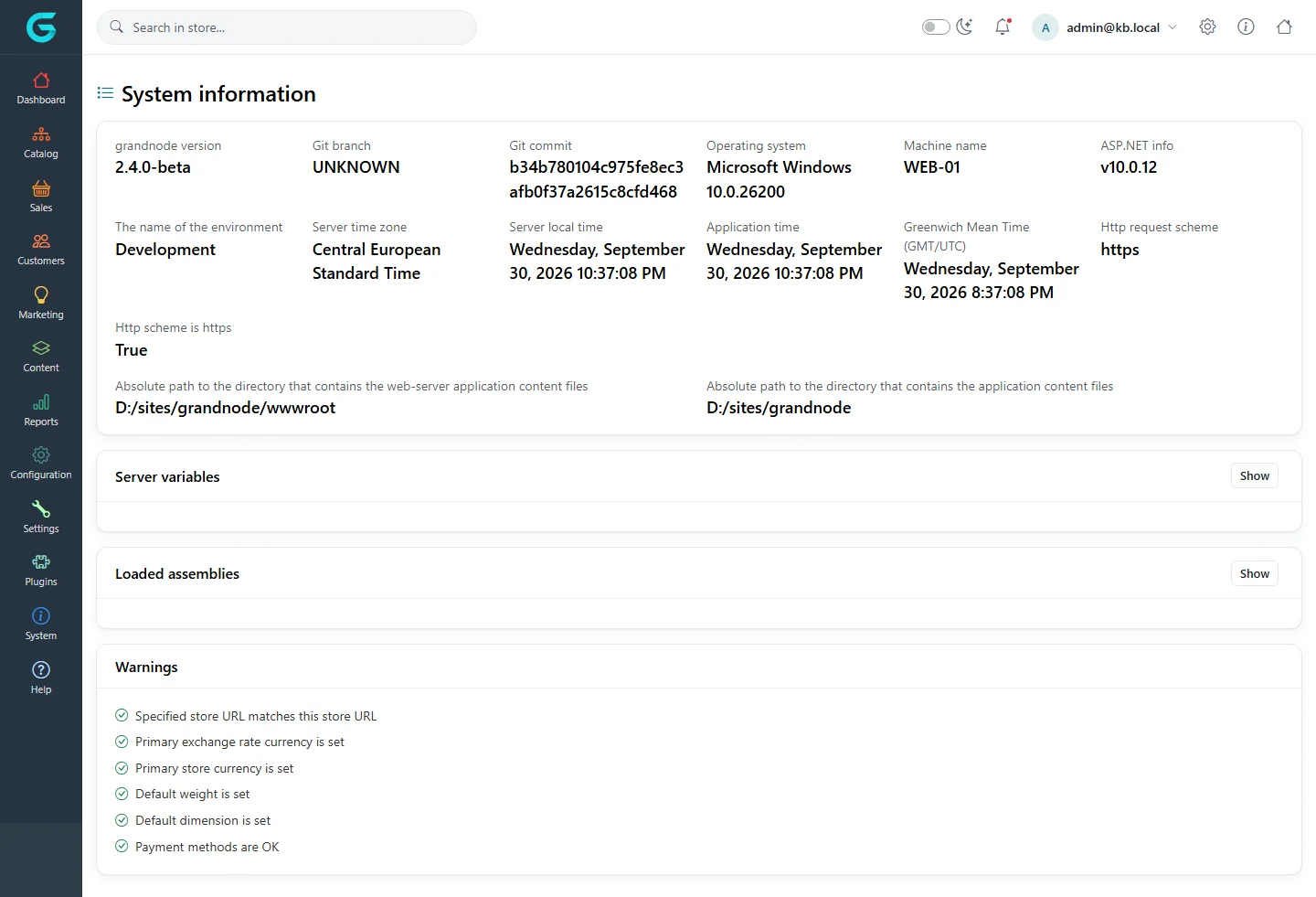
- Read the System information warnings. System → System information checks the store URL, primary currencies, weight and dimension, and payment methods. Fix anything that is not green.
- Read the log. GrandNode logs through .NET logging - the console,
docker logs, the IIS stdout log or Application Insights, depending on hosting. An exception message names the cause far more often than the symptom suggests. See Maintenance tools and logs. - Clear the cache. Gear menu → Clear memory cache, especially after changing data outside the admin.
- Check the store scope. On a multi-store installation, a setting saved for one store overrides the shared value for the whole settings group. Look at the setting with that store selected.
- Restart (gear menu → Restart application) after installing plugins, editing
appsettings.jsonor changing scheduled tasks. - Reproduce in a private window, to rule out the browser cache and your own customer session.
Reporting a problem
When you ask for help - in GitHub Discussions or from your support provider - include:
- the GrandNode version and git commit from System information, and the hosting (Docker, IIS, Linux);
- exact steps to reproduce and what you expected;
- the full error from the log, not a screenshot of the error page;
- which plugins and theme are active.
Related
Question not answered here? Ask the community on GitHub Discussions ↗