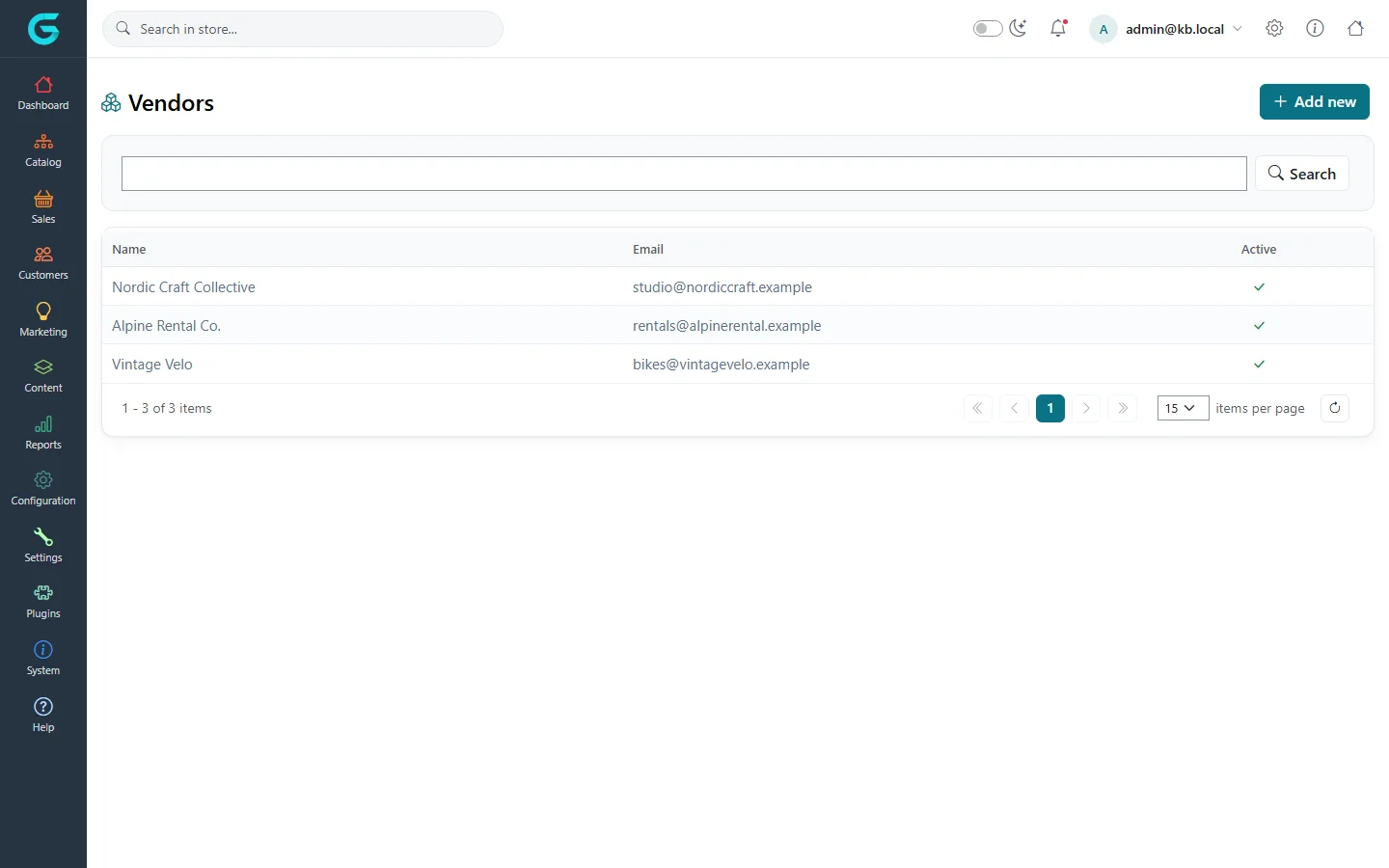
{"ArticleId":null,"Name":"Vendors and sales employees","Content":"\n\u003Cp\u003ETwo lists under \u003Cstrong\u003ECustomers\u003C/strong\u003E are about people who sell rather than buy: \u003Cstrong\u003Evendors\u003C/strong\u003E - the sellers of a marketplace - and \u003Cstrong\u003Esales employees\u003C/strong\u003E - your own sales staff who look after customers and earn a commission.\u003C/p\u003E\n\n\u003Ch2 id=\u0022vendors\u0022\u003EVendors\u003C/h2\u003E\n\u003Cp\u003E\u003Cstrong\u003ECustomers \u2192 Vendors\u003C/strong\u003E lists the vendors with their e-mail and whether they are active.\u003C/p\u003E\n\u003Cfigure\u003E\u003Cimg src=\u0022/Plugins/Theme.GrandNodeCom/Content/kb/customers/vendors-list.webp\u0022 alt=\u0022The Vendors list with Nordic Craft Collective, Alpine Rental Co. and Vintage Velo, their e-mails and active flags\u0022 width=\u00221440\u0022 height=\u0022900\u0022 loading=\u0022lazy\u0022\u003E\u003Cfigcaption\u003ECustomers \u2192 Vendors.\u003C/figcaption\u003E\u003C/figure\u003E\n\u003Ch3 id=\u0022create-vendor\u0022\u003ECreate a vendor and give someone access\u003C/h3\u003E\n\u003Col\u003E\n\u003Cli\u003EClick \u003Cstrong\u003EAdd new\u003C/strong\u003E, enter the vendor\u0027s \u003Cstrong\u003EName\u003C/strong\u003E, \u003Cstrong\u003EEmail\u003C/strong\u003E, description and picture, set \u003Cstrong\u003EActive\u003C/strong\u003E, and save.\u003C/li\u003E\n\u003Cli\u003EOpen (or create) the customer account the vendor\u0027s staff will use. Set its \u003Cstrong\u003EVendor\u003C/strong\u003E field to the new vendor and add it to the \u003Cstrong\u003EVendors\u003C/strong\u003E customer group.\u003C/li\u003E\n\u003Cli\u003EThat person can now sign in to the vendor panel at \u003Ccode\u003E/vendor\u003C/code\u003E and manage the vendor\u0027s products and orders.\u003C/li\u003E\n\u003C/ol\u003E\n\u003Cp\u003EProducts are assigned to a vendor on the product\u0027s General tab. The full marketplace set-up - vendor settings, applications from the storefront, vendor reviews, commissions and the vendor panel - is described in \u003Ca href=\u0022/docs-vendor-panel\u0022\u003EVendor panel (marketplace)\u003C/a\u003E.\u003C/p\u003E\n\u003Cp\u003E\u003Cstrong\u003ECustomers \u2192 Vendor reviews\u003C/strong\u003E is where you moderate reviews customers write about vendors, the same way as product reviews.\u003C/p\u003E\n\n\u003Ch2 id=\u0022sales-employees\u0022\u003ESales employees\u003C/h2\u003E\n\u003Cp\u003E\u003Cstrong\u003ECustomers \u2192 Sales employee\u003C/strong\u003E lists your sales staff: name, e-mail, phone, whether they are active, their \u003Cstrong\u003ECommission\u003C/strong\u003E percentage and display order. Click \u003Cstrong\u003EAdd new record\u003C/strong\u003E to add one.\u003C/p\u003E\n\u003Cp\u003EAssign a sales employee to a customer on the customer\u0027s page (\u003Cstrong\u003ESales employee\u003C/strong\u003E field). Orders of that customer are then attributed to the employee, the order shows the commission, and the employee can be used in reports and filters.\u003C/p\u003E\n\n\u003Ch2 id=\u0022related\u0022\u003ERelated\u003C/h2\u003E\n\u003Cul\u003E\n\u003Cli\u003E\u003Ca href=\u0022/customers-customer-groups\u0022\u003ECustomer groups\u003C/a\u003E\u003C/li\u003E\n\u003Cli\u003E\u003Ca href=\u0022/docs-vendor-panel\u0022\u003EVendor panel (marketplace)\u003C/a\u003E\u003C/li\u003E\n\u003C/ul\u003E\n","ParentCategoryId":"6abdec6c83d2816248229edd","SeName":"customers-vendors-and-sales-employees","MetaKeywords":null,"MetaDescription":"Create vendor accounts for a marketplace and link customers to them, and assign sales employees with a commission to customers in GrandNode.","MetaTitle":null,"AllowComments":false,"Captcha":{"ReCaptchaChallengeField":null,"ReCaptchaResponseField":null,"ReCaptchaResponseValue":null,"ReCaptchaResponse":null},"RelatedArticles":[],"CategoryBreadcrumb":[{"Name":"Customers","Description":null,"IsCurrent":false,"Children":null,"Parent":null,"SeName":"docs-customers","Id":"6abdec6c83d2816248229edd","UserFields":[]}],"AddNewComment":{"CommentText":null,"DisplayCaptcha":false,"Id":null,"UserFields":[]},"Comments":[],"Id":"6abdec6c83d2816248229eed","UserFields":[]}