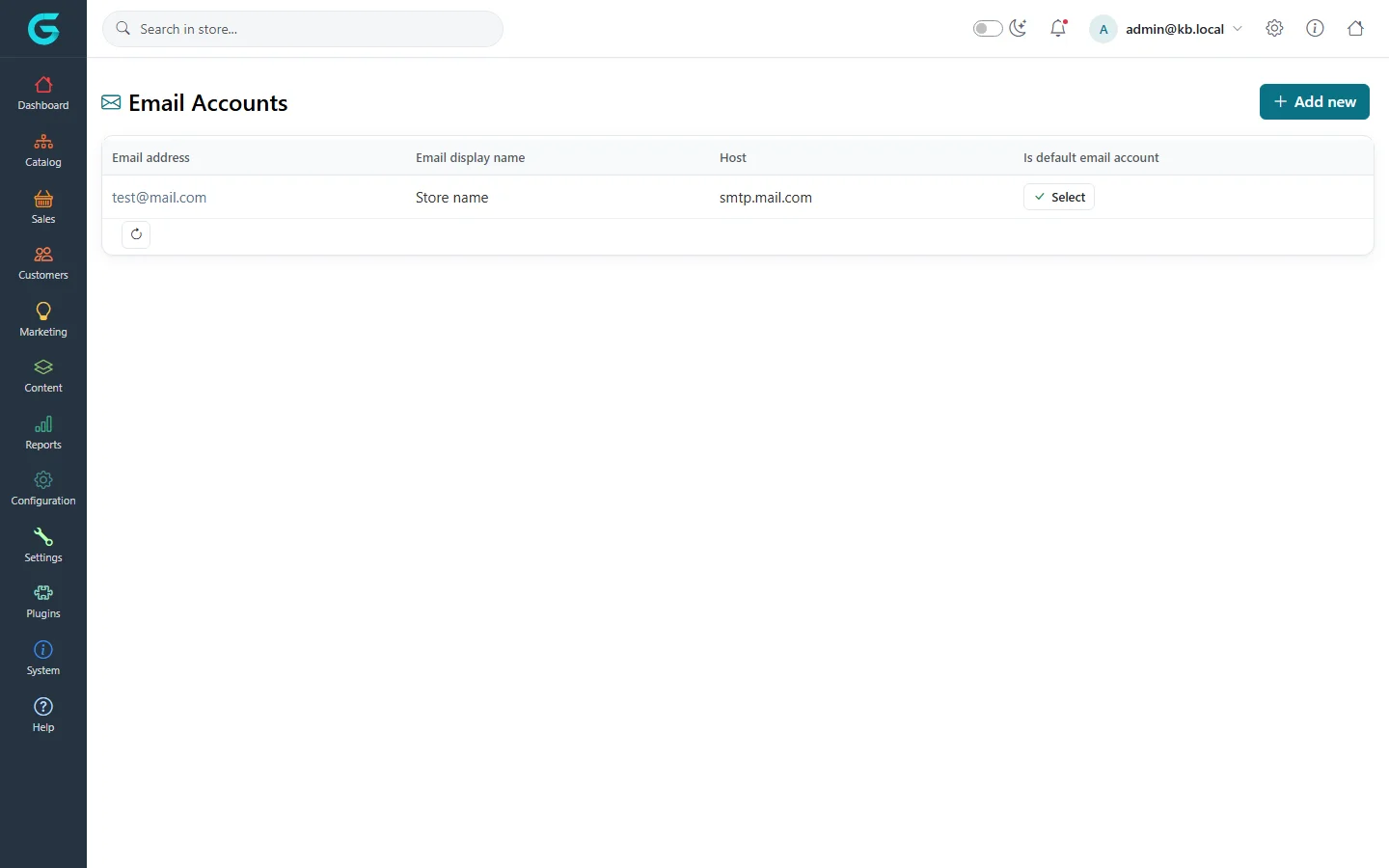
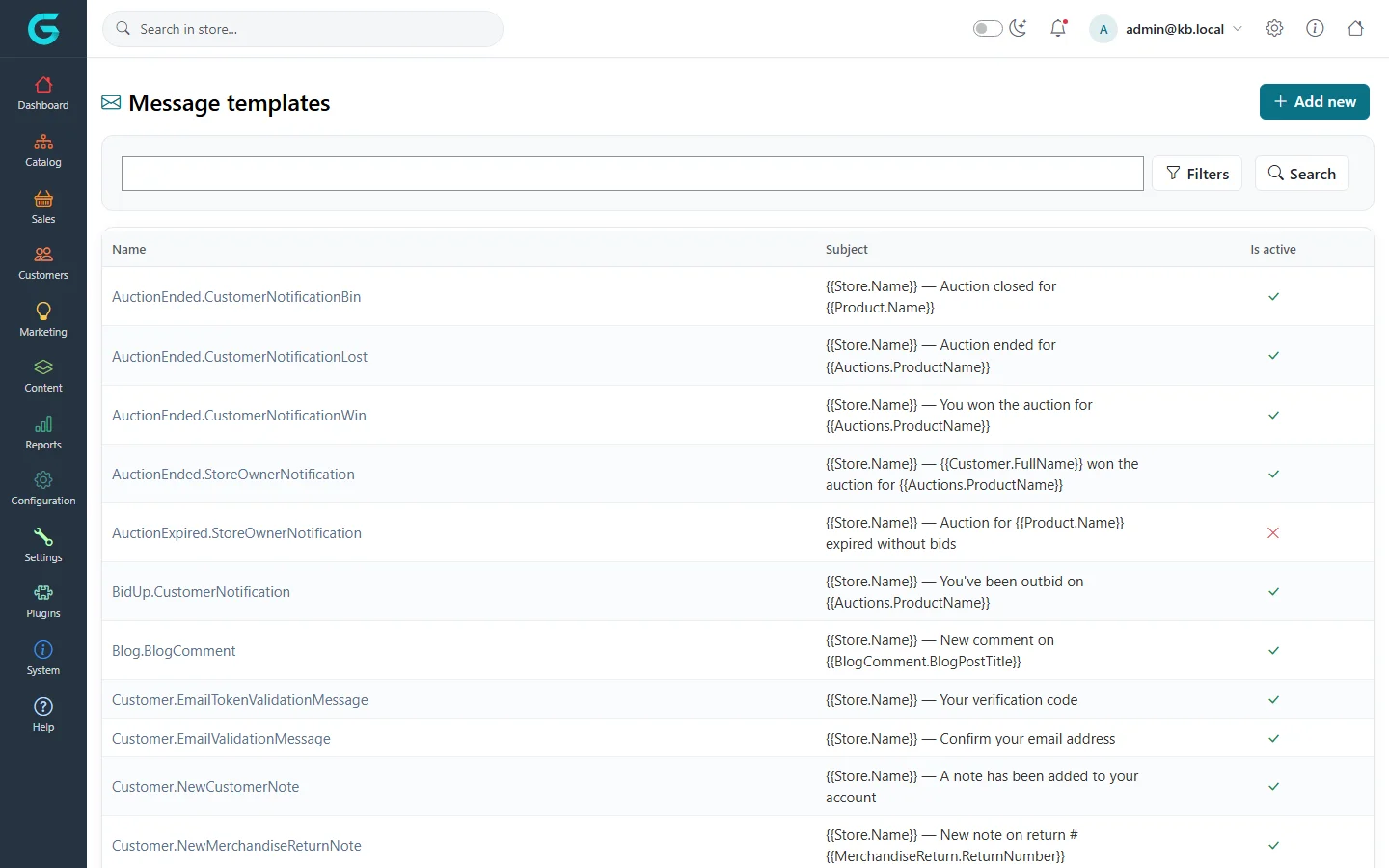
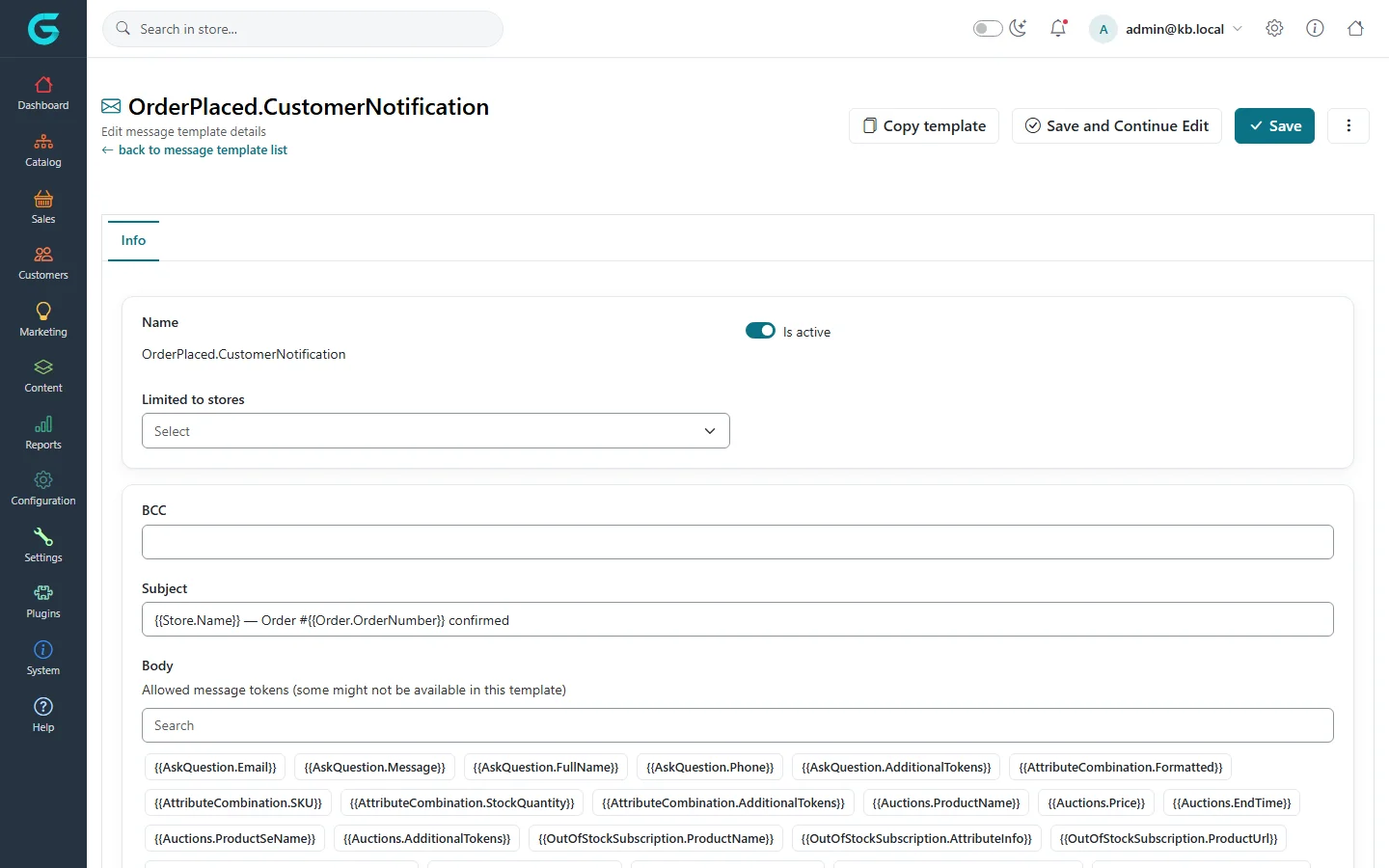
{"ArticleId":null,"Name":"Message templates and e-mail accounts","Content":"\n\u003Cp\u003EEvery e-mail GrandNode sends - order confirmation, shipment sent, password recovery, new review for the owner - comes from a \u003Cstrong\u003Emessage template\u003C/strong\u003E. Templates are sent through an \u003Cstrong\u003Ee-mail account\u003C/strong\u003E (an SMTP server) and pass through the \u003Ca href=\u0022/content-message-queue\u0022\u003Emessage queue\u003C/a\u003E.\u003C/p\u003E\n\n\u003Ch2 id=\u0022accounts\u0022\u003EE-mail accounts\u003C/h2\u003E\n\u003Cp\u003ESet up the account first: \u003Cstrong\u003EConfiguration \u2192 Email accounts\u003C/strong\u003E.\u003C/p\u003E\n\u003Cfigure\u003E\u003Cimg src=\u0022/Plugins/Theme.GrandNodeCom/Content/kb/content/email-accounts.webp\u0022 alt=\u0022The Email Accounts list with one account, its display name, host and the default switch\u0022 width=\u00221440\u0022 height=\u0022900\u0022 loading=\u0022lazy\u0022\u003E\u003Cfigcaption\u003EConfiguration \u2192 Email accounts.\u003C/figcaption\u003E\u003C/figure\u003E\n\u003Ctable\u003E\n\u003Cthead\u003E\u003Ctr\u003E\u003Cth\u003EField\u003C/th\u003E\u003Cth\u003EWhat it is\u003C/th\u003E\u003C/tr\u003E\u003C/thead\u003E\n\u003Ctbody\u003E\n\u003Ctr\u003E\u003Ctd\u003EEmail address, Display name\u003C/td\u003E\u003Ctd\u003EThe sender customers see.\u003C/td\u003E\u003C/tr\u003E\n\u003Ctr\u003E\u003Ctd\u003EHost, Port\u003C/td\u003E\u003Ctd\u003EYour SMTP server, for example your mail provider or a transactional e-mail service.\u003C/td\u003E\u003C/tr\u003E\n\u003Ctr\u003E\u003Ctd\u003EUser name, Password\u003C/td\u003E\u003Ctd\u003EThe SMTP credentials.\u003C/td\u003E\u003C/tr\u003E\n\u003Ctr\u003E\u003Ctd\u003ESecure socket options\u003C/td\u003E\u003Ctd\u003ETLS/SSL as your provider requires.\u003C/td\u003E\u003C/tr\u003E\n\u003C/tbody\u003E\n\u003C/table\u003E\n\u003Cp\u003EMark one account as the default. Use \u003Cstrong\u003ESend Test Email\u003C/strong\u003E on the account page (after saving) to check the settings before you rely on them.\u003C/p\u003E\n\n\u003Ch2 id=\u0022templates\u0022\u003EMessage templates\u003C/h2\u003E\n\u003Cp\u003E\u003Cstrong\u003EContent \u2192 Message templates\u003C/strong\u003E lists every template by system name, with its subject and whether it is active. The name says who gets it: \u003Ccode\u003EOrderPlaced.CustomerNotification\u003C/code\u003E goes to the customer, \u003Ccode\u003EOrderPlaced.StoreOwnerNotification\u003C/code\u003E to you.\u003C/p\u003E\n\u003Cfigure\u003E\u003Cimg src=\u0022/Plugins/Theme.GrandNodeCom/Content/kb/content/message-templates.webp\u0022 alt=\u0022The Message templates list with names such as AuctionEnded.CustomerNotificationWin and Customer.EmailValidationMessage, their subjects and active flags\u0022 width=\u00221440\u0022 height=\u0022900\u0022 loading=\u0022lazy\u0022\u003E\u003Cfigcaption\u003EContent \u2192 Message templates.\u003C/figcaption\u003E\u003C/figure\u003E\n\u003Ch3 id=\u0022edit\u0022\u003EEdit a template\u003C/h3\u003E\n\u003Col\u003E\n\u003Cli\u003EOpen the template.\u003C/li\u003E\n\u003Cli\u003ESet \u003Cstrong\u003EIs active\u003C/strong\u003E - an inactive template sends nothing, which is how you turn off an e-mail.\u003C/li\u003E\n\u003Cli\u003EChoose the \u003Cstrong\u003EEmail account\u003C/strong\u003E, and optionally a \u003Cstrong\u003EBCC\u003C/strong\u003E address to receive a copy.\u003C/li\u003E\n\u003Cli\u003EEdit the \u003Cstrong\u003ESubject\u003C/strong\u003E and \u003Cstrong\u003EBody\u003C/strong\u003E. Insert data with the \u003Cstrong\u003Eallowed message tokens\u003C/strong\u003E listed above the body: click a token to insert it.\u003C/li\u003E\n\u003Cli\u003ETranslate subject and body per language, and limit the template to stores if it should differ per store (use \u003Cstrong\u003ECopy template\u003C/strong\u003E to start from the existing one).\u003C/li\u003E\n\u003C/ol\u003E\n\u003Cfigure\u003E\u003Cimg src=\u0022/Plugins/Theme.GrandNodeCom/Content/kb/content/message-template-edit.webp\u0022 alt=\u0022Editing OrderPlaced.CustomerNotification: is active, stores, BCC, subject with order number token, and the list of allowed tokens above the body\u0022 width=\u00221440\u0022 height=\u0022900\u0022 loading=\u0022lazy\u0022\u003E\u003Cfigcaption\u003EA template with its tokens.\u003C/figcaption\u003E\u003C/figure\u003E\n\n\u003Ch2 id=\u0022tokens\u0022\u003ETokens\u003C/h2\u003E\n\u003Cp\u003ETokens are placeholders in the Liquid template language, written as a name in double curly braces - the store name, the order number, the customer\u0027s first name, the list of order items. They are replaced with real values when the e-mail is sent. Liquid also supports conditions and loops, so a template can, for example, show a block only when the order has a note. Only the tokens listed for a template are available in it.\u003C/p\u003E\n\n\u003Ch2 id=\u0022attachments\u0022\u003EAttachments\u003C/h2\u003E\n\u003Cp\u003EA template can carry an \u003Cstrong\u003EAttached static file\u003C/strong\u003E you upload, such as your terms. The PDF invoice is attached to order e-mails by the \u003Cstrong\u003EAttach PDF invoice\u003C/strong\u003E settings in \u003Cstrong\u003ESales settings\u003C/strong\u003E.\u003C/p\u003E\n\n\u003Ch2 id=\u0022tips\u0022\u003ETips and common mistakes\u003C/h2\u003E\n\u003Cul\u003E\n\u003Cli\u003EAfter editing, place a test order or trigger the e-mail and read it in a real mail client.\u003C/li\u003E\n\u003Cli\u003EKeep the unsubscribe and account links in the templates that have them.\u003C/li\u003E\n\u003C/ul\u003E\n\n\u003Ch2 id=\u0022related\u0022\u003ERelated\u003C/h2\u003E\n\u003Cul\u003E\n\u003Cli\u003E\u003Ca href=\u0022/content-message-queue\u0022\u003EThe message queue\u003C/a\u003E\u003C/li\u003E\n\u003Cli\u003E\u003Ca href=\u0022/marketing-newsletter-campaigns\u0022\u003ENewsletter, campaigns and the contact form\u003C/a\u003E\u003C/li\u003E\n\u003C/ul\u003E\n","ParentCategoryId":"6abdec6c83d2816248229f03","SeName":"content-message-templates","MetaKeywords":null,"MetaDescription":"Edit the e-mails GrandNode sends - order, account and shipment notifications - with message templates, tokens and e-mail accounts.","MetaTitle":null,"AllowComments":false,"Captcha":{"ReCaptchaChallengeField":null,"ReCaptchaResponseField":null,"ReCaptchaResponseValue":null,"ReCaptchaResponse":null},"RelatedArticles":[],"CategoryBreadcrumb":[{"Name":"Content management","Description":null,"IsCurrent":false,"Children":null,"Parent":null,"SeName":"docs-content","Id":"6abdec6c83d2816248229f03","UserFields":[]}],"AddNewComment":{"CommentText":null,"DisplayCaptcha":false,"Id":null,"UserFields":[]},"Comments":[],"Id":"6abdec6c83d2816248229f13","UserFields":[]}