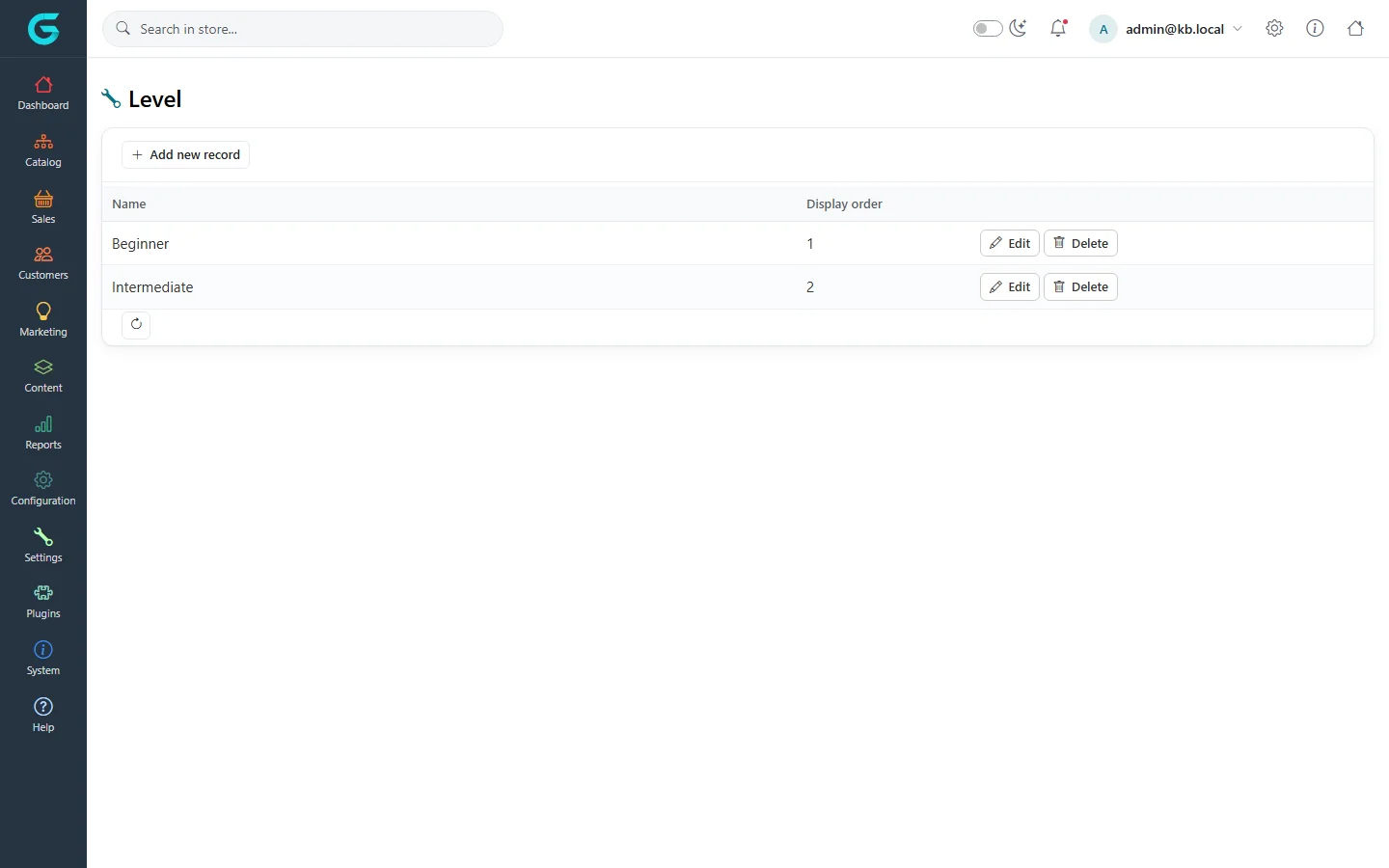
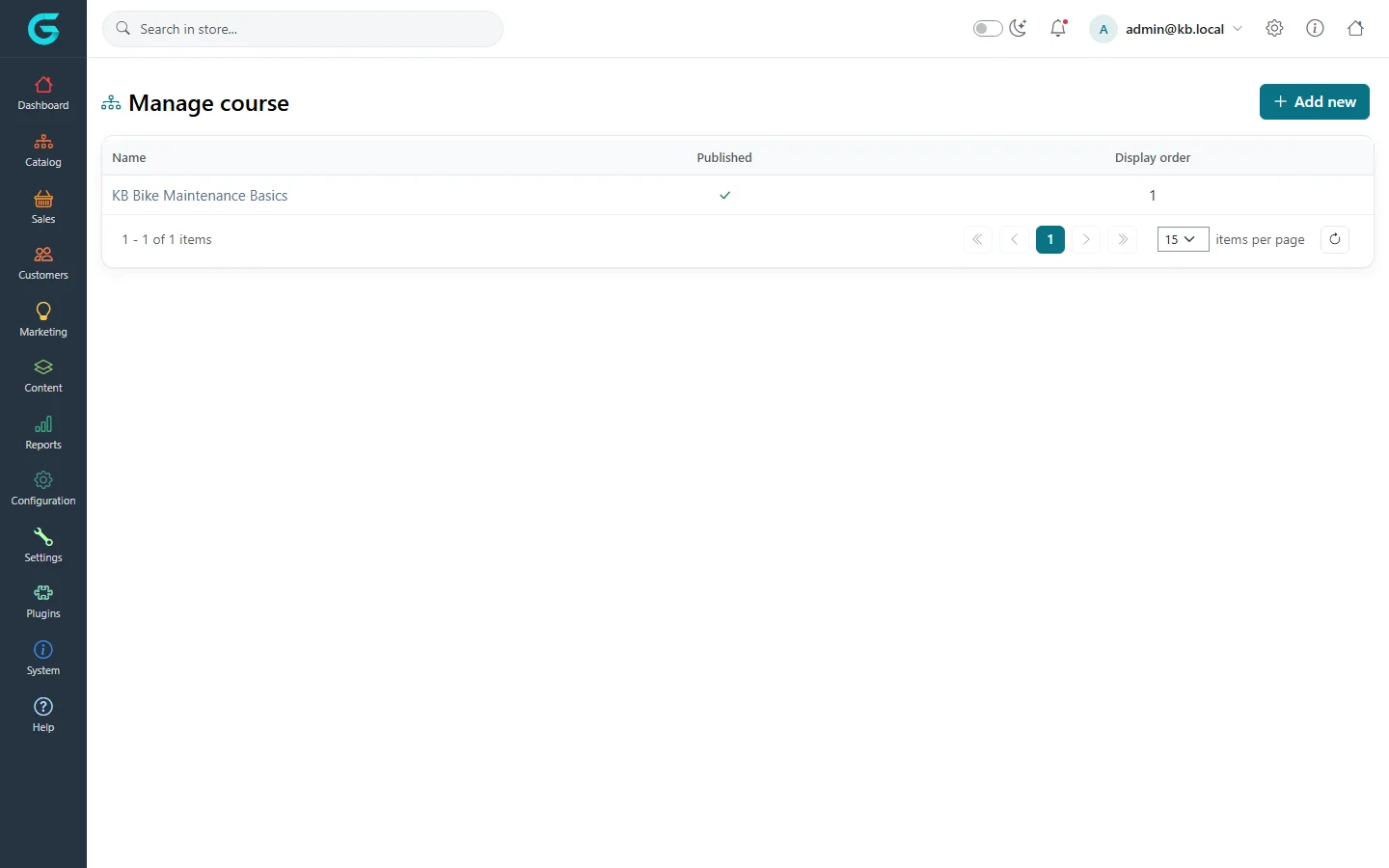
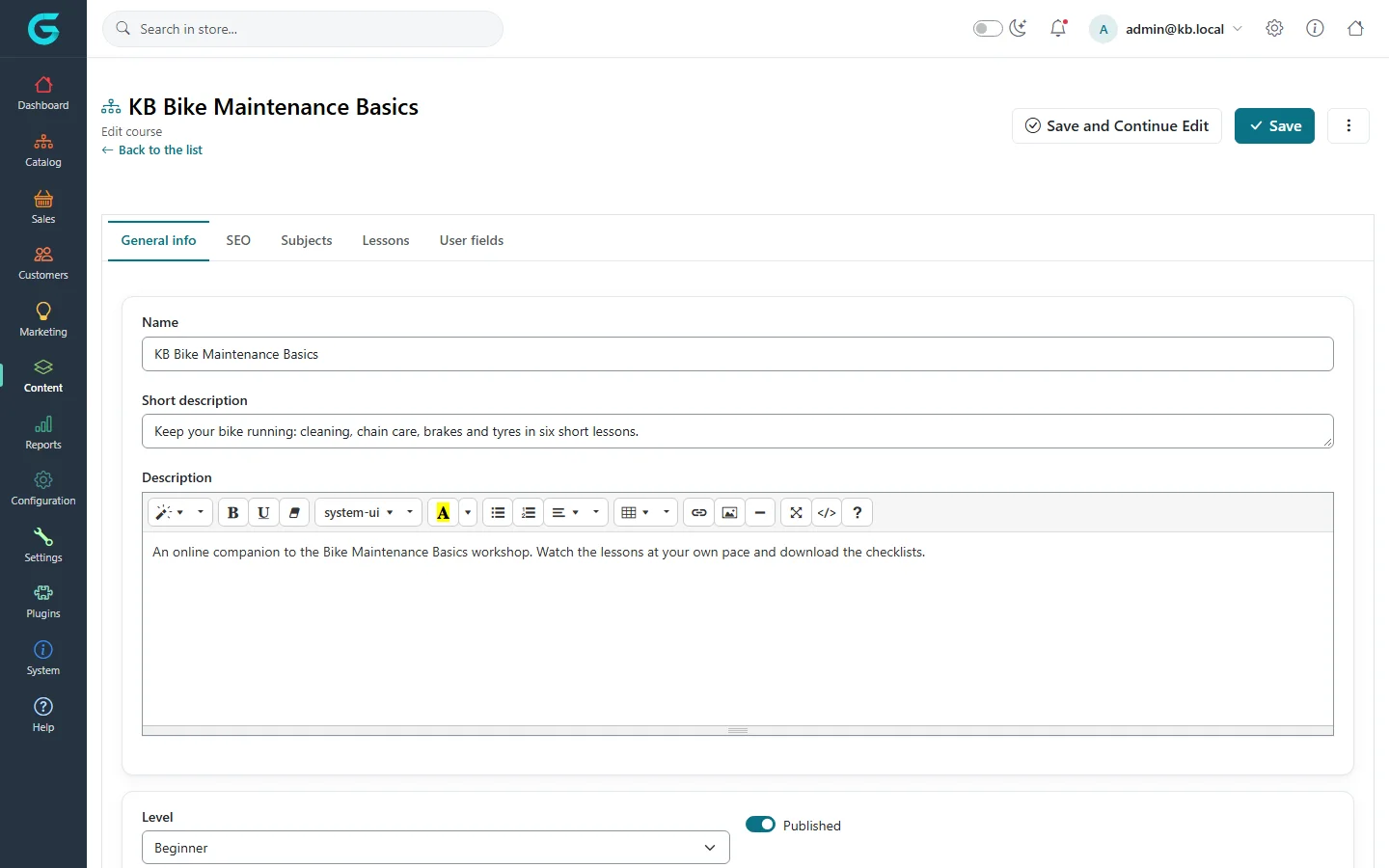
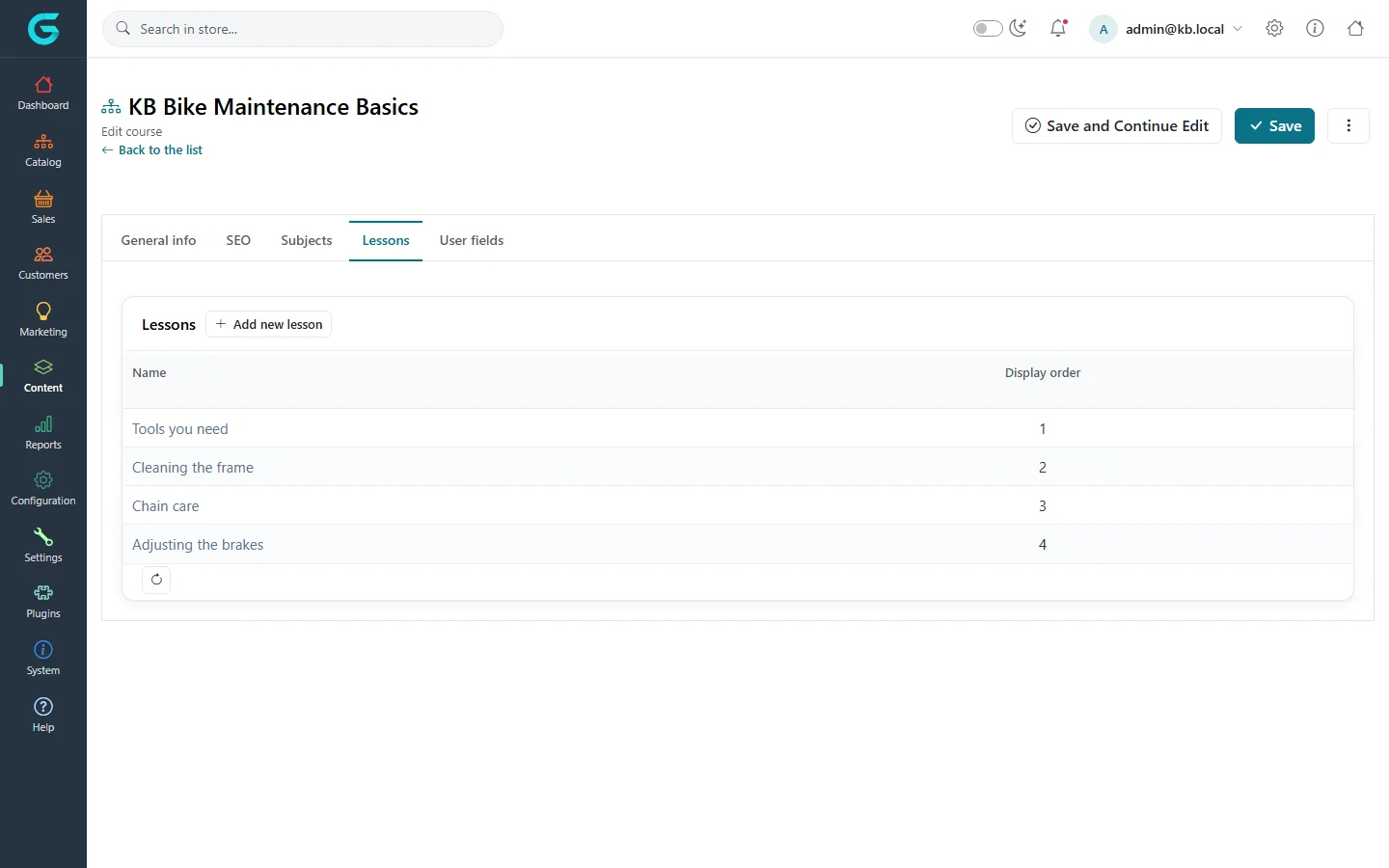
{"ArticleId":null,"Name":"Courses (online lessons)","Content":"\n\u003Cp\u003EGrandNode has a small learning module for selling \u003Cstrong\u003Eonline courses\u003C/strong\u003E: a course is a set of lessons - text, video and downloadable attachments - that customers get access to after they buy the product the course is linked to. Use it for workshops with a video companion, training for B2B customers, or paid how-to series.\u003C/p\u003E\n\n\u003Ch2 id=\u0022where-to-find-it\u0022\u003EWhere to find it\u003C/h2\u003E\n\u003Cp\u003E\u003Cstrong\u003EContent \u2192 Course\u003C/strong\u003E has two entries: \u003Cstrong\u003ECourse level\u003C/strong\u003E (Beginner, Intermediate...) and \u003Cstrong\u003EManage courses\u003C/strong\u003E.\u003C/p\u003E\n\u003Cfigure\u003E\u003Cimg src=\u0022/Plugins/Theme.GrandNodeCom/Content/kb/content/course-levels.webp\u0022 alt=\u0022The course Level list with Beginner and Intermediate, display order and Edit and Delete buttons\u0022 width=\u00221440\u0022 height=\u0022900\u0022 loading=\u0022lazy\u0022\u003E\u003Cfigcaption\u003EContent \u2192 Course \u2192 Course level.\u003C/figcaption\u003E\u003C/figure\u003E\n\u003Cfigure\u003E\u003Cimg src=\u0022/Plugins/Theme.GrandNodeCom/Content/kb/content/courses-list.webp\u0022 alt=\u0022The Manage course list with KB Bike Maintenance Basics, published and display order\u0022 width=\u00221440\u0022 height=\u0022900\u0022 loading=\u0022lazy\u0022\u003E\u003Cfigcaption\u003EContent \u2192 Course \u2192 Manage courses.\u003C/figcaption\u003E\u003C/figure\u003E\n\n\u003Ch2 id=\u0022create\u0022\u003ECreate a course\u003C/h2\u003E\n\u003Col\u003E\n\u003Cli\u003EFirst create the \u003Cstrong\u003Eproduct\u003C/strong\u003E customers will buy - usually a virtual product (no shipping) with the course price. See \u003Ca href=\u0022/catalog-products\u0022\u003EProducts\u003C/a\u003E.\u003C/li\u003E\n\u003Cli\u003EAdd the levels you need under \u003Cstrong\u003ECourse level\u003C/strong\u003E.\u003C/li\u003E\n\u003Cli\u003EIn \u003Cstrong\u003EManage courses\u003C/strong\u003E click \u003Cstrong\u003EAdd new\u003C/strong\u003E. On \u003Cstrong\u003EGeneral info\u003C/strong\u003E enter the \u003Cstrong\u003EName\u003C/strong\u003E, \u003Cstrong\u003EShort description\u003C/strong\u003E, \u003Cstrong\u003EDescription\u003C/strong\u003E, a picture, the \u003Cstrong\u003ELevel\u003C/strong\u003E, and choose the \u003Cstrong\u003EProduct\u003C/strong\u003E that grants access. Tick \u003Cstrong\u003EPublished\u003C/strong\u003E.\u003C/li\u003E\n\u003Cli\u003EFill in the \u003Cstrong\u003ESEO\u003C/strong\u003E tab - the course has its own page and address - and save.\u003C/li\u003E\n\u003C/ol\u003E\n\u003Cfigure\u003E\u003Cimg src=\u0022/Plugins/Theme.GrandNodeCom/Content/kb/content/course-edit.webp\u0022 alt=\u0022Editing KB Bike Maintenance Basics: tabs General info, SEO, Subjects, Lessons and User fields; name, short description, description editor, level Beginner and published\u0022 width=\u00221440\u0022 height=\u0022900\u0022 loading=\u0022lazy\u0022\u003E\u003Cfigcaption\u003EThe course editor.\u003C/figcaption\u003E\u003C/figure\u003E\n\n\u003Ch2 id=\u0022lessons\u0022\u003ESubjects and lessons\u003C/h2\u003E\n\u003Cp\u003E\u003Cstrong\u003ESubjects\u003C/strong\u003E group the lessons into chapters (\u0022Getting started\u0022, \u0022Drivetrain and brakes\u0022). On the \u003Cstrong\u003ELessons\u003C/strong\u003E tab click \u003Cstrong\u003EAdd new lesson\u003C/strong\u003E and enter:\u003C/p\u003E\n\u003Cul\u003E\n\u003Cli\u003Ethe \u003Cstrong\u003EName\u003C/strong\u003E, \u003Cstrong\u003EShort description\u003C/strong\u003E and the lesson text (\u003Cstrong\u003EDescription\u003C/strong\u003E);\u003C/li\u003E\n\u003Cli\u003Ethe \u003Cstrong\u003ESubject\u003C/strong\u003E and \u003Cstrong\u003EDisplay order\u003C/strong\u003E;\u003C/li\u003E\n\u003Cli\u003Ea \u003Cstrong\u003Evideo file\u003C/strong\u003E uploaded to the store, a \u003Cstrong\u003Epicture\u003C/strong\u003E, and an \u003Cstrong\u003Eattachment\u003C/strong\u003E - a download such as a checklist or a PDF;\u003C/li\u003E\n\u003Cli\u003E\u003Cstrong\u003EPublished\u003C/strong\u003E.\u003C/li\u003E\n\u003C/ul\u003E\n\u003Cfigure\u003E\u003Cimg src=\u0022/Plugins/Theme.GrandNodeCom/Content/kb/content/course-lessons.webp\u0022 alt=\u0022The Lessons tab of the course with four lessons: Tools you need, Cleaning the frame, Chain care and Adjusting the brakes, and an Add new lesson button\u0022 width=\u00221440\u0022 height=\u0022900\u0022 loading=\u0022lazy\u0022\u003E\u003Cfigcaption\u003EThe lessons of a course.\u003C/figcaption\u003E\u003C/figure\u003E\n\n\u003Ch2 id=\u0022access\u0022\u003EWho can open a course\u003C/h2\u003E\n\u003Cul\u003E\n\u003Cli\u003EA customer who has \u003Cstrong\u003Ebought the linked product\u003C/strong\u003E sees the course in \u003Cstrong\u003EMy account \u2192 Courses\u003C/strong\u003E and can open its lessons. Each lesson can be marked as finished, so the customer sees their progress.\u003C/li\u003E\n\u003Cli\u003EGuests - visitors who are not signed in - cannot open courses.\u003C/li\u003E\n\u003Cli\u003EStaff with the course permission can open unpublished courses to check them.\u003C/li\u003E\n\u003Cli\u003EThe My account tab can be hidden with \u003Cstrong\u003EHide \u0027My courses\u0027 tab\u003C/strong\u003E in the customer settings, for stores that do not sell courses.\u003C/li\u003E\n\u003C/ul\u003E\n\n\u003Ch2 id=\u0022tips\u0022\u003ETips\u003C/h2\u003E\n\u003Cul\u003E\n\u003Cli\u003ELarge videos make the database and backups big; for long video courses, host the videos on a video platform and embed them in the lesson text (YouTube and Vimeo are allowed embeds).\u003C/li\u003E\n\u003Cli\u003ESell a course in a bundle with a physical product - for example a workshop kit - using a bundled product (see \u003Ca href=\u0022/catalog-product-types\u0022\u003EProduct types\u003C/a\u003E).\u003C/li\u003E\n\u003C/ul\u003E\n\n\u003Ch2 id=\u0022related\u0022\u003ERelated\u003C/h2\u003E\n\u003Cul\u003E\n\u003Cli\u003E\u003Ca href=\u0022/content-html-editor\u0022\u003EThe HTML editor and allowed HTML\u003C/a\u003E\u003C/li\u003E\n\u003Cli\u003E\u003Ca href=\u0022/customers-registration-login-and-privacy\u0022\u003ERegistration, login and privacy\u003C/a\u003E\u003C/li\u003E\n\u003C/ul\u003E\n","ParentCategoryId":"6abdec6c83d2816248229f03","SeName":"content-courses","MetaKeywords":null,"MetaDescription":"Sell online courses with GrandNode: course levels, courses linked to a product, subjects and lessons with video and attachments, and access for buyers.","MetaTitle":null,"AllowComments":false,"Captcha":{"ReCaptchaChallengeField":null,"ReCaptchaResponseField":null,"ReCaptchaResponseValue":null,"ReCaptchaResponse":null},"RelatedArticles":[],"CategoryBreadcrumb":[{"Name":"Content management","Description":null,"IsCurrent":false,"Children":null,"Parent":null,"SeName":"docs-content","Id":"6abdec6c83d2816248229f03","UserFields":[]}],"AddNewComment":{"CommentText":null,"DisplayCaptcha":false,"Id":null,"UserFields":[]},"Comments":[],"Id":"6abe3a3b04b9d0a2009febed","UserFields":[]}