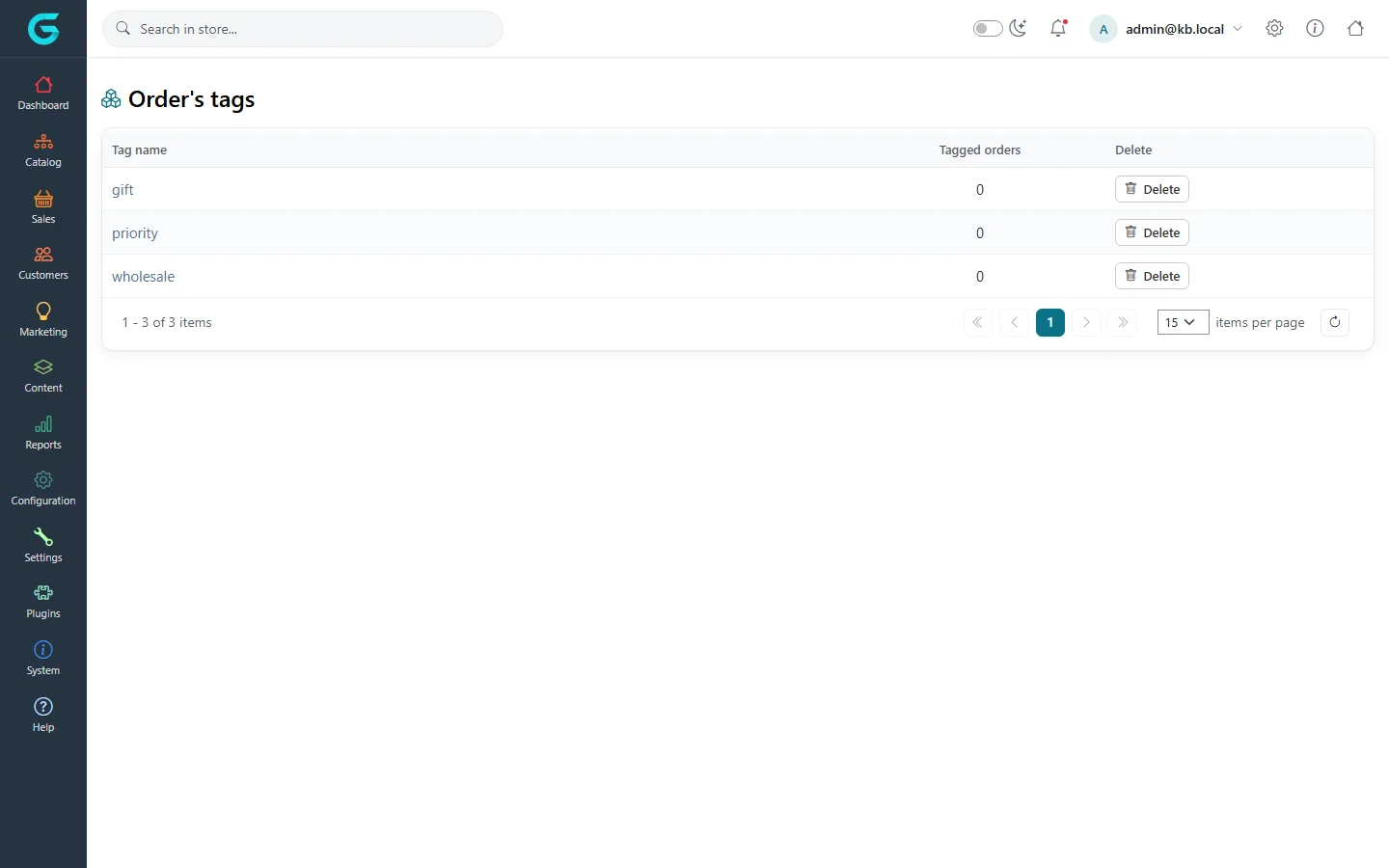
{"ArticleId":null,"Name":"Order tags","Content":"\n\u003Cp\u003E\u003Cstrong\u003EOrder tags\u003C/strong\u003E are short labels for orders - \u0022gift\u0022, \u0022priority\u0022, \u0022wholesale\u0022, \u0022call customer\u0022. They do not change how an order is processed; they help staff mark and find orders that need attention.\u003C/p\u003E\n\n\u003Ch2 id=\u0022tag-an-order\u0022\u003ETag an order\u003C/h2\u003E\n\u003Col\u003E\n\u003Cli\u003EOpen the order under \u003Cstrong\u003ESales \u2192 Orders\u003C/strong\u003E.\u003C/li\u003E\n\u003Cli\u003EOn the \u003Cstrong\u003EInfo\u003C/strong\u003E tab, type in \u003Cstrong\u003EOrders tags\u003C/strong\u003E, separating tags with commas. New words become new tags.\u003C/li\u003E\n\u003Cli\u003EClick \u003Cstrong\u003ESave\u003C/strong\u003E next to the field.\u003C/li\u003E\n\u003C/ol\u003E\n\u003Cp\u003EThe same field is available to store managers in the \u003Ca href=\u0022/docs-store-panel\u0022\u003Estore owner panel\u003C/a\u003E.\u003C/p\u003E\n\n\u003Ch2 id=\u0022list\u0022\u003EThe tag list\u003C/h2\u003E\n\u003Cp\u003E\u003Cstrong\u003ESales \u2192 OrderTags\u003C/strong\u003E lists every tag with the number of tagged orders. Click a tag to rename it, or delete it - deleting removes it from all orders.\u003C/p\u003E\n\u003Cfigure\u003E\u003Cimg src=\u0022/Plugins/Theme.GrandNodeCom/Content/kb/sales/order-tags.webp\u0022 alt=\u0022The order tags list with gift, priority and wholesale, the number of tagged orders and Delete buttons\u0022 width=\u00221440\u0022 height=\u0022900\u0022 loading=\u0022lazy\u0022\u003E\u003Cfigcaption\u003ESales \u2192 OrderTags.\u003C/figcaption\u003E\u003C/figure\u003E\n\n\u003Ch2 id=\u0022find\u0022\u003EFind tagged orders\u003C/h2\u003E\n\u003Cp\u003EIn \u003Cstrong\u003ESales \u2192 Orders\u003C/strong\u003E, open \u003Cstrong\u003EFilters\u003C/strong\u003E and choose the tag to list only orders that carry it - for example everything marked \u0022priority\u0022 that is not shipped yet.\u003C/p\u003E\n\n\u003Ch2 id=\u0022tips\u0022\u003ETips\u003C/h2\u003E\n\u003Cul\u003E\n\u003Cli\u003EAgree a small, fixed set of tags with your team; free-form tags quickly become a long, unused list.\u003C/li\u003E\n\u003Cli\u003EUse order notes, not tags, for information the customer should see - tags are internal.\u003C/li\u003E\n\u003C/ul\u003E\n\n\u003Ch2 id=\u0022related\u0022\u003ERelated\u003C/h2\u003E\n\u003Cul\u003E\n\u003Cli\u003E\u003Ca href=\u0022/sales-orders-list\u0022\u003EThe order list\u003C/a\u003E\u003C/li\u003E\n\u003Cli\u003E\u003Ca href=\u0022/sales-order-details\u0022\u003EOrder details\u003C/a\u003E\u003C/li\u003E\n\u003C/ul\u003E\n","ParentCategoryId":"6abdec6c83d2816248229ec5","SeName":"sales-order-tags","MetaKeywords":null,"MetaDescription":"Label orders with tags such as gift, priority or wholesale in GrandNode, find tagged orders, and manage the tag list.","MetaTitle":null,"AllowComments":false,"Captcha":{"ReCaptchaChallengeField":null,"ReCaptchaResponseField":null,"ReCaptchaResponseValue":null,"ReCaptchaResponse":null},"RelatedArticles":[],"CategoryBreadcrumb":[{"Name":"Sales and orders","Description":null,"IsCurrent":false,"Children":null,"Parent":null,"SeName":"docs-sales","Id":"6abdec6c83d2816248229ec5","UserFields":[]}],"AddNewComment":{"CommentText":null,"DisplayCaptcha":false,"Id":null,"UserFields":[]},"Comments":[],"Id":"6abe3a3a04b9d0a2009febe7","UserFields":[]}